Thank you for purchasing the Celestron TetraViewTM LCD Digital Microscope with a 4.3-inch touch screen monitor.
Your microscope is a precision optical instrument, made of the highest quality materials. It is designed to give you a
lifetime of enjoyment with minimal maintenance.
Before attempting to use your microscope, please read through the instructions to familiarize yourself with its functions
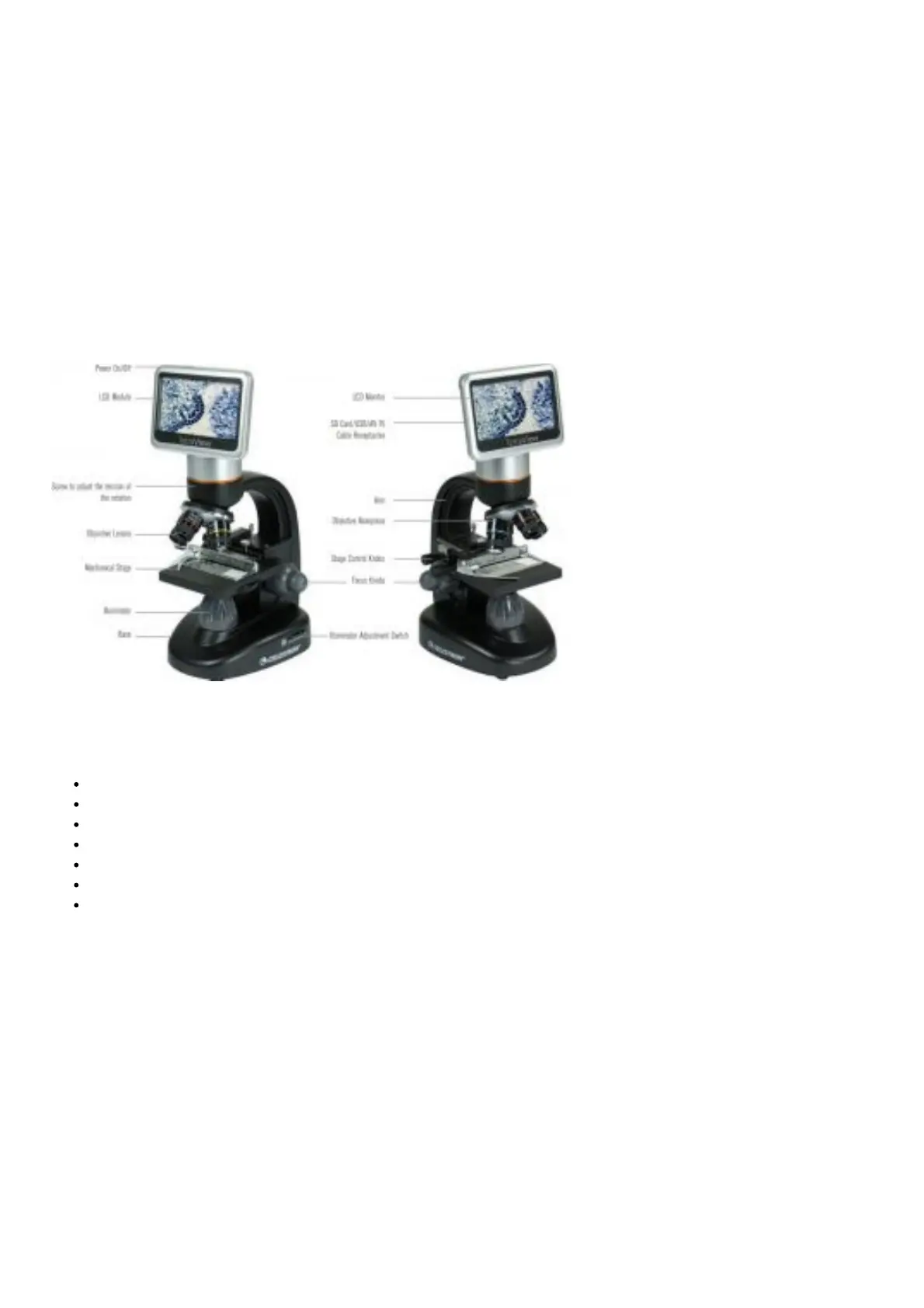
and operations. See the microscope diagram to locate the parts discussed in this manual.
This microscope provides high powers from 40x up to 400x (up to 1600x with digital zoom). This microscope is mainly
suited for examining specimen slides of yeasts and molds, cultures, plant and animal parts, fibers, bacteria, and more.
Unlike traditional microscopes, the Celestron TetraViewTM LCD Digital Microscope does not use eyepieces. You will
view specimens on the LCD screen. In addition, you can take snapshots or short videos with the built-in digital camera.
Plus, you can view on most TV screens with the AV/TV cable.
The final sections of this manual provide simple care, maintenance and troubleshooting tips to ensure that your
microscope provides you with years of quality performance and enjoyment.
Figure: 1
ACCESSORIES INCLUDED WITH YOUR MICROSCOPE
USB Cable 2.0
AV / TV Cable
100 Slides
Touch Pen
Hard Case
AC Adapter
SD Card
SPECIFICATIONS














 To Next Page