27
2
1
3 4 5
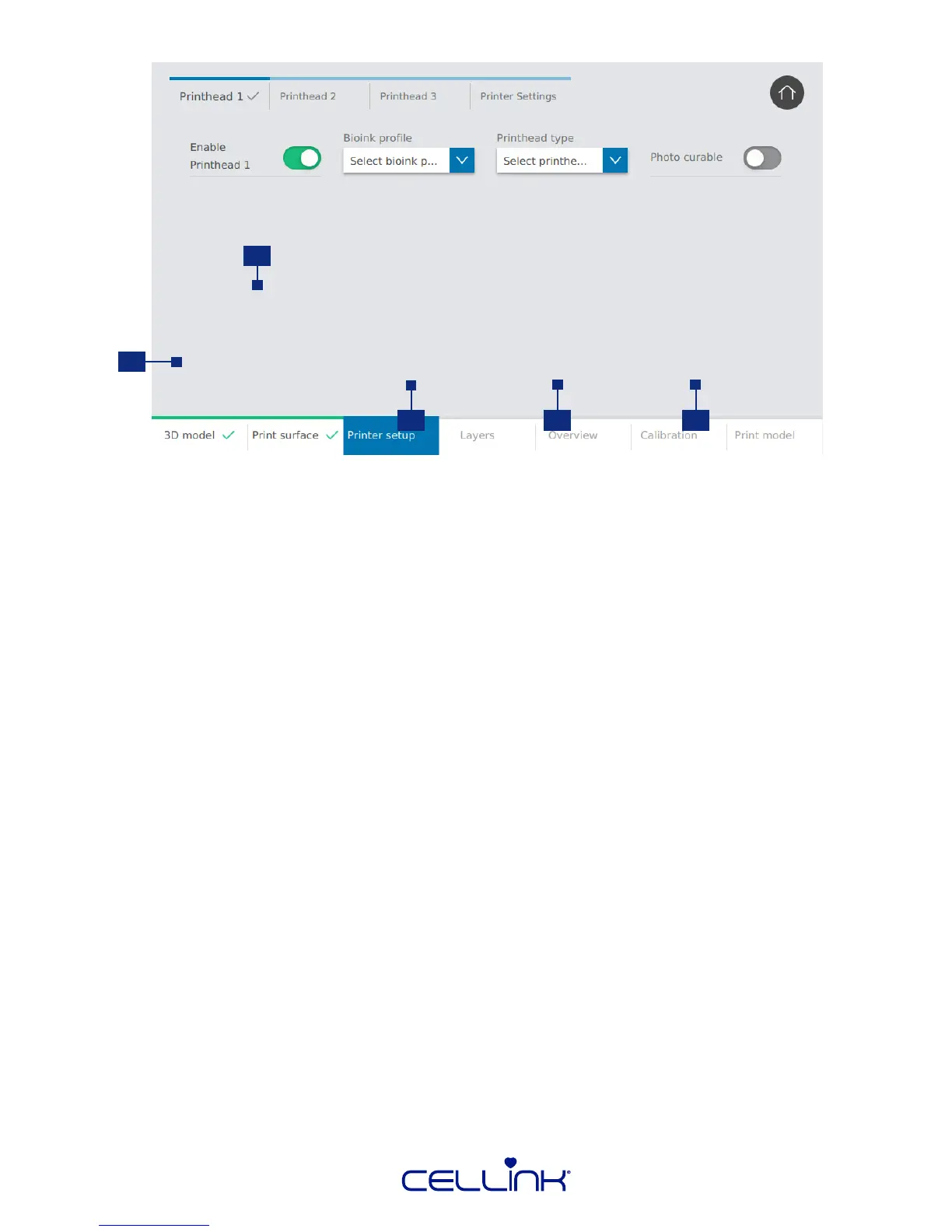
1. Navigaon bar – Use this to toggle between the sengs for the dierent
printheads and the print bed.
2. Toggle printhead – Tap to indicate if you want to use the printhead or not.
If you select the printhead, you will be prompted with more sengs.
3. Bioink prole – Select the bioink prole you want to use. BIO X comes
preloaded with proles for all CELLINK bioinks.
4. Printhead type – Select the type of printhead you want to use. Dierent
sengs will appear below depending on what type of printhead you
select. BIO X comes preloaded with proles for all of CELLINK’s intelligent
printheads.
5. Photo curing – Choose whether to use UV to crosslink the model. If using UV crosslinking,
more sengs will appear.



 To Next Page