28
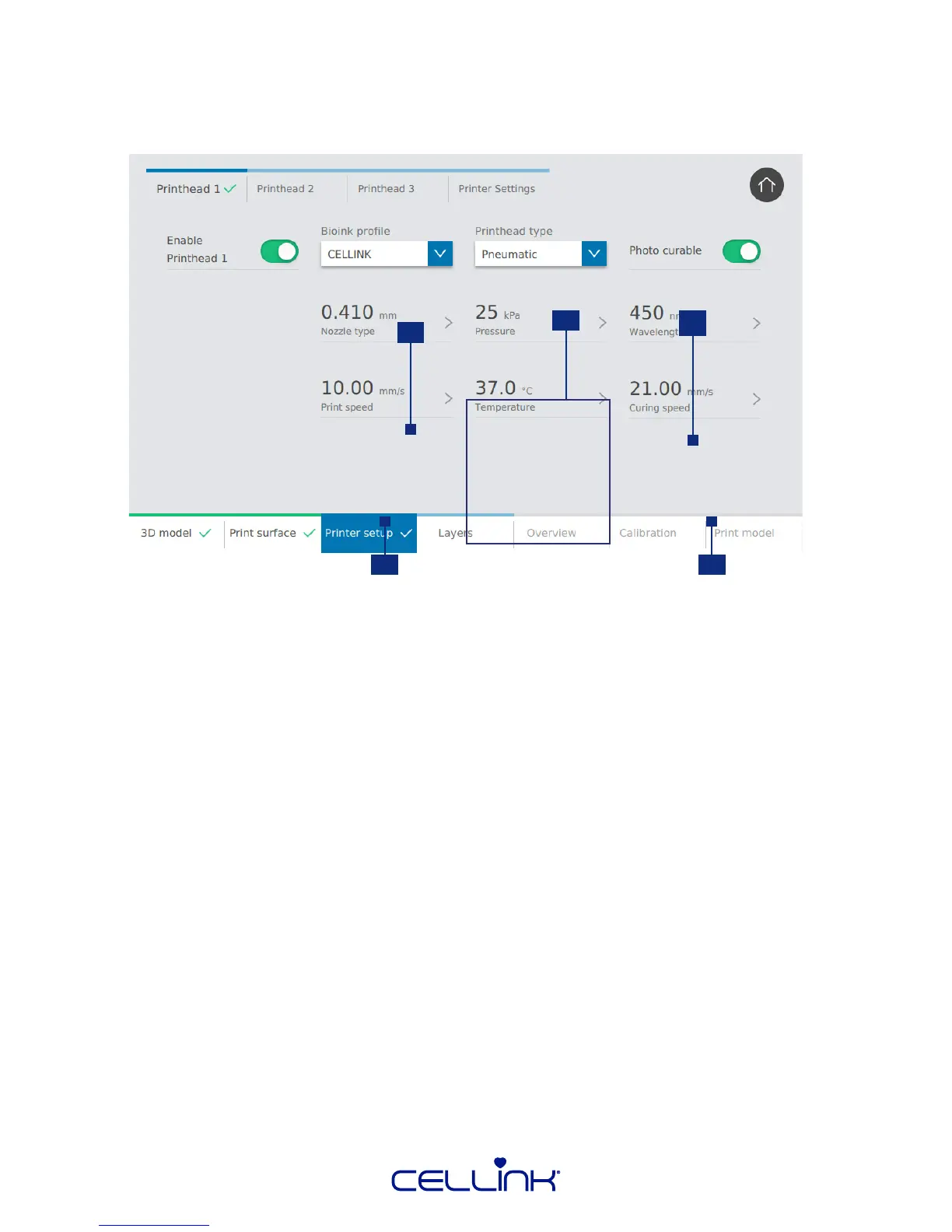
Calibraon sengs appear aer selecng a printhead. Use or modify an exisng prole, or create a
new one. Bioink and photo-curing parameters are the same for all bioinks and printheads, but the
printhead parameters change depending on the printhead selected.
1
3
4 5
2
1. Nozzle type – Select the nozzle type and size.
2. Printhead sengs – These sengs change depending on which intelligent
printhead you use. Consult the manual for the specic printhead for more
informaon.
3. Photo-curing wavelength – Tap to select which wavelength to use for photo curing.
4. Print speed – Tap to select the speed of the printhead.
5. Curing speed – Tap to select the speed of the movement of the photo-curing module.



 To Next Page