30
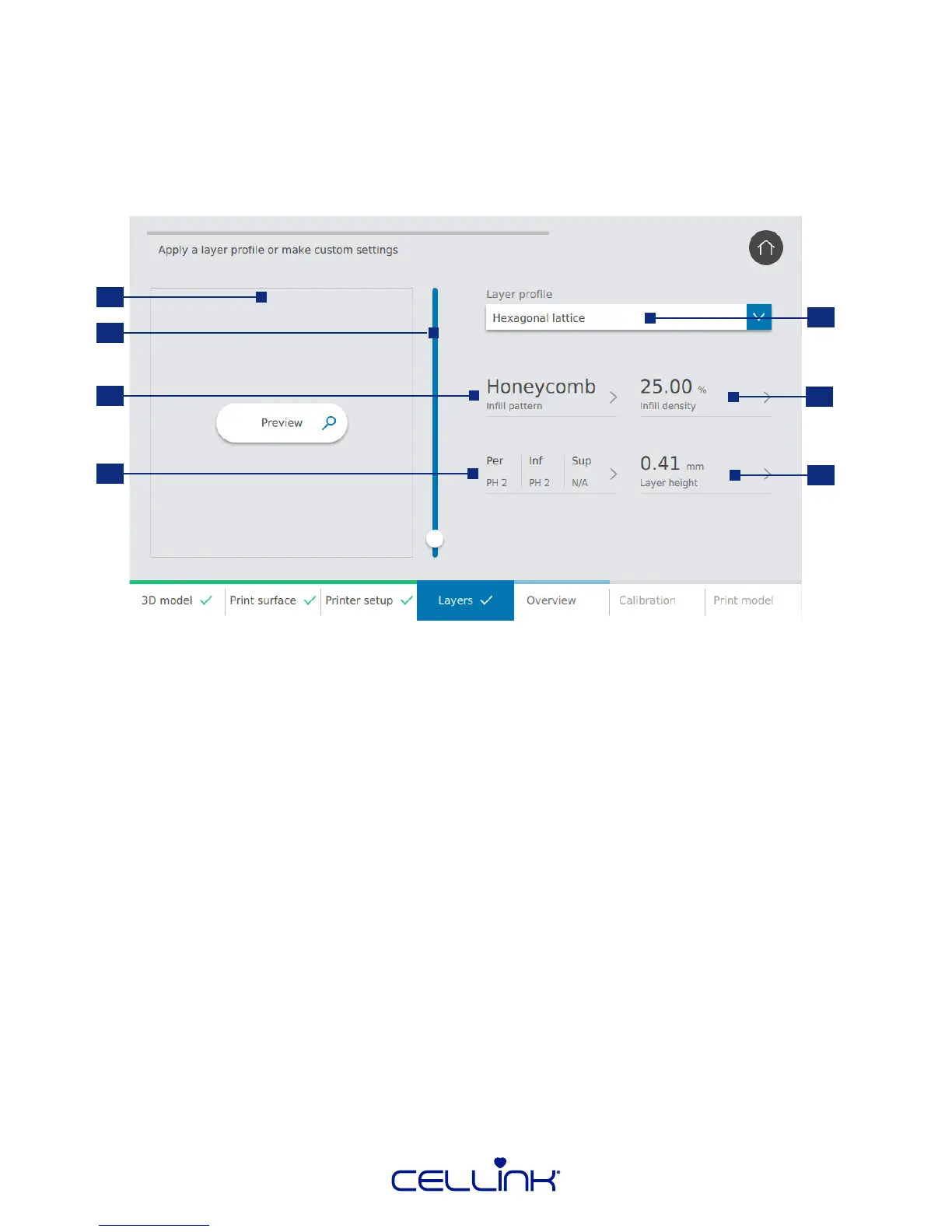
4.2.4 Layer sengs
Modify opons to dene the 3D model’s layers and how BIO X should bioprint the model. Use the
predened sengs or create custom sengs.
1. Preview – View a preview of the chosen layer prole.
2. Preview slider – Drag this to select which layer to preview.
3. Inll paern – Tap to choose inll paern.
4. Printhead use – Tap to select which part of the model each printhead should bioprint.
5. Layer prole – Select one of the saved layer proles or choose to create a new one.
6. Inll density – Indicate how dense the model should be.
7. Layer height – Indicate layer height. CELLINK advises to set the layer height equal to the
nozzle diameter.
1
3
2
4
5
6
7



 To Next Page