33
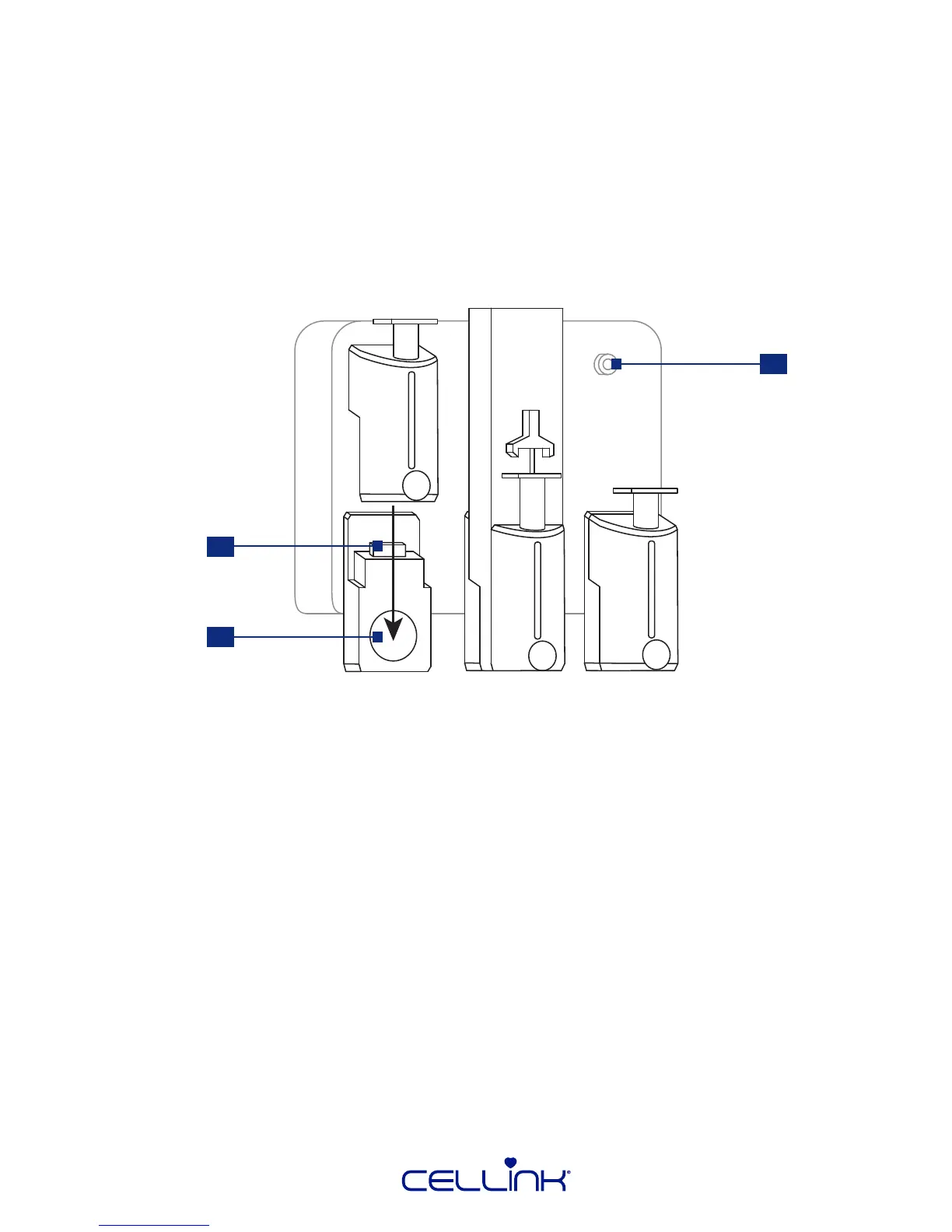
1. Intelligent printhead connector – This connector connects the intelligent printhead to BIO X.
2. Magnet – The magnet holds the printhead in place.
3. Pressure connector – The pressure connector delivers air to intelligent pneumac printheads.
4.2.8 Overview and mounng of bioprinng equipment
Ensure you have correctly mounted the printheads, print surfaces and bioink cartridges before
bioprinng.
Refer to the specic printhead manual for instrucons on how to mount a cartridge. To mount the
printhead in BIO X, move the printhead straight down toward the printhead holder. Press it unl
you feel the magnet snap into place. Remember to connect pneumac printheads to the pressure
connector.
3
1
2



 To Next Page