34
Aer mounng all printheads, print surfaces and cartridges, tap “Bioprint” to start bioprinng.
4.2.9 Overview and mounng of bioprinng equipment
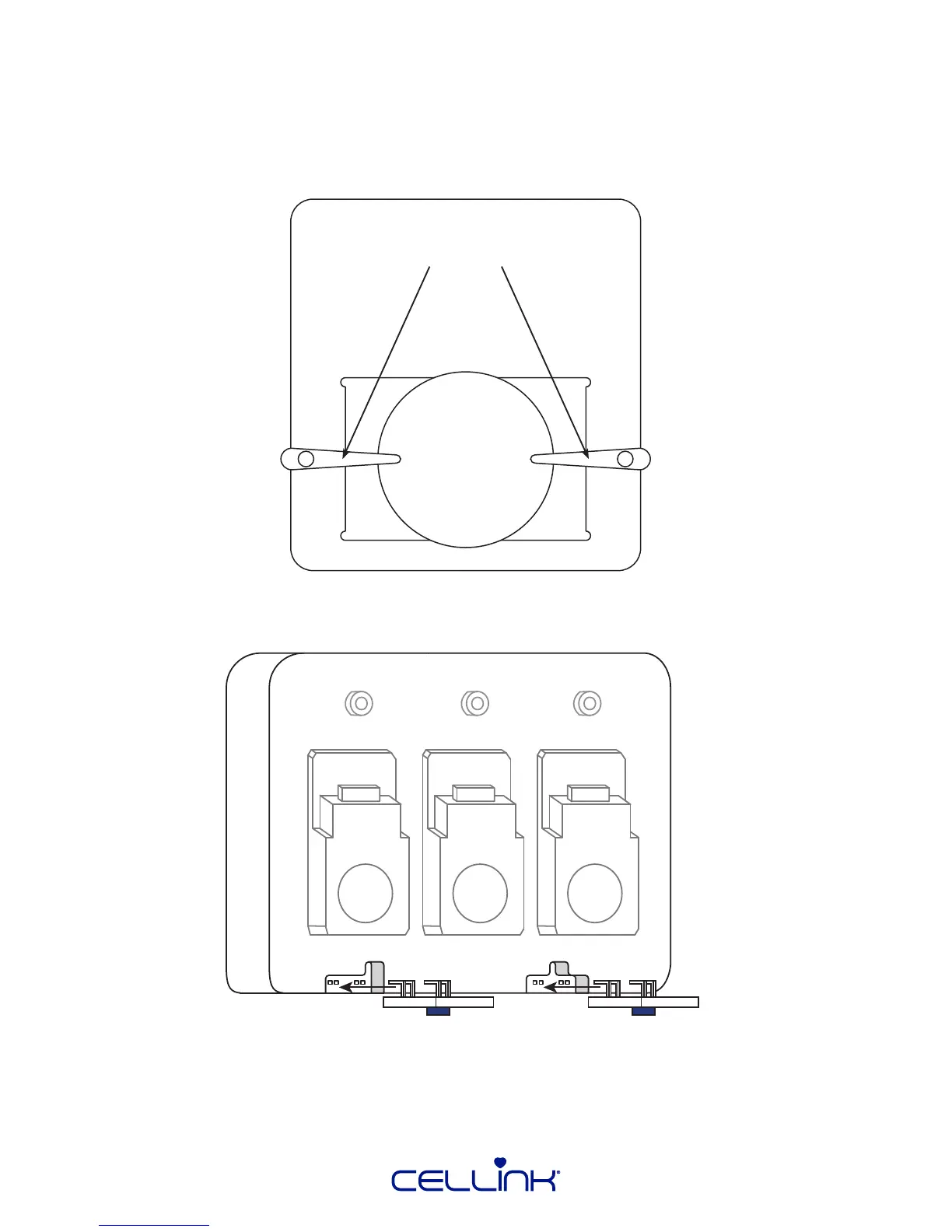
Use the spring-loaded arms to securely fasten the print surface according to the diagram below. Turn
the arms to the sides when using a well plate. Ensure the outer dimensions of the well plate equal
128 x 85 millimeters.
Spring-loaded arms
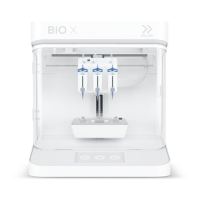
When mounng UV modules, mount them with the UV LED facing down and the contact facing up,
as shown in the diagram below.



 To Next Page