34
Repeer-Host allows Mac users to slice their models and control their machines; however,
the funconality is not quite idencal to HeartWare. Perform the Homing and Calibrang
of the Z-Axis, which can be found in secons 5.2.2 and 5.2.3, before iniang the print
from the Repeer-Host for Mac soware.
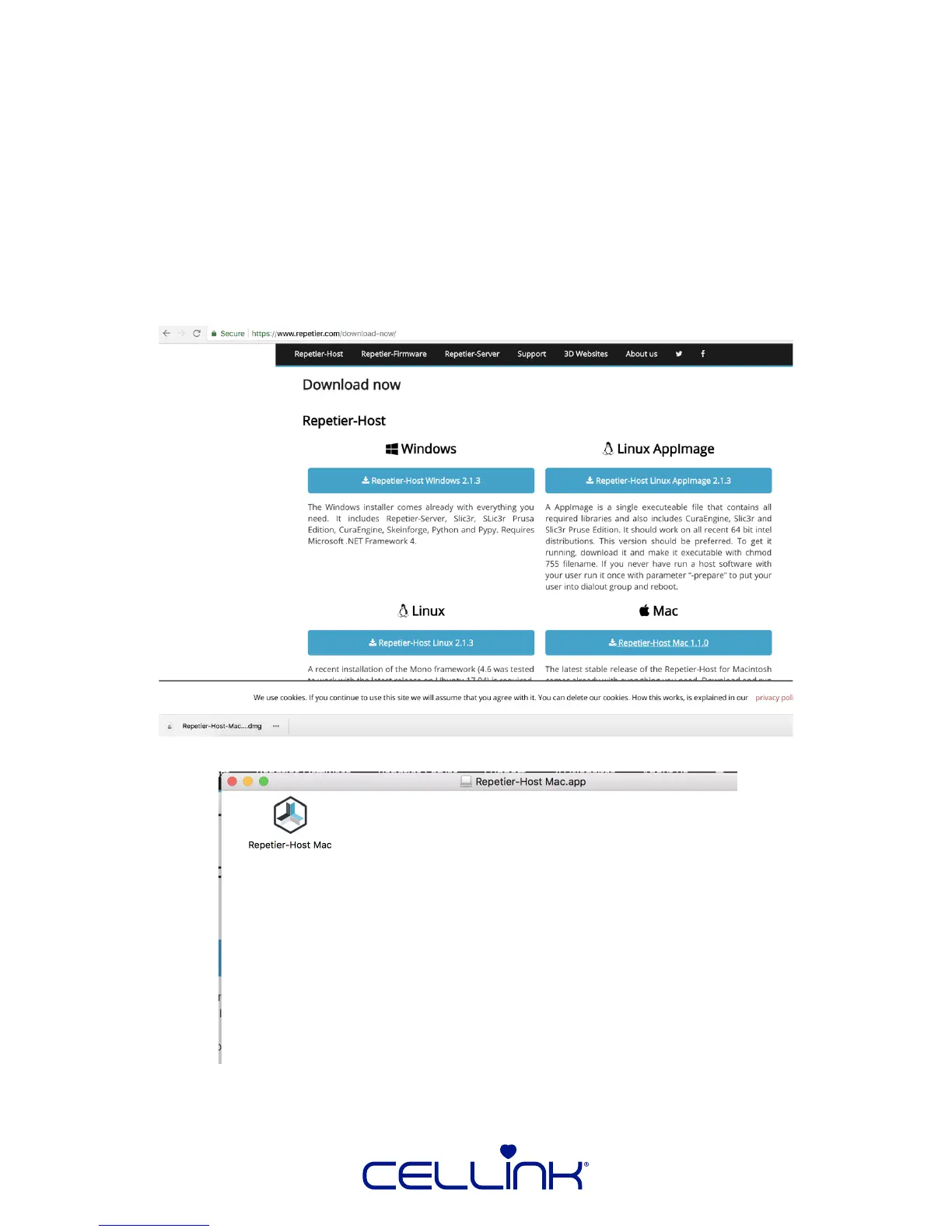
1. Navigate to the Repeer-Host page by either:
- Go to the CELLINK Support page at hps://cellink.com/support/, click “Downloads” and
select “Download” next to Repeer-Host.
- Go to the Repeer-Host site “hps://repeer.com/download-now/” and select
“Repeer-Host Mac 1.10”.
2. Open the downloaded DMG le, and you will see the window below:
Secondary click “Repeer-Host Mac” and copy it.
6.2 Installing Repeer-Host (Mac)



 To Next Page