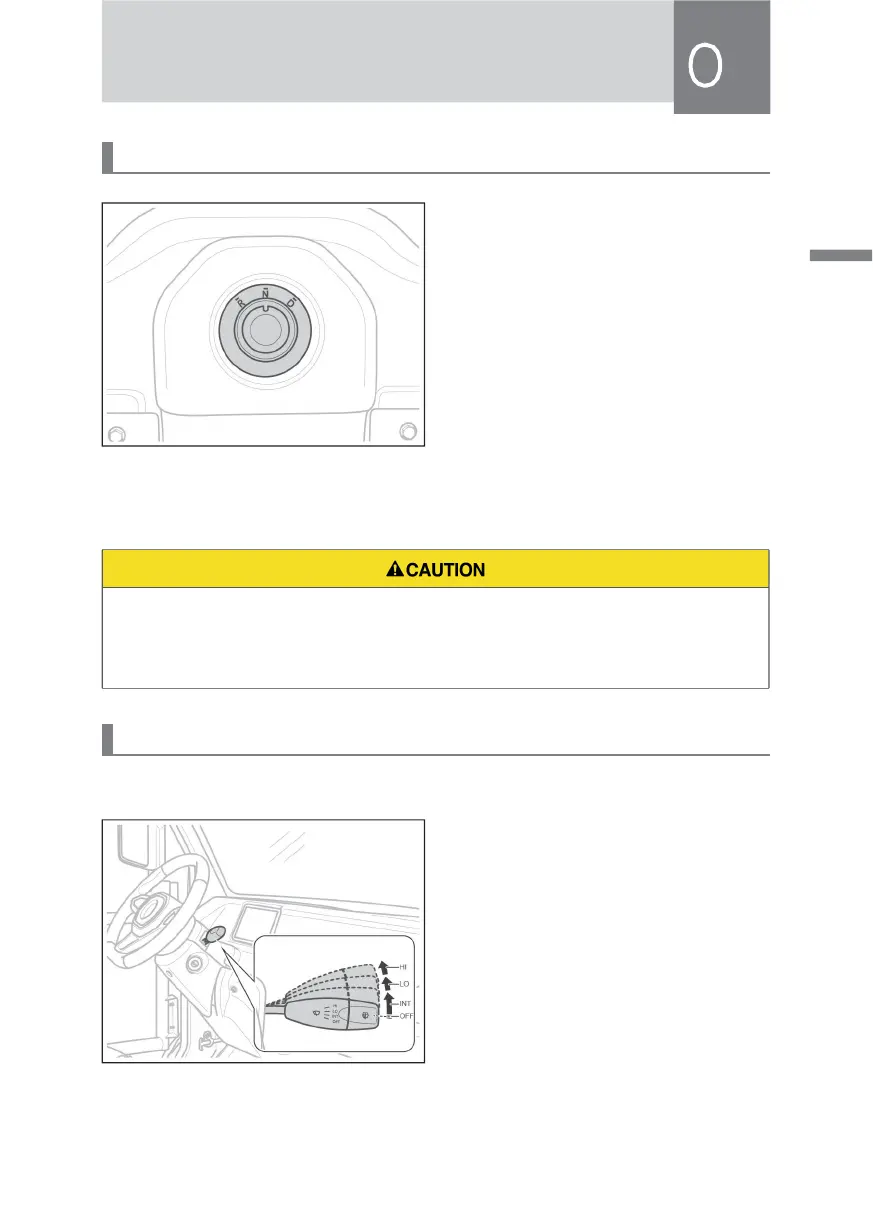
Gear Shift Knob
After the vehicle stops stably, rotate the
gear shift knob to the corresponding
gear. The gear backlight will light up,
and the corresponding indicator lamp
of the instrument will light up. The
specific gear meanings are as follows:
• R: Reverse gear, which is used when
reversing backwards.
• N: Neutral gear, which is used when
parking.
• D: Drive gear, which is used when
driving forwards.
• Please rotate the gear shift knob to the neutral gear when deenergizing or
starting.
• When you shift gears, please stop the vehicle firstly and keep it stationary.
Wiper Switch
Wiper Blades
When the key is at the "ACC" position,
toggle the wiper switch in the arrow
direction from the OFF position to
select the wiper blades mode. Specific
controls are as follows:
• OFF: Turn off the wiper blades.
• I N T : t h e w i p e r b l a d e s w i p e
intermittently.
• LO: the wiper blades wipe at low
speed.
• HI: the wiper blades wipe at high
speed.



 To Next Page