23 – Monitoring – User manual – v1.2
T1S and T2S Characteristics
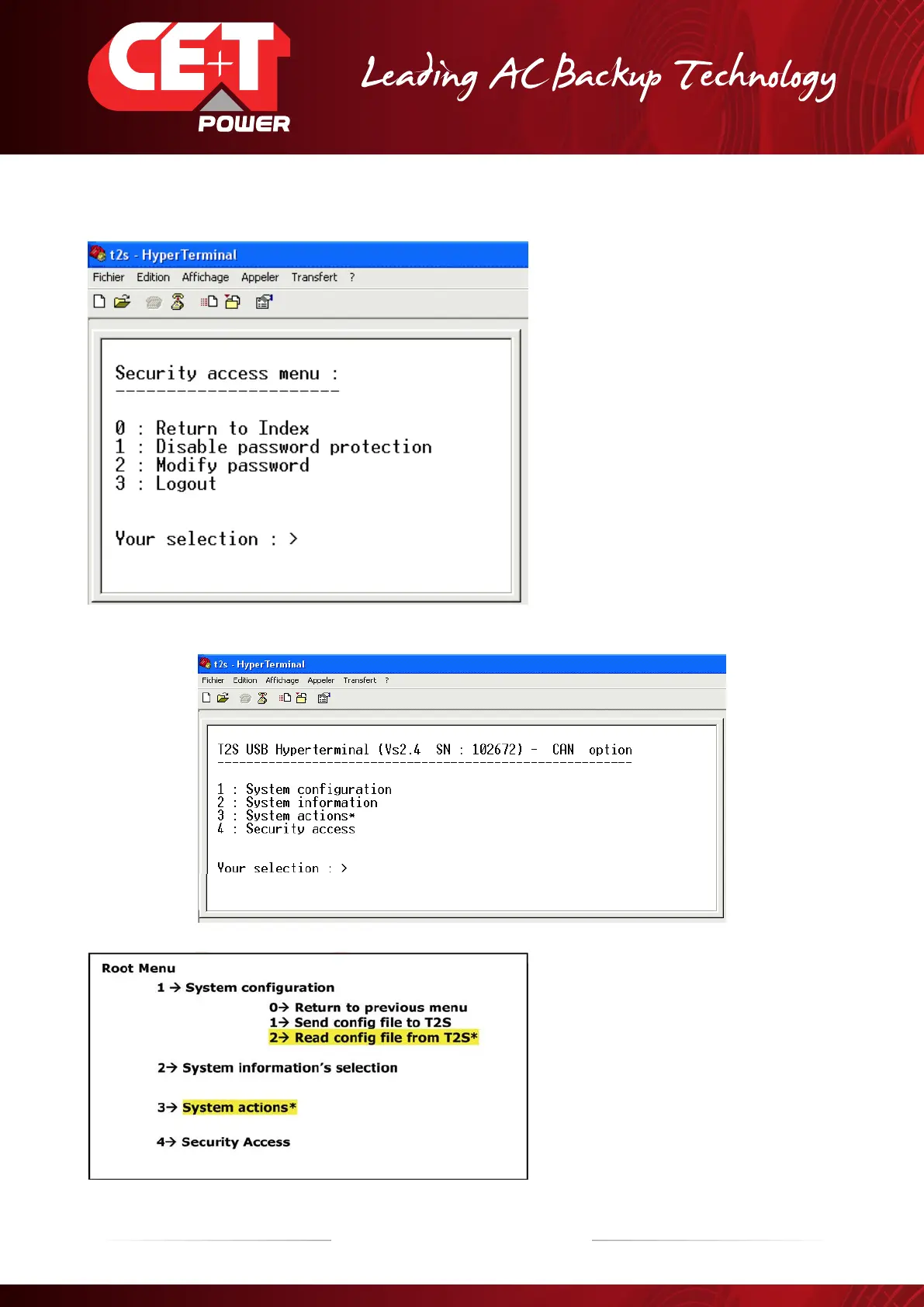
On this Menu, type “0” to return to « Root
Menu » There, every menu are accessible
and menu protection is not validated.
On this Menu, “1” is used to remove the
secured option.
Type “2” for changing the password.
With “3”, the secured option is activated,
and some menus will show the sign “*”.
Menu having the sign « * » are no more accessible without password.
The menu tree with protected menus is the
following:
In the Menu 1, it is only possible to send a
configuration file to T2S monitor
The Menu 2 and the Menu 4 are totally open
The Menu 3 is totally protected
Choosing a protected menu leads to message “This action is locked ! “


 To Next Page