67 – Monitoring – User manual – v1.2
Monitoring - CanDis
8.5.4 Configuration - CS141
This configuration procedure must be done through a web browser and requires a crossover Ethernet cable.
1. Connect the cross Ethernet cable between the Web-SNMP interface and your computer. At least one TSI inverter module
and the T2S monitoring unit must be in function.
2. Fix in your computer an IP address near of the default address Web-SNMP address: “192.168.100.196”. For instance
choose “ 192.168.100.194”
3. Open your favourite web browser and type in the URL field the following URL: http://192.168.100.196. If the default IP
address was changed or if you don’t know the last IP address, the only way to change the setting will using the section
8.5.5, page 68.
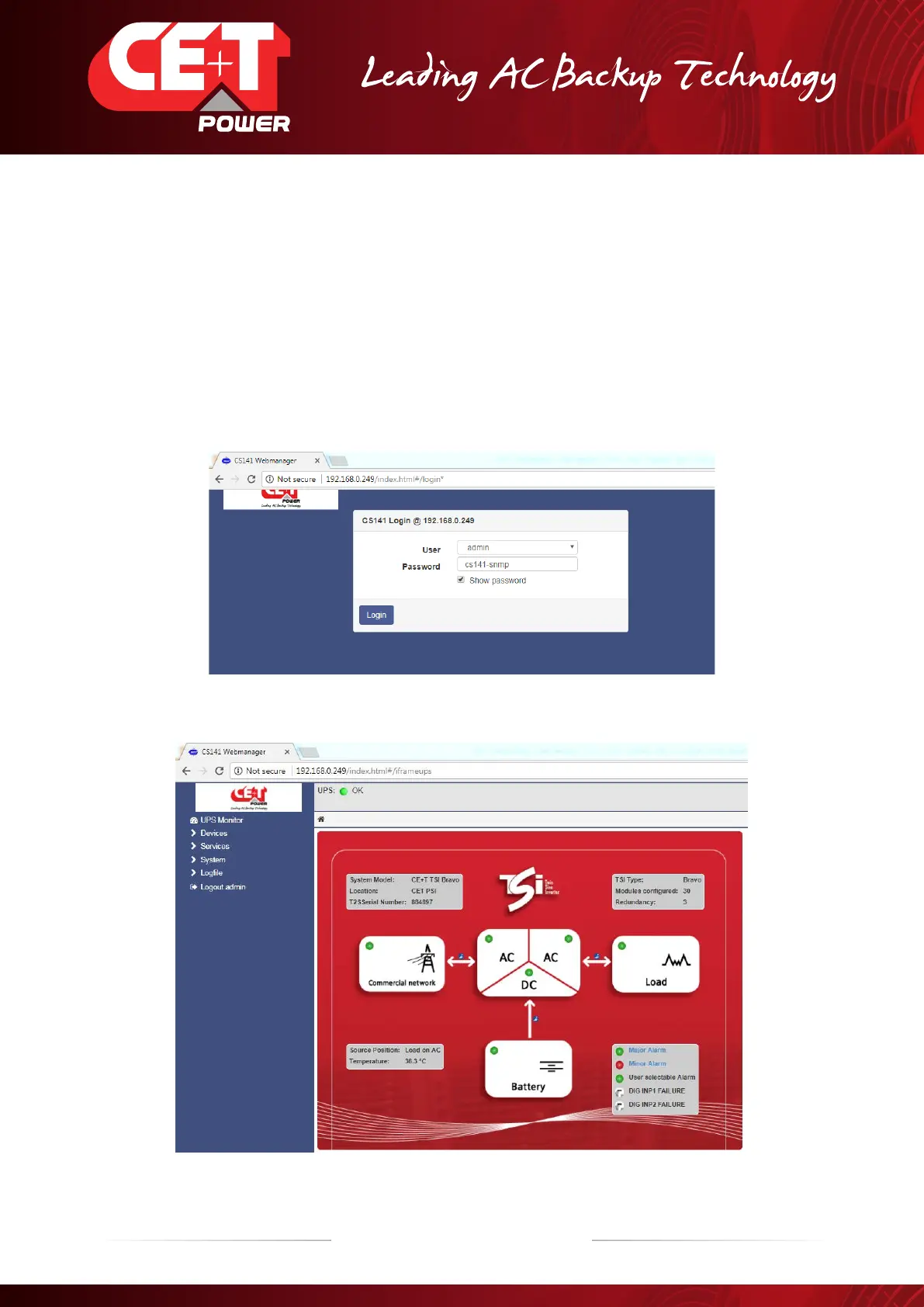
If the settings are correct this home page should be displayed as follow.
4. Selcect User as “admin” and Password is “cs141-snmp”
After successful login, the following screen will appear


 To Next Page