33 – Monitoring – User manual – v1.2
T1S and T2S Characteristics
6.9.6 Sending configuration to the system
Select (1) in root menu « System configuration » Menu
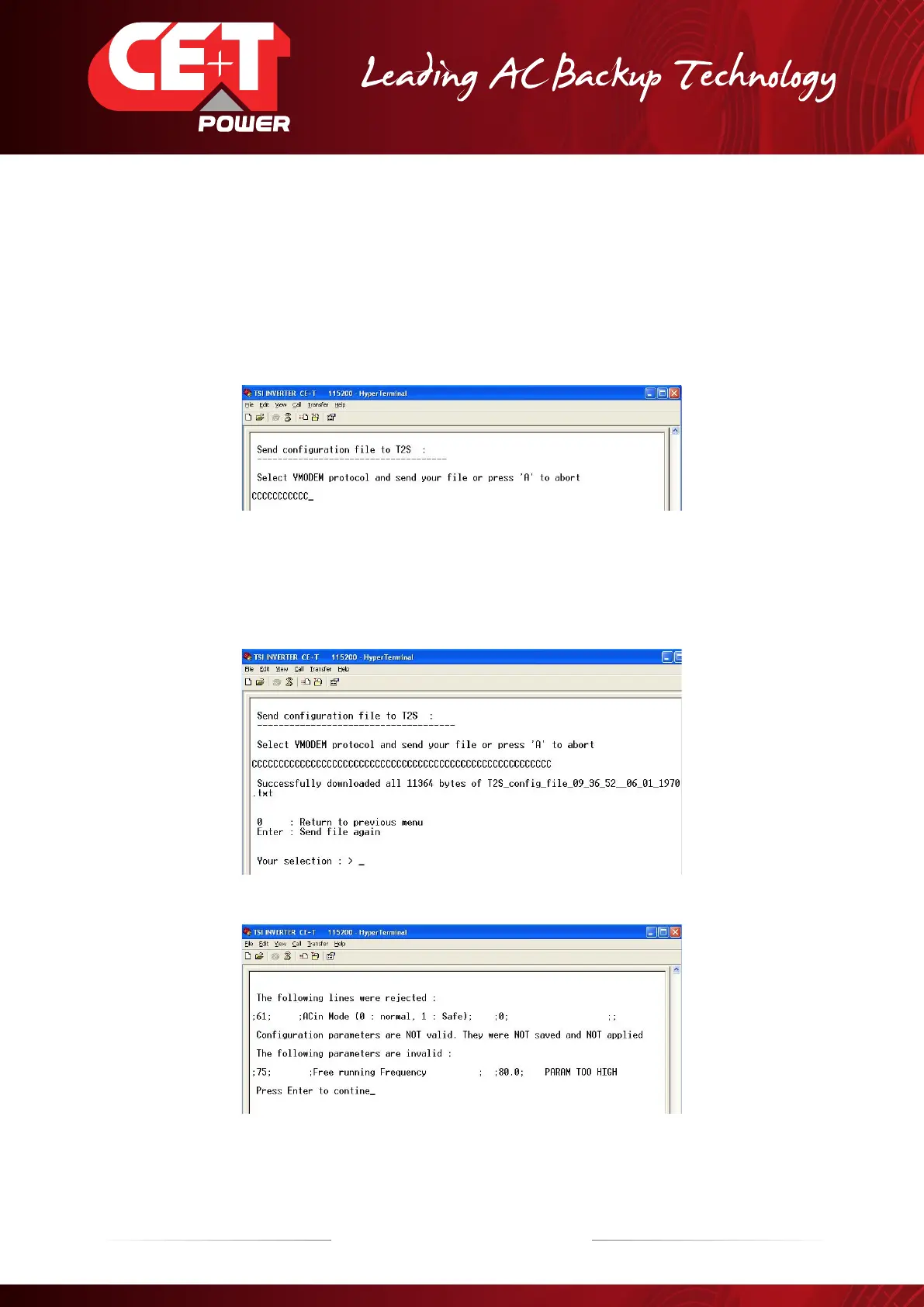
Select 1 “Send configuration file to T2S”
The T2S prompts to send configuration
Click “Transfer” and then “Send File”
Use « Browse » button to select directory where you have saved the configuration file.
Select “Ymodem” from drop down list.
Press “Send” to start sending file.
The T2S acknowledges the upload.
Whenever some parameters are not valid they are rejected and an appropriate message is displayed.
After an update of the configuration file, the TSI inverters complete update can take up to 30 minutes. Do not
make any intervention on the system during this time period.


 To Next Page