22 – Monitoring – User manual – v1.2
T1S and T2S Characteristics
6.9.2 Security Access (Protected Menus)
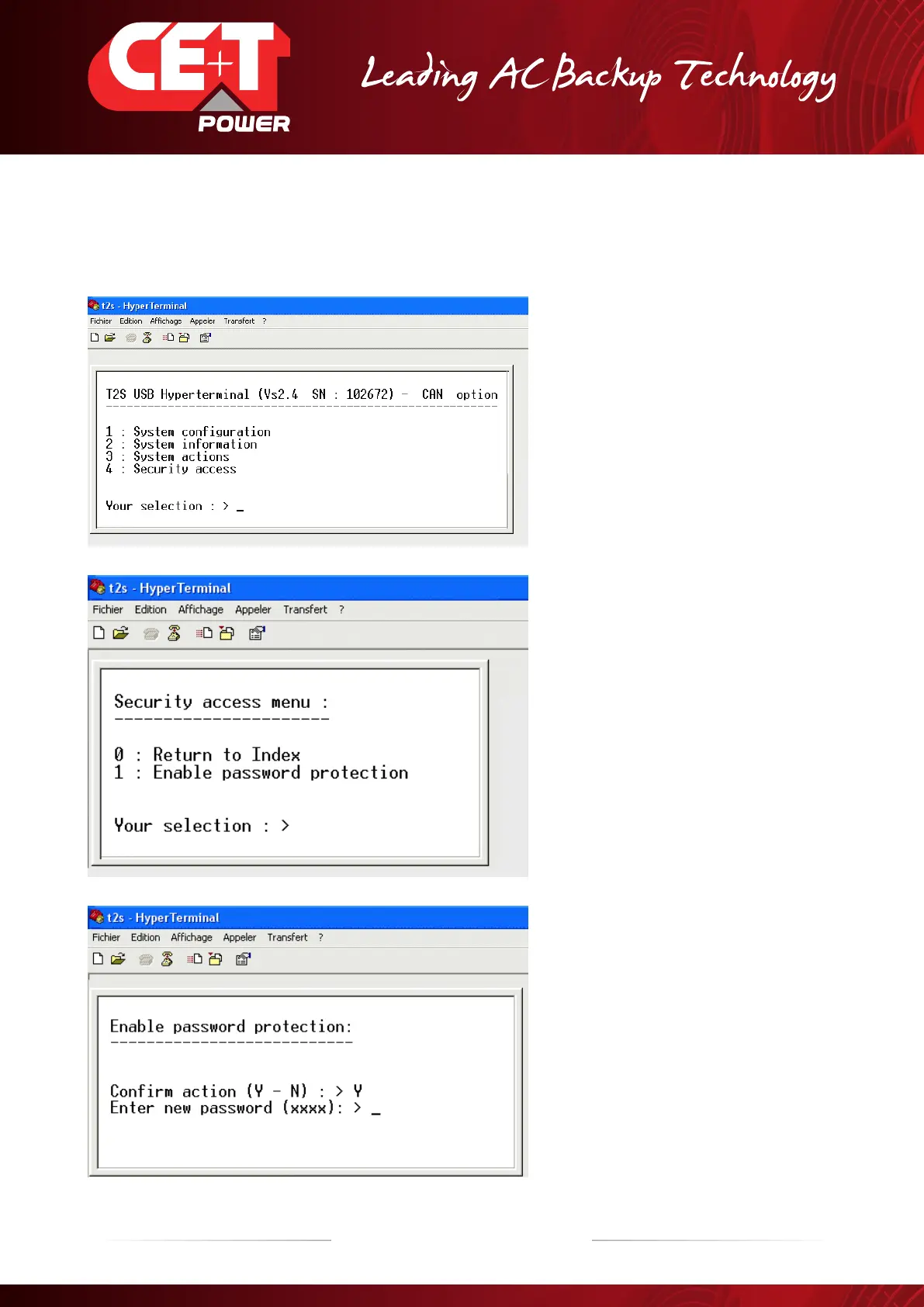
To secure access to Menu of T2S, use HyperTerminal as explained before. Available since SW 2.4 version
1. Select (4) as « Security Access » Menu
2. After, select (1) on Security access menu
3. Type “Y” for introducing your Password
4. Type your Password
5. The password must be confirmed.
6. After validation of the password, a new
menu is shown
Password must contains FOUR FIGURES
(Only figures, No signs, No letters)
Example : “1234”


 To Next Page