16-5
2
2
2
3
4
5
6
6
8
9
9
11
12
13
14
16
16
17
17
18
18
18
18
18
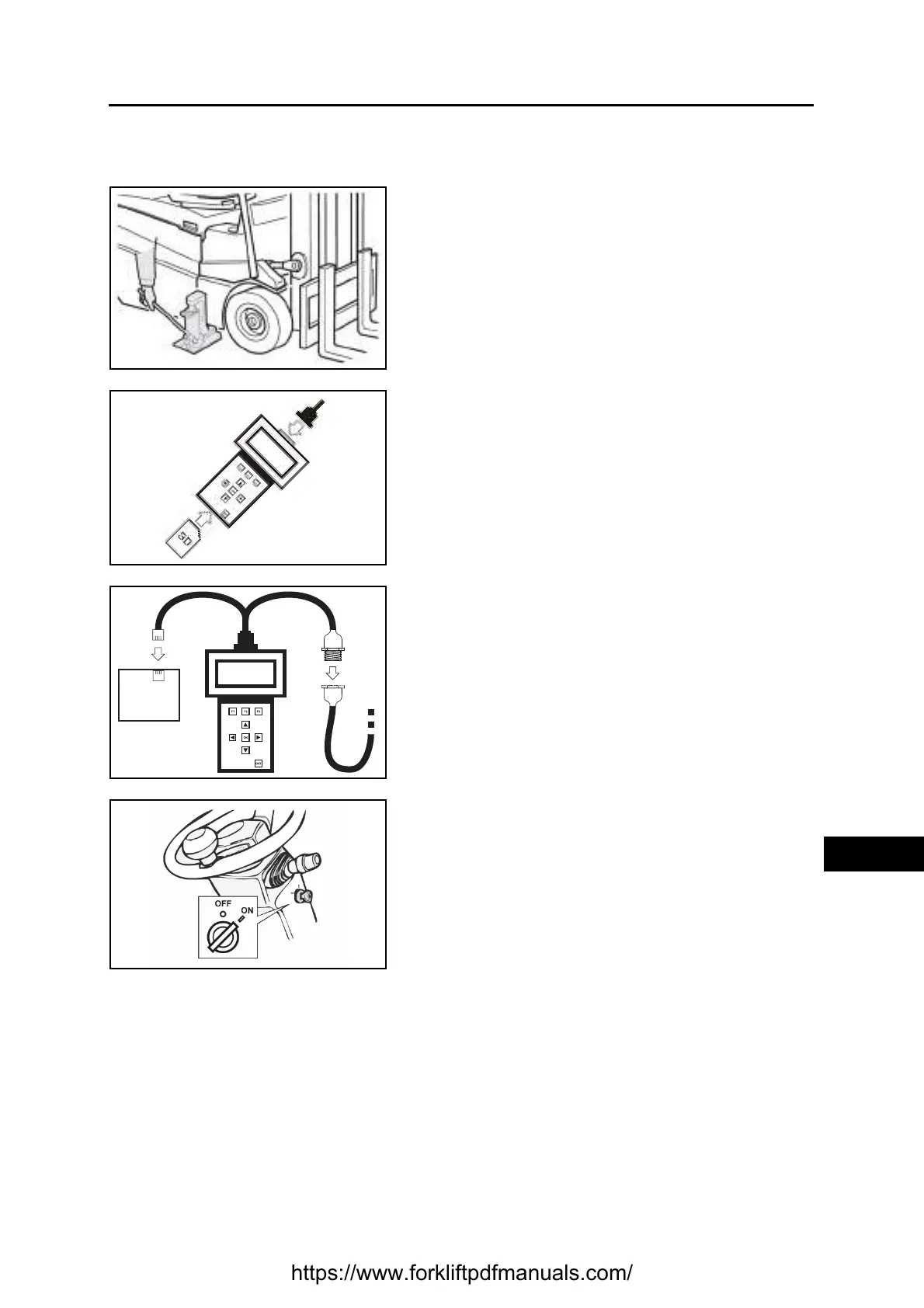
PROGRAMMER SERIAL CONNECTION
Procedure
1. Put the truck in a safe position, parking it on a flat
surface and raising the drive wheels
2. Insert the SD card in the programmer and connect the
interface wiring
3. Connect the CAN-BUS connector of the programmer
to the CAN-BUS connector (J132) of the truck, located
under the display
4. Connect the serial connector of the programmer to the
serial connector of the card to be programmed
5. Connect the card to be programmed to the machine
wiring, ensuring that it receives power, and turn on the
truck
https://www.forkliftpdfmanuals.com/


 To Next Page