16-9
2
2
2
3
4
5
6
6
8
9
9
11
12
13
14
16
16
17
17
18
18
18
18
18
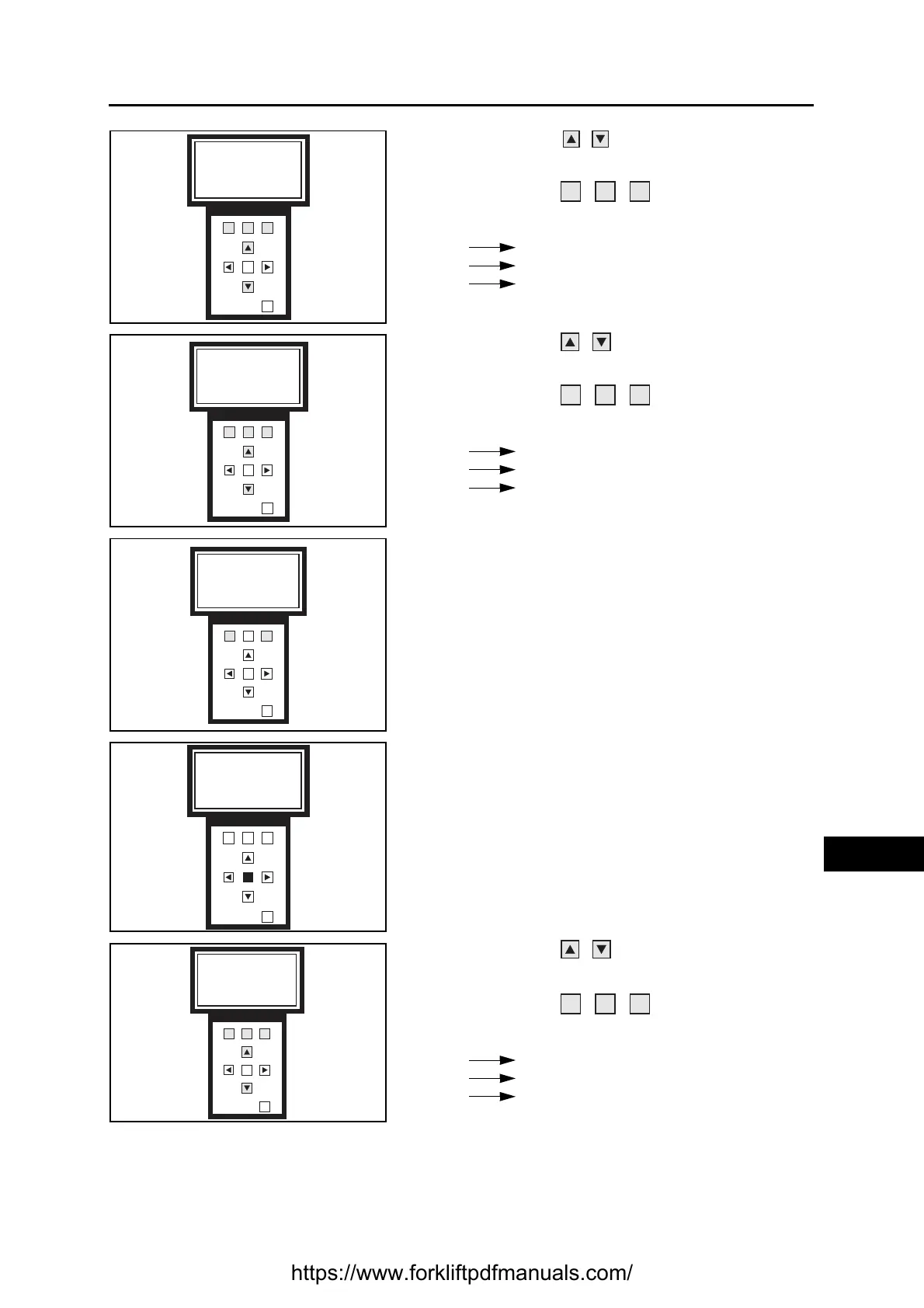
6. Use the buttons to change screen and view
the truck models
Use the buttons to select the truck
model connected to the programmer
F1 selects line 1
F2 selects line 2
F3 selects line 3
7. Use the buttons to change screen and view
the cards present on the truck
Use the buttons to select the cards to
be updated
F1 selects line 1
F2 selects line 2
F3 selects line 3
8. Press F1 to select programming by CAN-BUS
Press F3 to select programming by SERIAL
CONNECTION
9. Press OK to confirm your choice
10. Use the buttons to change screen and view
the software versions
Use the buttons to select the software
version to be installed
F1 selects line 1
F2 selects line 2
F3 selects line 3
F1 F2
F3
OK
OUT
1 BLITZ312-420 AC FN
2 ECOP CESAB
3 B315-420
1 2 3
F1 F2
F3
OK
OUT
EVCB X.XX Old
TRCB X.XX Updated
PUMP X.XX Old
F1 F2
F3
OK
OUT
Please select
Program type
VIA CAN SERIAL
F1 F2
F3
OK
OUT
Please press to
enter in prog file
selection
OK
F1 F2
F3
OK
OUT
1 version X.XX
2 version X.XY
3 version X.XZ
1 2 3
https://www.forkliftpdfmanuals.com/


 To Next Page