16-10
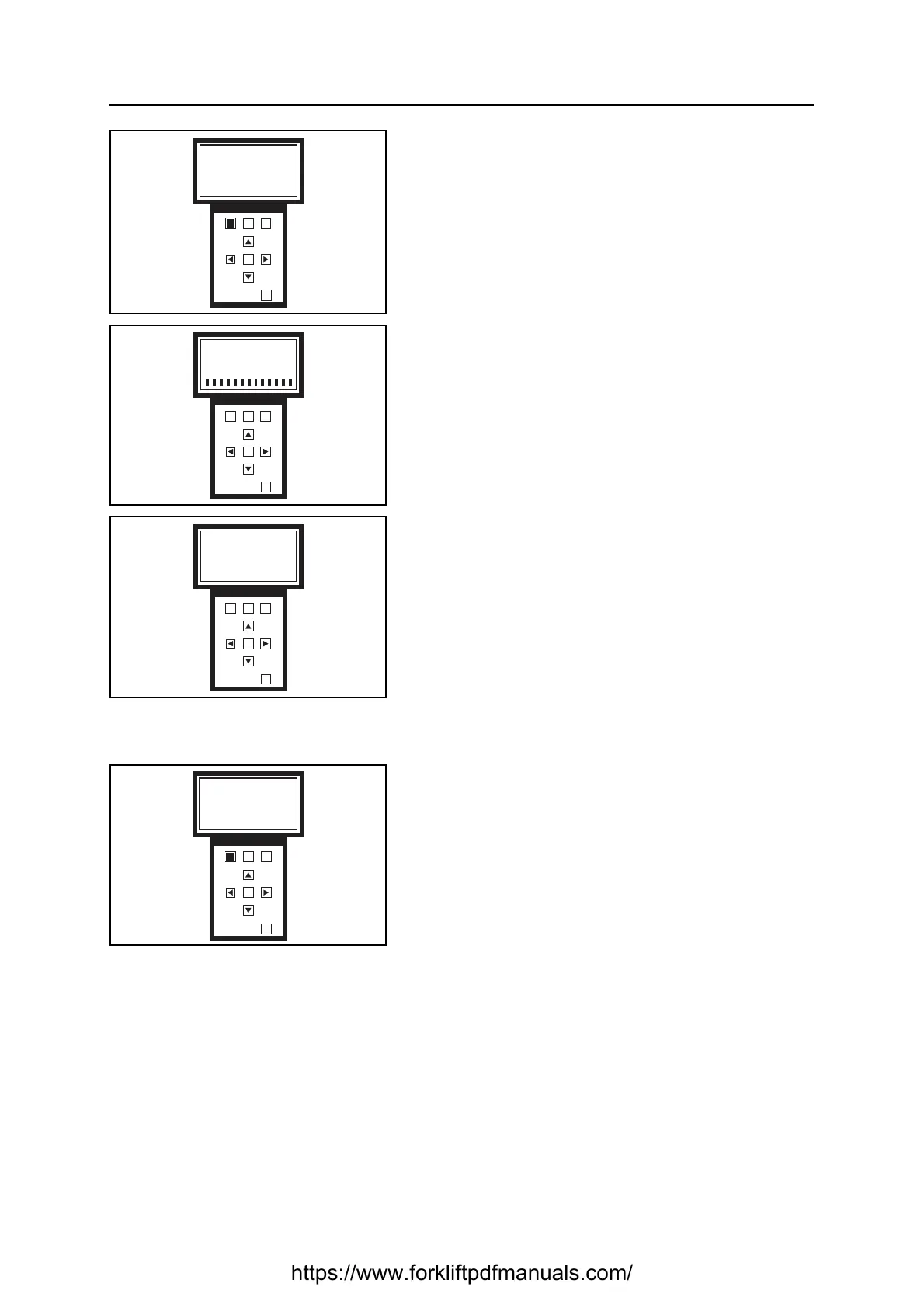
11. Press F1 to confirm your choice and start
programming
Press F3 to return to the previous screen
12. Wait until the end of programming
Note:
Do not turn off the truck, disconnect the programmer
or the battery during programming
13. Programming ended
Press OK to move on to the next screen
“Please key OFF and ON”
Turn the truck off and on again
In the case of updating the Logic Units, the request to use the CLEAR EEPROM function will appear on
the last screen
14. Press F1 to perform the function
Press F3 to not perform the function
15. Wait for this message to appear:
“PROGRAM AND CLEAR EEPROM SUCCESFUL
PLEASE KEY OFF AND ON”
Turn the truck off and on again
F1 F2
F3
OK
OUT
Do you want to program
EVCB with vers X.XX?
YES NO
F1 F2
F3
OK
OUT
Please wait
Program Running
F1 F2
F3
OK
OUT
Program Successful
F1 F2
F3
OK
OUT
Program successful
Do you want to clear
eeprom?
YES NO
https://www.forkliftpdfmanuals.com/


 To Next Page