Chapter 2
Cylinder and Components
48 SAFETY FIRST Edition 1 – December 2019
MSA G1 Electronic Breathing Apparatus
Example
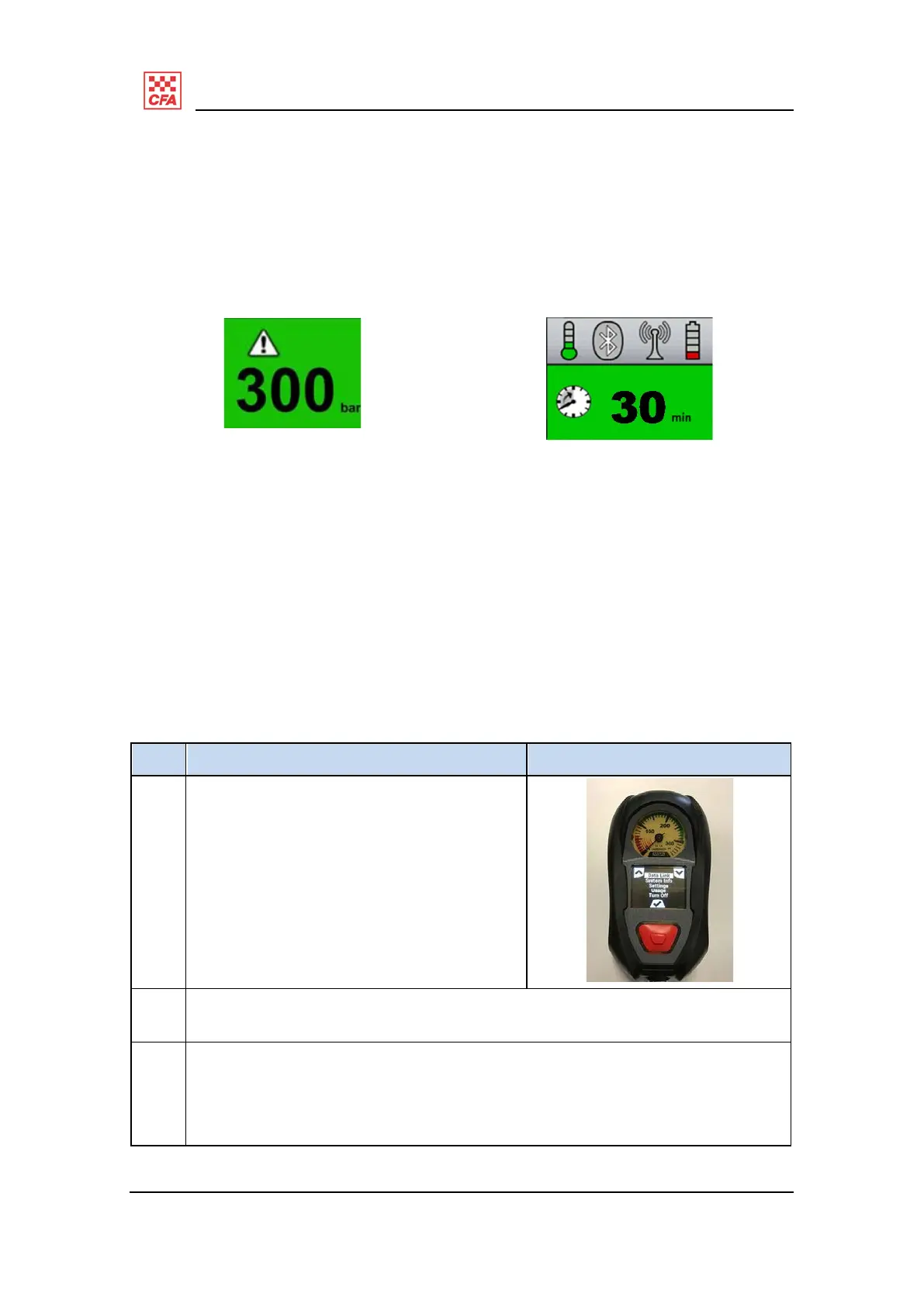
In the example in Figure 25 the primary screen is green, indicating 300 bar
cylinder
pressure and the attention icon appears in the top left corner. The operator
will have
noted the yellow flashing battery symbol on the left side of the HUD.
Figure 25: primary screen Figure 26: secondary s creen
Diagnostic information
Operators can access a diagnostics menu screen that shows various statistics about
the BA and its use. State PPE&C Management Centre will use this information in more
detail.
Follow these steps to access the diagnostic information screen and how to exit it if
accessed
accidentally.
Step Description Illustration
1 Press and hold either of the green
RESET
buttons continuously for eight
seconds.
The LCD screen will display
the
diagnostics menu screen.
2 Scroll up and down the screen menu
options using the green RESET buttons
and access an option by pressing the
red alarm button.
3 To exit this screen, scroll down the
menu to the TURN OFF option and
select
it by pressing the red ALARM
button.
This screen will exit automatically
after 10 minutes, but it is advisable
to
manually exit this screen when
done.


 To Next Page