-27-
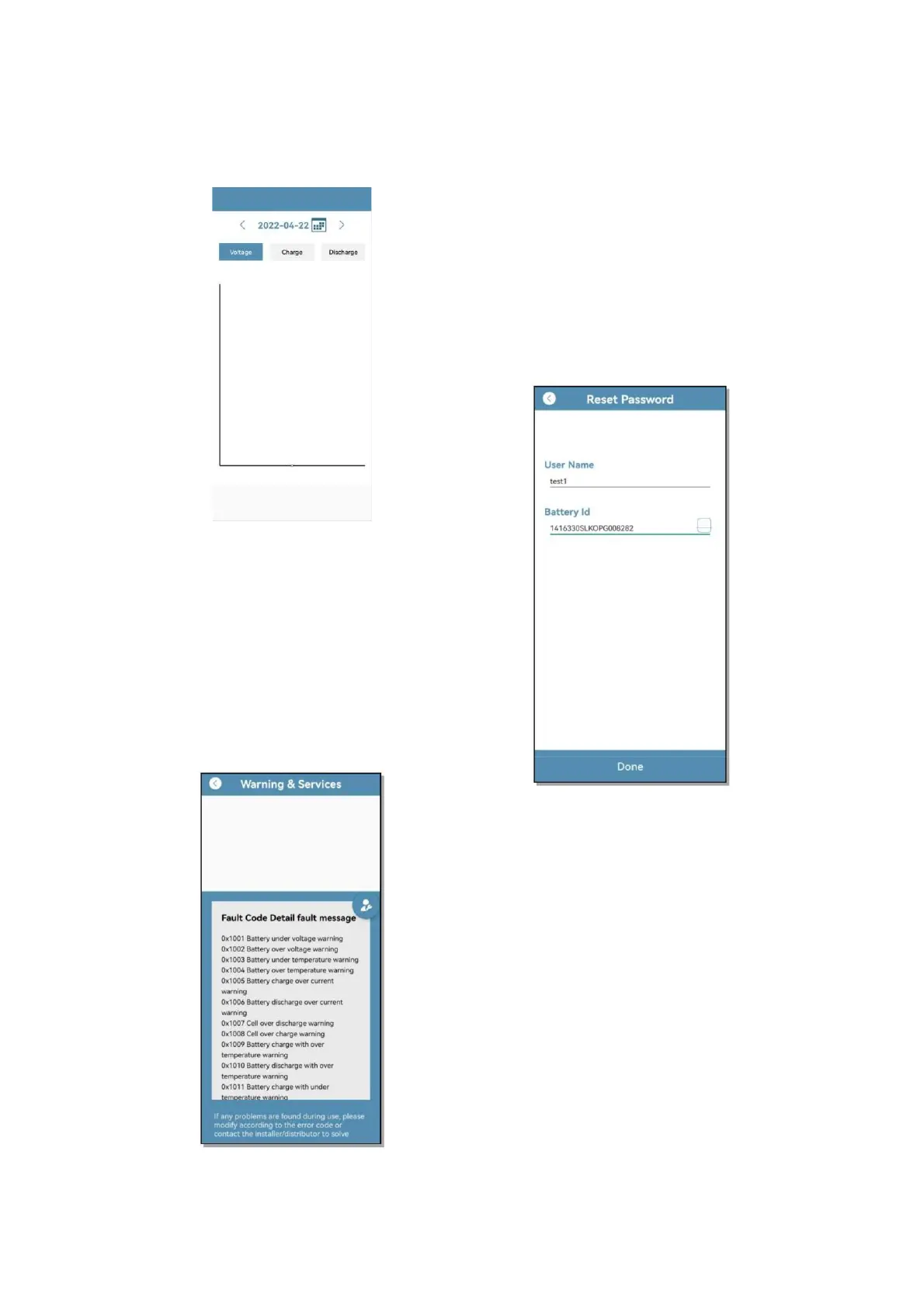
querying the 24-hour battery voltage,
charge and discharge history at any
time point
6.2.2.7 Fault Warning
➢ After clicking on the Warning &
Services page, the battery number,
failure type, failure time, solution
cycle and other information will be
automatically displayed when the
battery is faulty; if there is a
problem that cannot be solved, you
can also contact the local supplier to
solve it
6.2.2.8 Other Functions
➢ User password modification: Click
Reset Password on the login page to
enter the password reset interface,
enter the current user name in the
User Name column, and enter the
battery ID bound by the current user
for Battery id or scan the code to
enter the battery ID. After clicking
Done, the password will be default
reset to 123456


 To Next Page