-26-
6.2.2.6 Battery Management
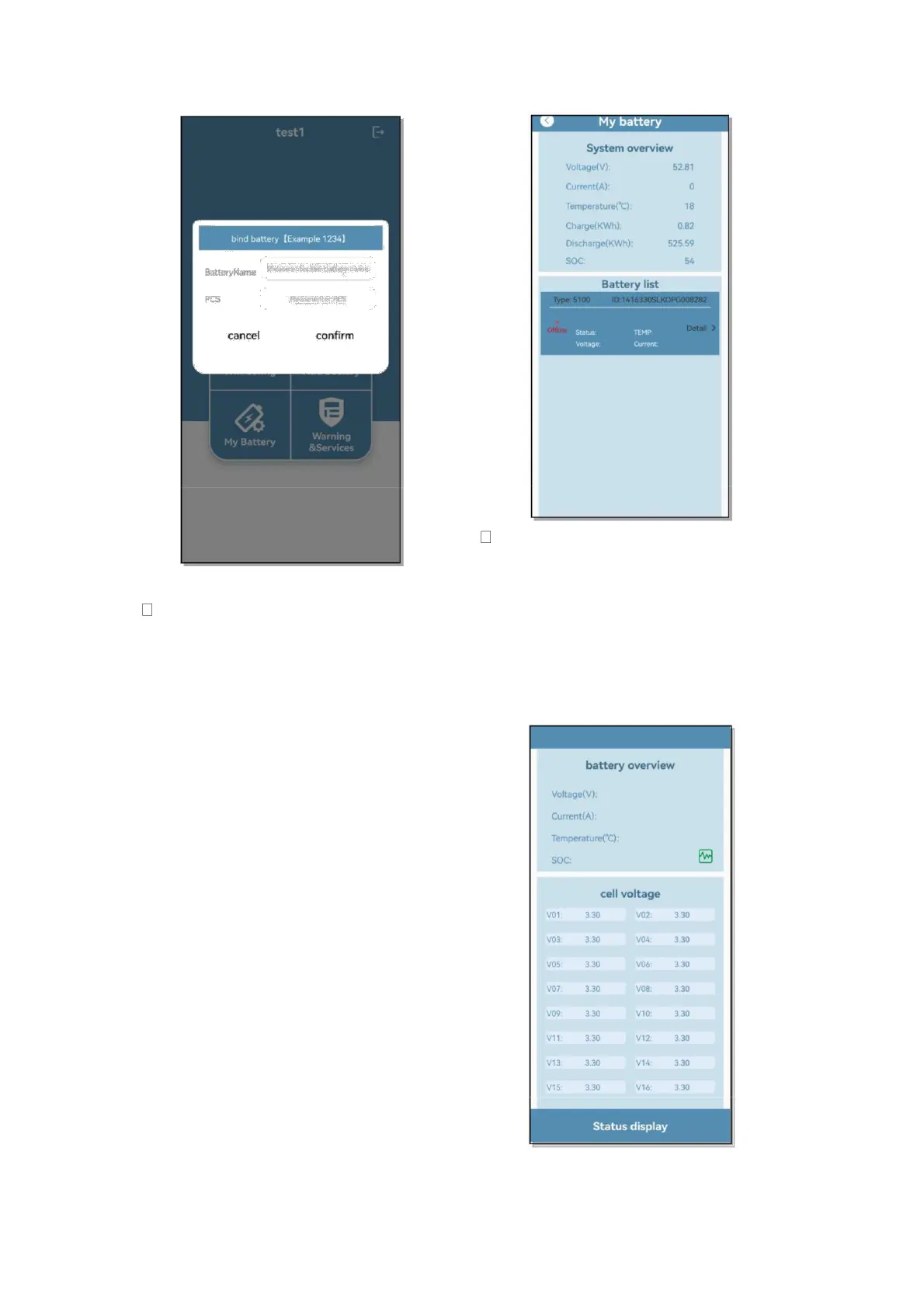
After completing the distribution
network and adding batteries, click
My Battery to view the information
of the added batteries, and the
System overview displays the
current battery system
comprehensive data Voltage(V),
Current(A), Temperature(℃),
Charge(KWh), Discharge(KWh),
SOC; all currently added batteries
are displayed in the Battery List;
Status, TEMP, Voltage, and
Current information are displayed
in the single battery list; and
Online/Offline shows that the
current battery is offline. Click
Detail to view the details of the
single battery data
The battery overview details page
displays the current battery cell data
Voltage(V), Current(A),
Temperature(℃), SOC; and the
single cell voltage of the battery is
displayed under Cell Voltage. Click
Status display to view the single
cell data curve
➢ The Status display page supports


 To Next Page