CHAPTER 2 Getting Started
2.1 Battery Exchange
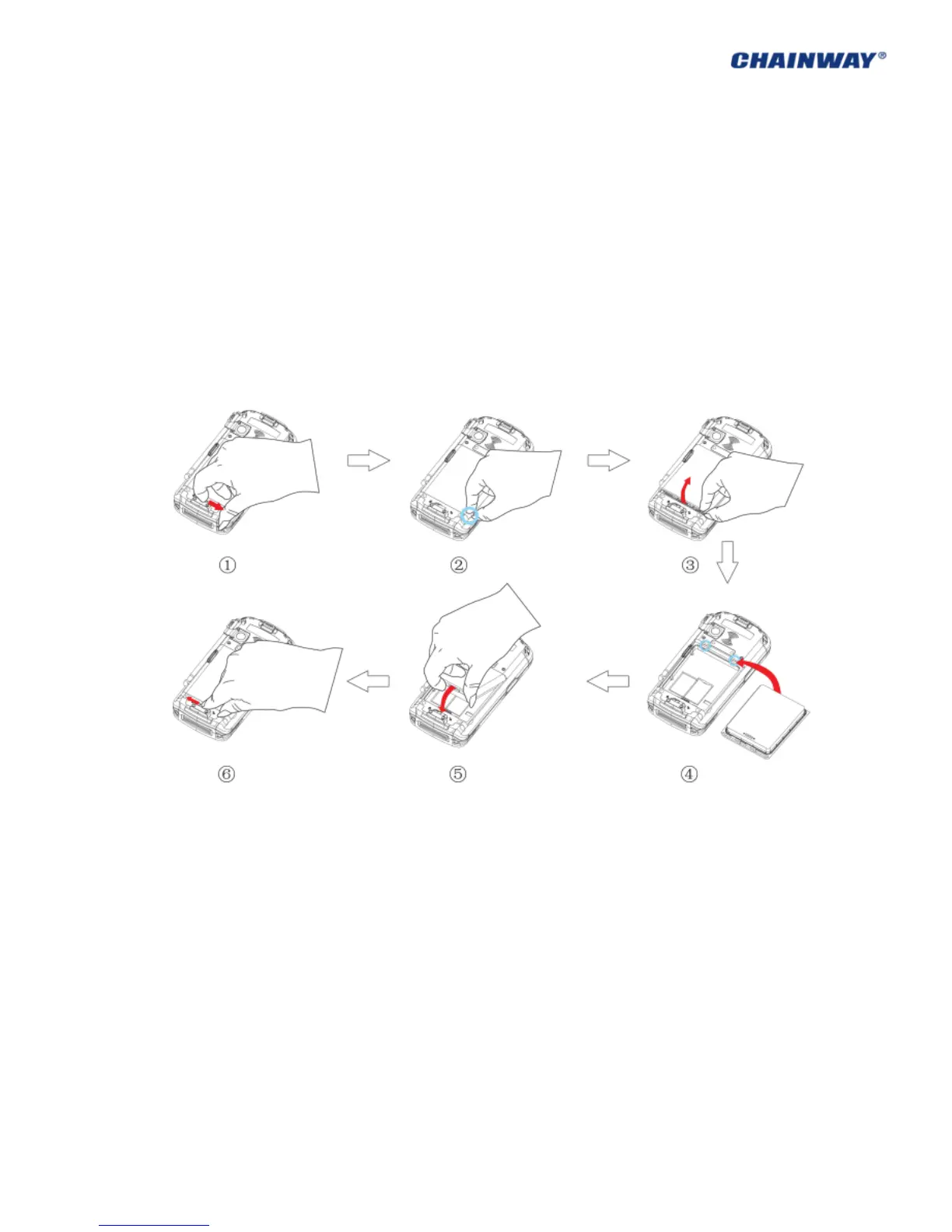
Operating Steps: (Pic 2-1-1)
1) Ensure the device is in non-working or recharging status, and unlock the battery cover;
2) Remove the battery cover as the direction of ③;
3) Take out the battery lightly;
4) Install the new battery as the direction of ⑤;
5) Lock the battery cover as the direction of ⑥.
Pic 2-1-1



 To Next Page