CHAPTER 4 Keyboard and Input Method
4.1 Soft Keyboard
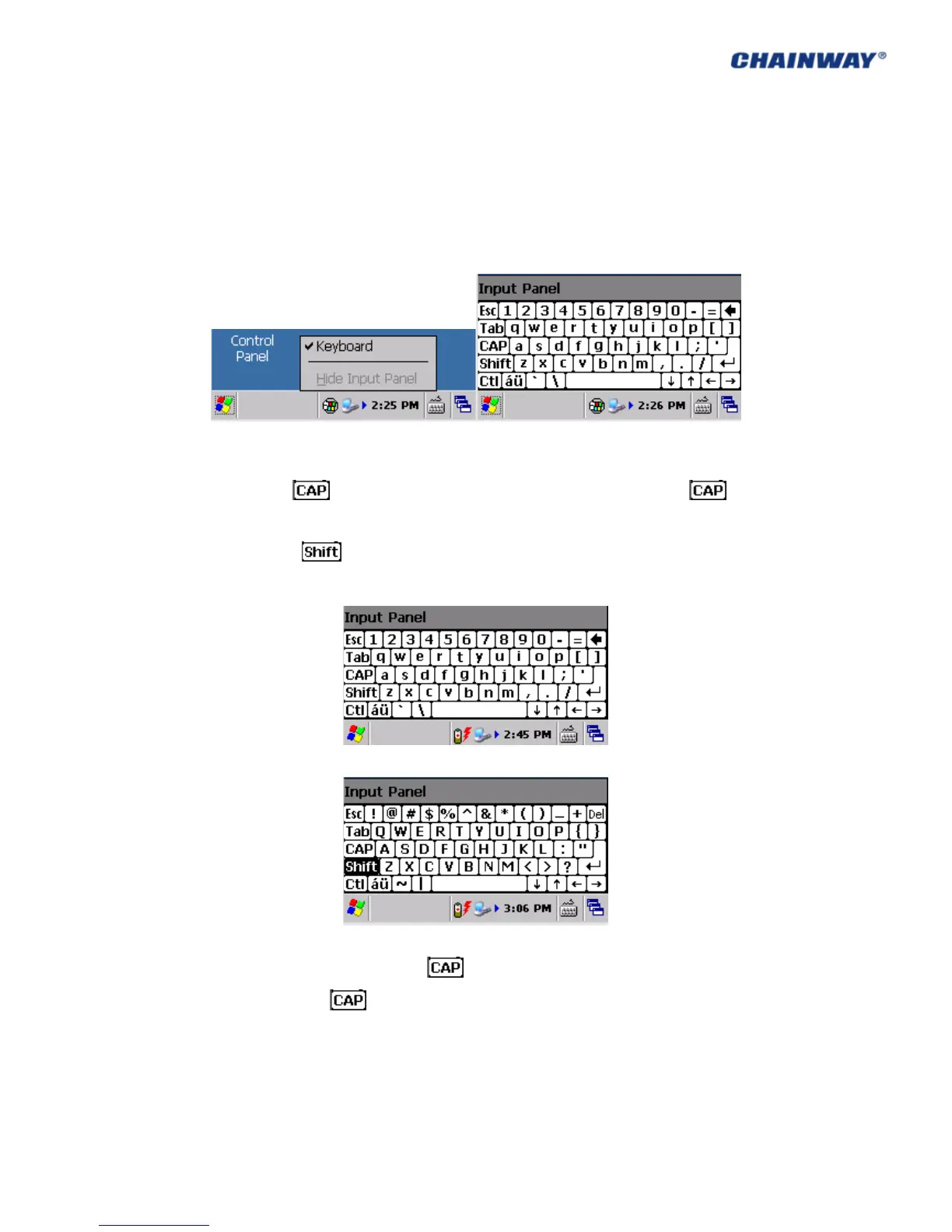
The soft keyboard can be used to input the letters/numbers/symbols as Pic 4-1-1, the default
is English;
Pic 4-1-1
Two methods to input the uppercase:
1) Click the of the soft keyboard to input the uppercase, and click to
change to the lowercase as Pic 4-1-2;
2) Click the of the soft keyboard to input the uppercase, and it would
change to lowercase automatically after inputting one letter as Pic 4-1-3;
Pic 4-1-2
Pic 4-1-3
For symbol inputting, please click the of the soft keyboard and select the symbols to
be inputted, then click to go back to the normal status as Pic 4-1-2;
4.2 Input Methods
Multiple input methods are supported, but the default is English.



 To Next Page