10 of 53 Doc 6001242 (01-20273) Rev C
F. USING MANUAL CONTROLS
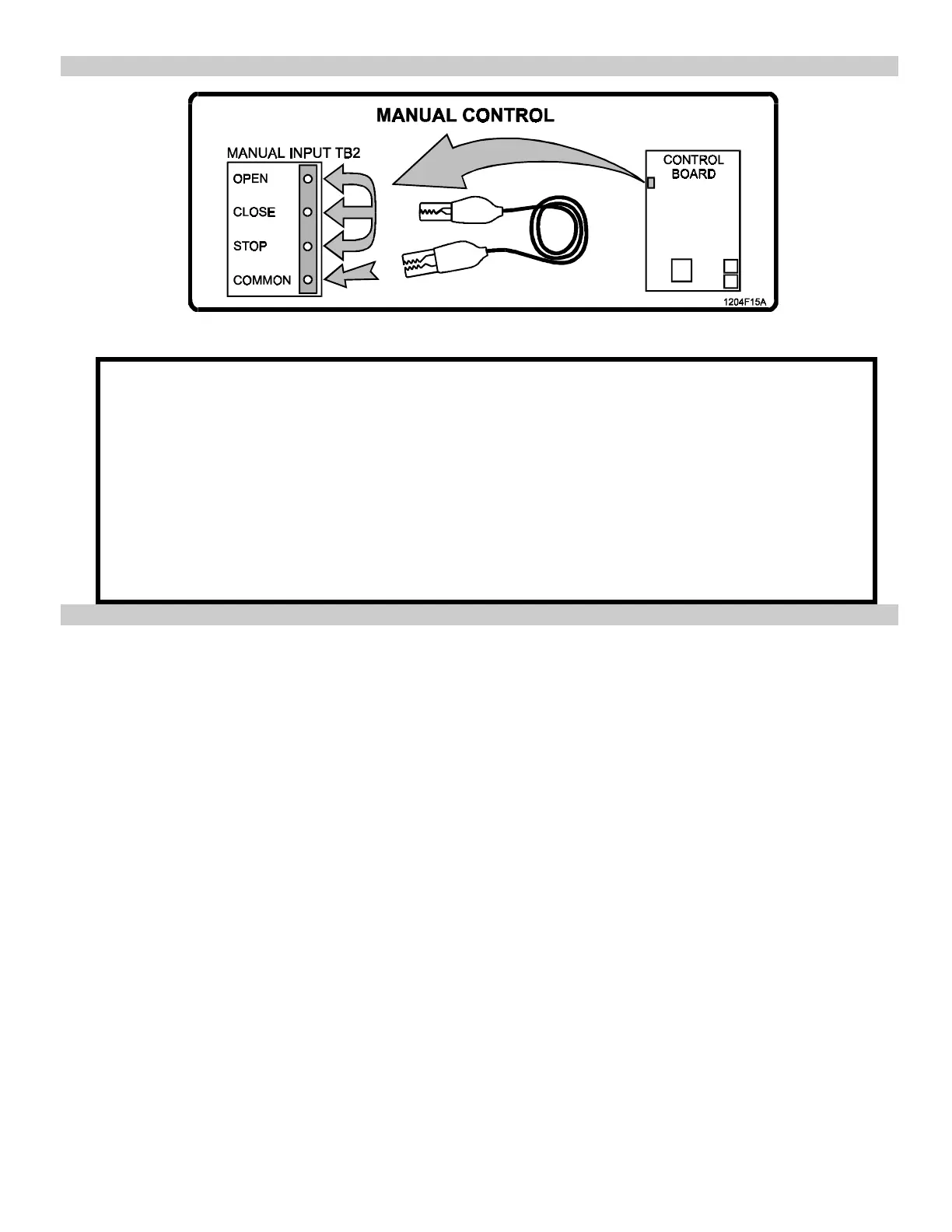
Figure 5. Manual Controls, Location and Use.
Use the manual controls on Manual Input Terminal TB2 (OPEN, CLOSE, and STOP, as shown in
Figure 5), to move the gate for arm installation and making the limit cam adjustments.
• To open the gate: connect the OPEN and STOP terminals to the COMMON terminal.
• To close the gate: connect the CLOSE and STOP terminals to the COMMON terminal.
• To stop the gate: disconnect the STOP terminal from the COMMON terminal.
IMPORTANT NOTE
If the STOP terminal is disconnected from the COMMON terminal, the gate is prevented
from moving and no command will affect the gate.






 To Next Page