EasyManua.ls Logo

Chamberlain SL600 - User Manual

Chamberlain SL600
56 pages
Print Icon
To Next Page IconTo Next Page
Loading...
PLEASE READ THE MANUAL CAREFULLY BEFORE
INSTALLATION AND OPERATION
THIS PRODUCT TO BE INSTALLED BY A TRAINED GATE
SYSTEMS TECHNICIAN ONLY.
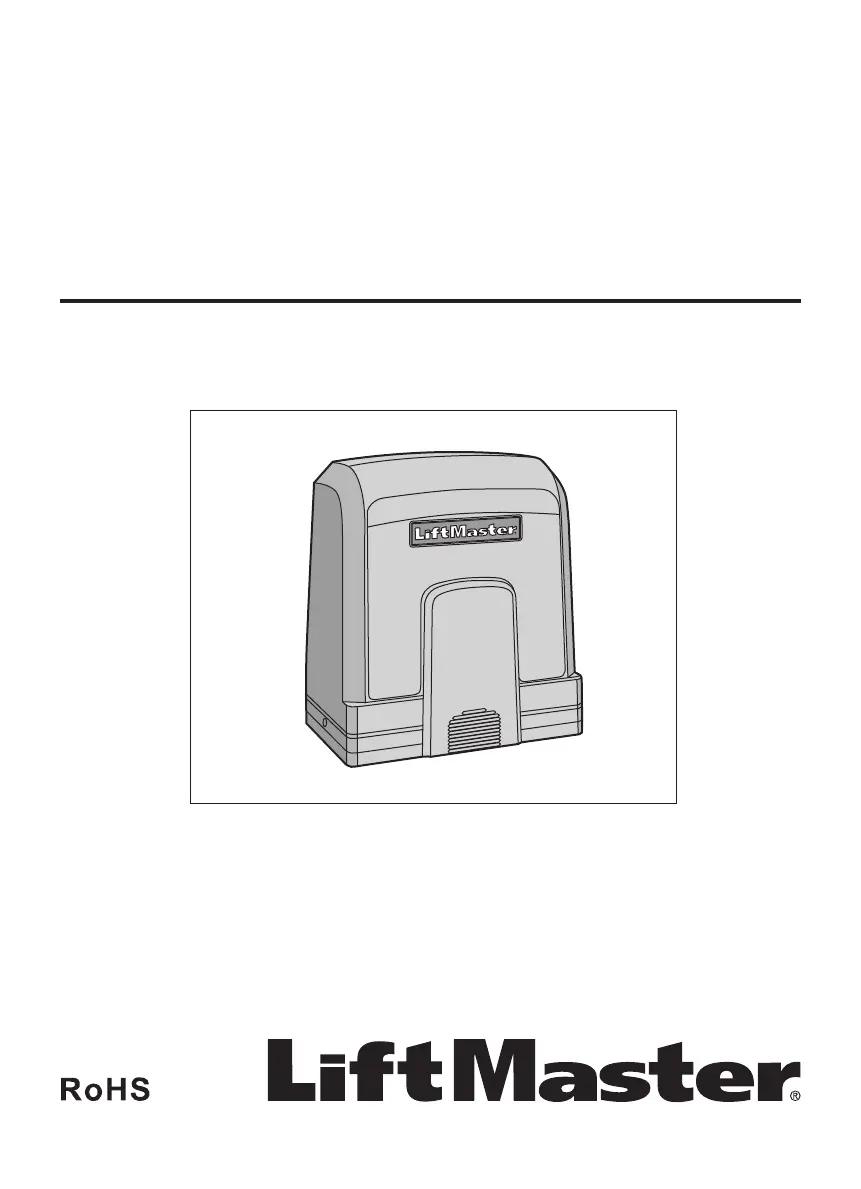
SLIDE GATE OPERATOR
Models SL600 and SL1000
INSTALLATION MANUAL

Table of Contents

Questions and Answers

  • M
    Mitchell SimmonsAug 2, 2025
    What to do if Chamberlain Gate Opener does not reverse when meeting obstacles?
    • J
      Jimmy Lang DVMAug 2, 2025
      If your Chamberlain Gate Opener isn't reversing upon encountering an obstacle, it could be due to: 1. An incorrect gate closing direction setting. To fix this, set dip switch 5 to the opposite position. 2. The force being set too high. Adjust the force to a proper level by turning the force setting dial counterclockwise.
  • J
    Jessica TorresAug 8, 2025
    What to do if Chamberlain SL600 doesn't stop at limit switch?
    • L
      lauren51Aug 8, 2025
      If your Chamberlain Gate Opener doesn't stop when the block touches the limit switch during opening or closing, check the following: 1. The SW1 and SW2 terminal connections might be reversed. If so, switch the SW1 and SW2 terminal connections. 2. The motor wire connections could be reversed. In this case, switch the motor wire connections.
  • C
    Carla MillsAug 13, 2025
    Why Chamberlain SL600 opens automatically during closing?
    • M
      Mario HesterAug 13, 2025
      If your Chamberlain Gate Opener opens automatically while closing, the force might be set too low. To resolve this, turn the force setting dial clockwise to adjust the force to a proper level.
  • A
    Alicia SimmonsAug 19, 2025
    Why Chamberlain SL600 Gate Opener opens automatically when completely closed?
    • L
      Lindsay GutierrezAug 19, 2025
      If your Chamberlain Gate Opener automatically opens when fully closed, it's possible that the gate closing direction has been reversed and the automatic closing gate function is active. To correct this, set dip switch 5 to the opposite position.
  • K
    Krystal MartinezAug 26, 2025
    Why Chamberlain Gate Opener remote control not working?
    • J
      Jason GilbertAug 26, 2025
      If your Chamberlain Gate Opener isn't responding to the remote, there are several potential reasons: 1. The power supply might not be securely connected. A qualified technician should ensure a secure connection. 2. The clutch may be disengaged. Use the release key to engage it. 3. A photoelectric or edge sensor could be malfunctioning. Check these sensors and replace them if damaged. If no sensors are installed, use a short cable to connect the GND and IR terminals. 4. The fuse might be blown, in which case, replace it. 5. The remote control code may have been erased. Try reprogramming the remote. 6. The remote's battery could be weak or dead. Replace the battery.

Summary

SAFETY

General Safety Warnings

Covers essential safety symbols, signal words, and general precautions for operator use.

Slide Gate Safety Precautions

Specific warnings and instructions to prevent serious injury or death from moving gates.

INTRODUCTION

Product Specifications

Details technical specifications for the gate operator models SL600 and SL1000.

Carton Inventory

Lists the components included in the gate operator package.

Tools and System Overview

Identifies necessary tools and provides a general overview of the gate operator system.

INSTALLATION

Operator Dimensions

Provides physical dimensions of the gate operator unit.

Mounting Plate Preparation

Detailed steps for preparing and installing the operator's mounting plate.

Operator Installation and Clutch

Instructions on installing the operator unit, including limit switch bracket and clutch engagement.

Limit Switch Bracket Installation

Guidance on correctly attaching the limit switch bracket to the gate rack.

Disengage and Re-engage Clutch

Procedure for manually disengaging and re-engaging the gate operator's clutch.

WIRING

Voltage Selection

Configuring the operator for different voltage inputs (110-127V or 220-240V) via jumpers.

Power Wiring

Connecting the main AC power supply to the operator's power board.

Entrapment Protection Wiring

Guidelines for connecting photoelectric and edge sensors for safety.

Optional Battery Backup

Steps for installing and connecting an optional battery backup system.

TRAVEL LIMIT SETTINGS

Setting Gate Travel Limits

Procedure for setting the gate's open and closed travel limits using limit switch brackets.

PROGRAMMING

Remote Control Programming

How to program remote controls to operate the gate.

Partial Open Setting

Configuration for setting a partial open position for the gate.

Code and Gateway Management

Erasing remote control codes and managing LiftMaster Internet Gateway connections.

SETTINGS

Gate Operation Parameters

Configuring increased starting force, partial open, auto-close, and limit switch settings.

Force, Speed, and Stop Adjustments

Adjusting gate force, soft stop, and moving speed parameters.

Opening;Closing Identification

Setting gate reaction to obstacles or sensor interruptions.

Flashing Light and Sensor Connections

Connecting and configuring photoelectric/edge sensors and the optional flashing light.

OPERATION AND MAINTENANCE

Key Operational Safety Guidelines

Crucial safety instructions for operating and interacting with the gate system.

Maintenance Schedule and Procedures

Recommended maintenance tasks and their frequency for the gate operator.

Recycling and Disposal

Guidelines for the proper recycling and disposal of gate operator components.

TROUBLESHOOTING

Common Issues and Solutions

Table of common problems, their causes, and recommended solutions for the gate operator.

REPAIR PARTS

Component Identification

Exploded view and part numbers for replacement components of the gate operator.

ACCESSORIES

Available Accessories

List and description of optional accessories for enhancing the gate operator system.

Chamberlain SL600 Specifications

General IconGeneral
BrandChamberlain
ModelSL600
CategoryGate Opener
LanguageEnglish

Related product manuals