21
Force Adjustment
The gate will stop when it contacts an obstacle in
opening, and will reverse to open when in closing.
If the force is set too weak, the gate will not work
normally. If the force is set too strong, it may cause
serious injury or property damage.
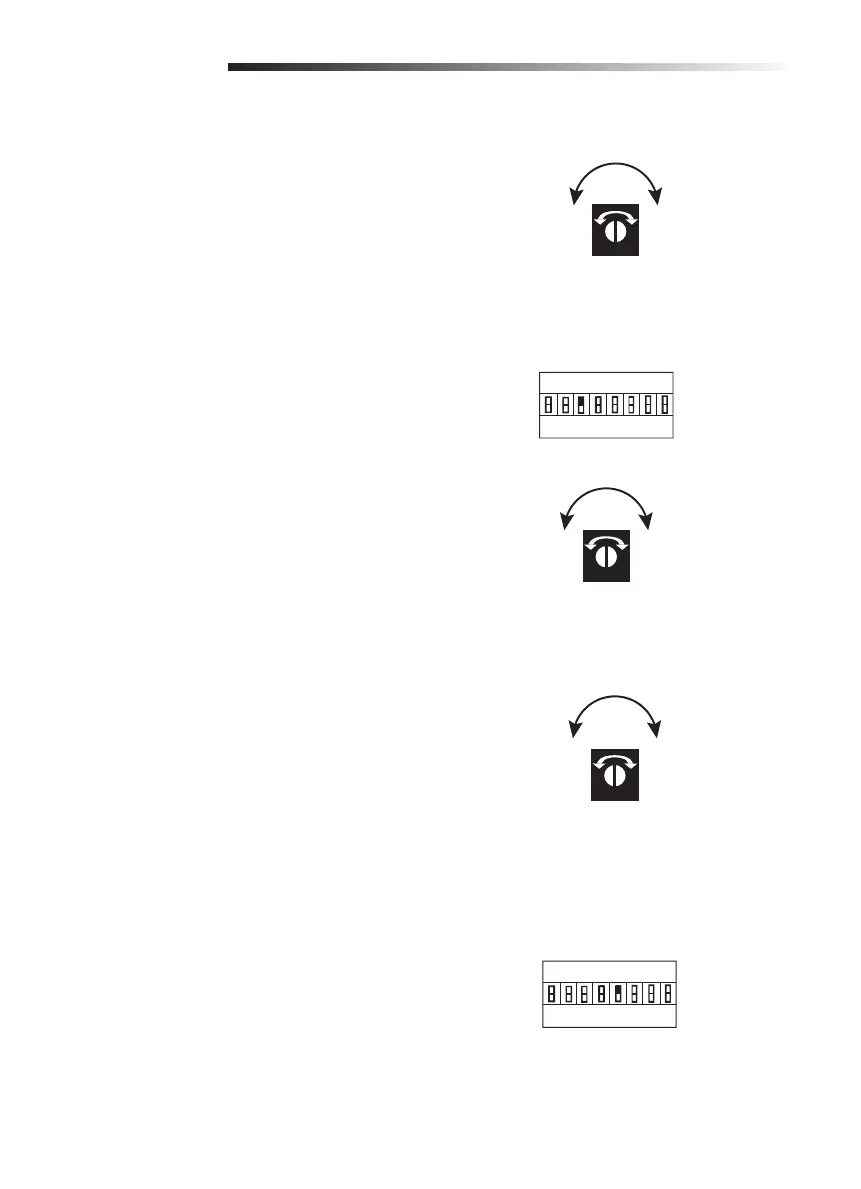
Turn the FORCE dial clockwise to increase the force
of the gate. Turn the FORCE dial counterclockwise
to decrease the force of the gate.
Soft Stop Setting
For the soft stop function, the gate stops softly
before the opening/closing motion is almost
fi nished.
3 ON = Soft stop function is 3 seconds
3 OFF = Soft stop function is 4 seconds
Turn LV dial clockwise to increase the soft stop
speed. Turn the LV dial counterclockwise to
decrease the soft stop speed.
Moving Speed Setting
Turn RV dial clockwise to increase the speed of the
gate. Turn the RV dial counterclockwise to decrease
the speed of the gate.
Opening/Closing Identification
If the gate reacts incorrectly to an obstacle, set
dip switch 5 to the opposite position to reset the
correct gate position.
Correct: When the gate is closing, and the
photoelectric sensor beam is interrupted or the
gate meets an obstacle, the gate will immediately
reverse to the open position.
Incorrect: When the gate is closing, and the
photoelectric sensor beam is interrupted or the gate
meets an obstacle, the gate stops immediately or
continues to close.
SETTINGS
1 2 3 4 5 6 7 8
S1
ON
OFF
Soft stop function is on
1 2 3 4 5 6 7 8
S1
ON
OFF
FORCE
IncreaseDecrease
LV
IncreaseDecrease
RV
IncreaseDecrease






 To Next Page