37
Optional Front Feed - Setup
"TABLE FULL" is displayed again when the next rack is loaded. The conveyor stops
as the dish rack is loaded and restarts when it is against the rear track. Continue
processing racks.
The pumps and conveyor stop after the last dish rack exits the machine.
3
4
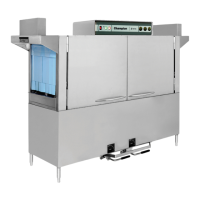
Load dish rack into machine. The status bar displays "TABLE FULL" as the rack is
loaded, Fig. 89. The status bar disappears as soon as the dish rack is against the rear
track. The pumps and conveyor run.
2
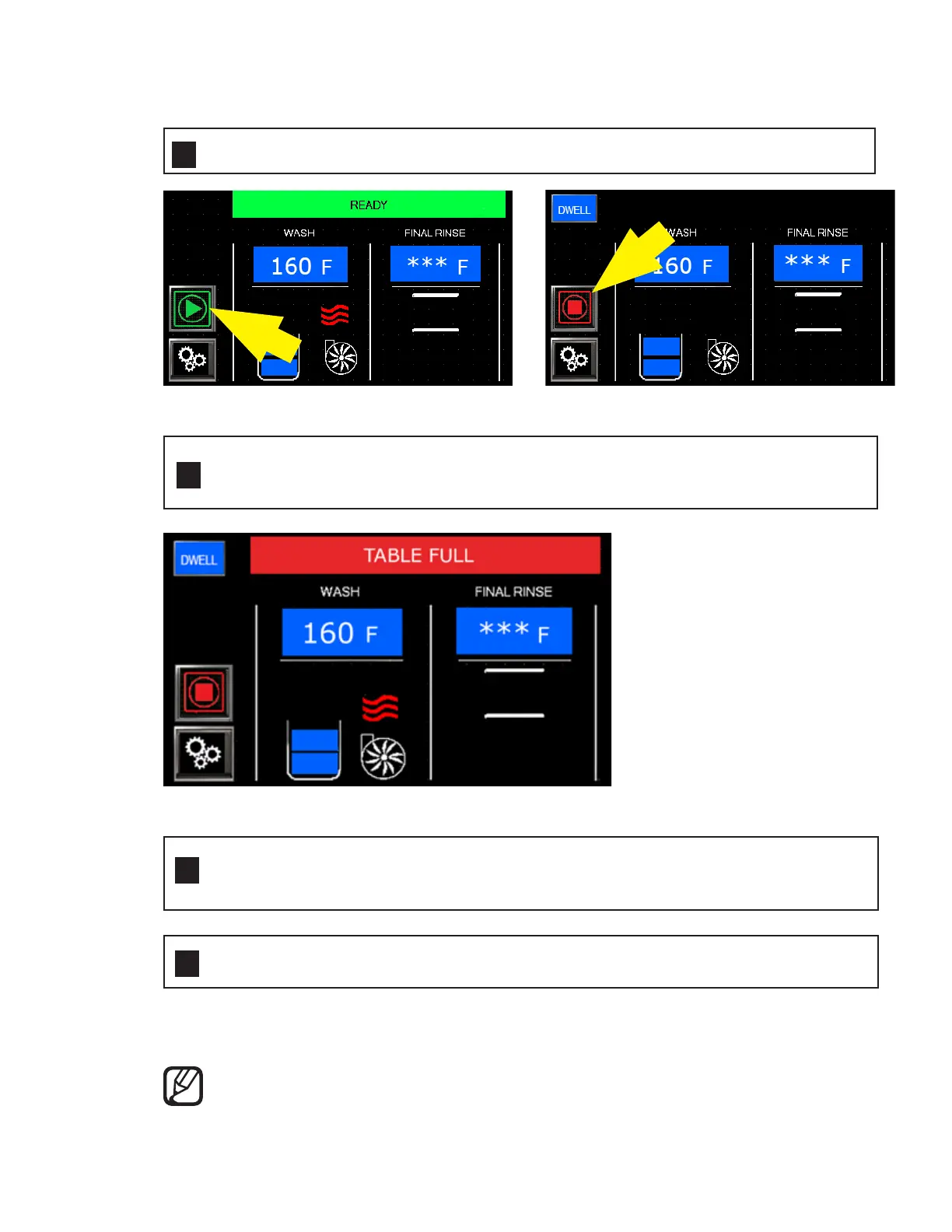
Press the green start button. It changes to a red stop button, Fig. 88.
1
Touchscreen Displays —
Fig. 88 - Press the green start button.
Fig. 89 - Status bar displays "TABLE FULL" as rack is loaded.
NOTE:
Refer to pages 24-25 for cleaning instructions.




 To Next Page