14
Faults
FAULTS - continued
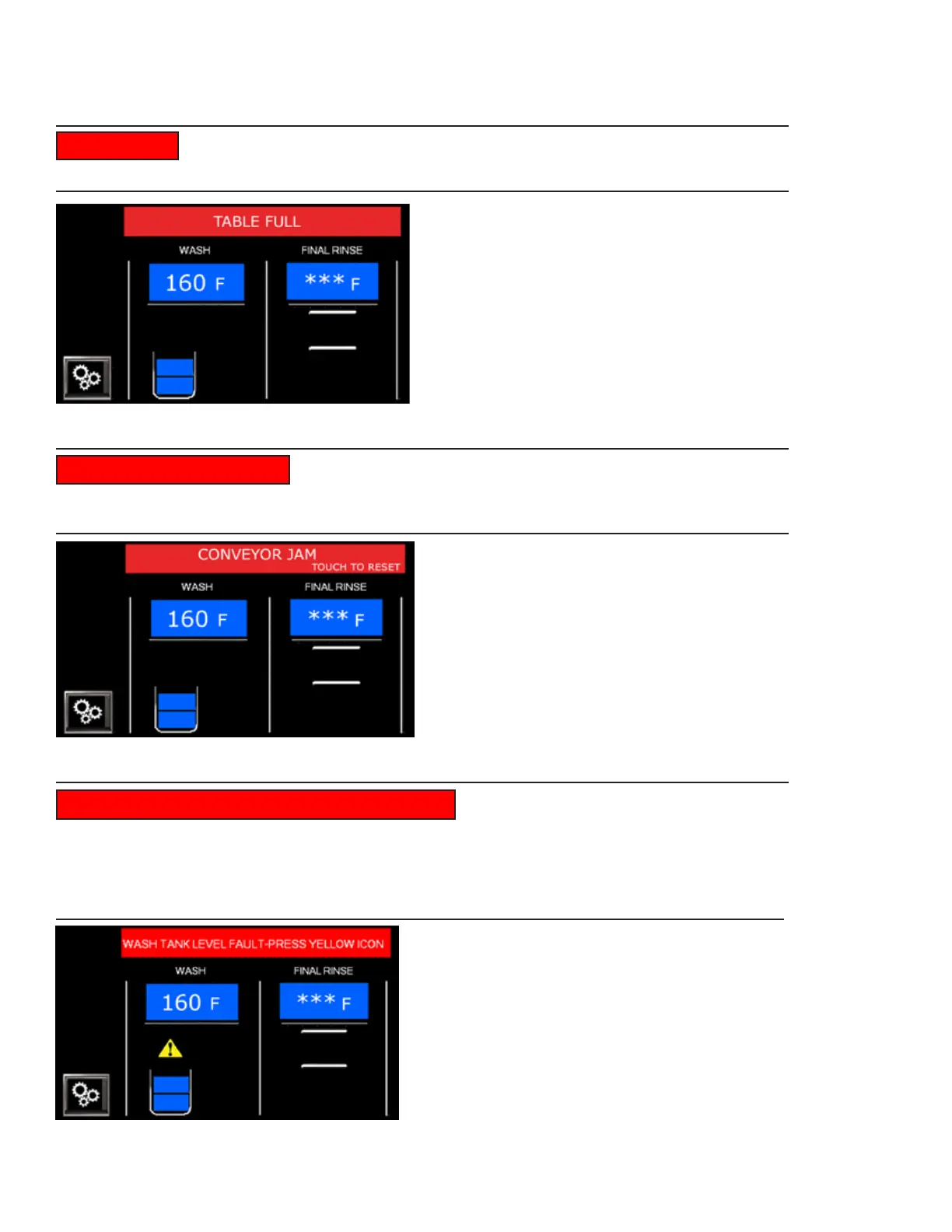
The unload table is full of dish racks. Remove dish racks at the end of the
table. Ready appears. Press the green start button to resume normal operation, Fig. 23.
Object has jammed the conveyor. Open doors and remove
jam, then 'TOUCH TO RESET' on the status bar to clear the fault. Remove racks for rewashing.
Status bar says 'READY'. Press green start button to resume normal operation, Fig. 24.
TABLE FULL
CONVEYOR JAM TOUCH TO RESET
Fig. 23 - Table Full Fault
Fig. 24 -Conveyor Jam Fault
WASH TANK LEVEL FAULT- PRESS YELLOW ICON
Problem with filling. Yellow
triangle appears. Press the triangle for troubleshooting instructions. Clean and check the
float. The triangle will disappear when the fault is fixed. Remove racks left in
the machine for rewashing. Press green start button to resume operation.
Triangle disappears, Fig. 25.
Fig. 25 -Wash Tank Level Fault
NOTE: The status bar may read "prewash tank"
if the fault is in the prewash tank.




 To Next Page