A
26
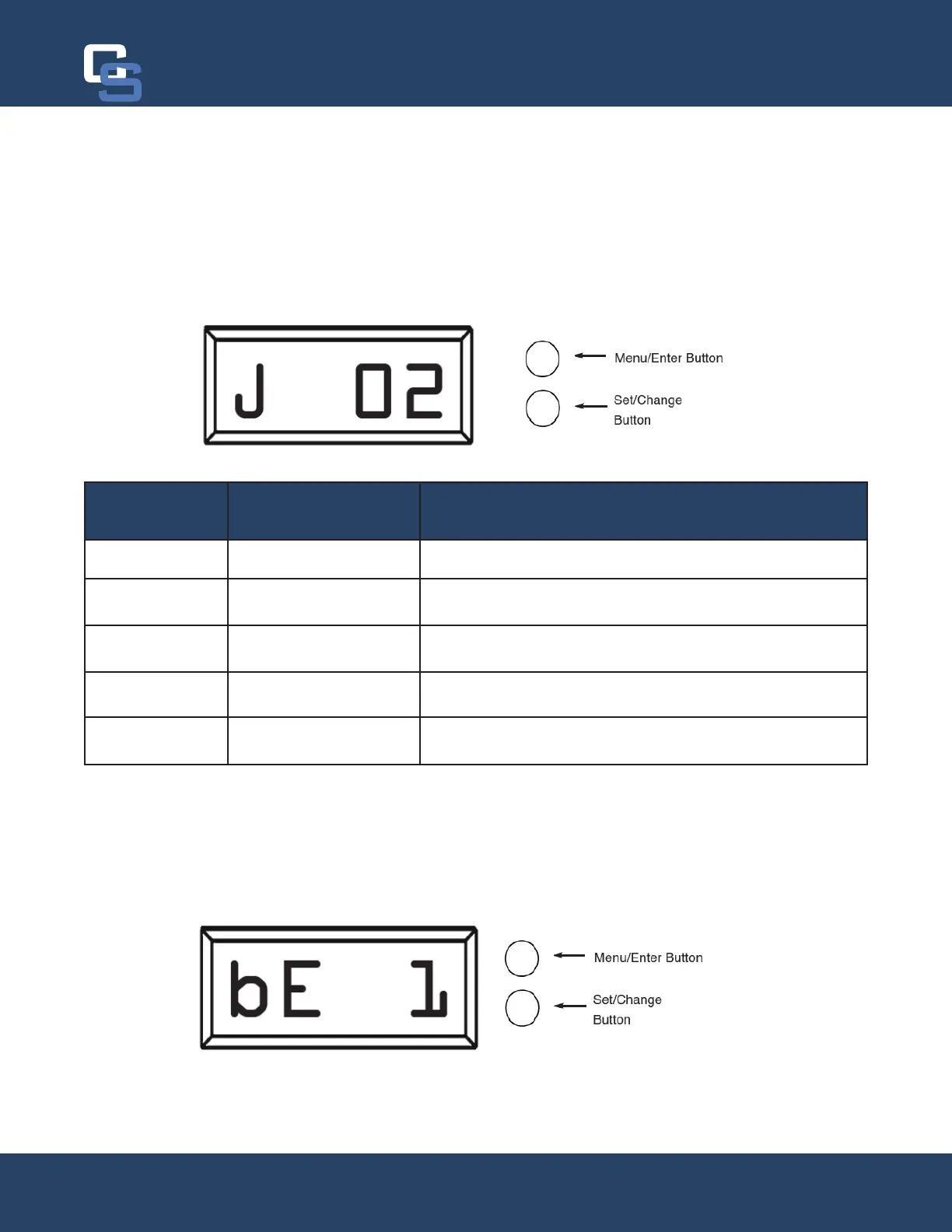
Pulse Chlorine Setting (J 02) - Side Mount Aeration Valve Only
Press the Menu/Enter Button. This display shows how much chlorine will be injected into the system if the system
is designed for it. This is mainly used for Side Aeration valves.
The pulse chlorine setting adjusts how many times and how much chlorine is injected into the system during the
Air Replenish / Oxyclean NP Injection cycle (Step 4). The table below indicates the approximate amount of chlo-
rine solution that will be injected for the different settings.
Pulse Chlorine
Setting
Approx. Total
Amount of Chlorine
Description
0 0 oz. Oxyclean option is off, no chlorine will be injected.
1 8 oz. Chlorine will be injected in 1 pulse at the beginning of the cycle
step.
2 10 oz. Chlorine will be injected in 2 pulses, at the beginning of each ½
of the cycle step.
3 12 oz. Chlorine will be injected in 3 pulses, at the beginning of each
1/3 of the cycle step.
4 16 oz. Chlorine will be injected in 4 pulses, at the beginning of each
1/4 of the cycle step.
Bluetooth Capability (bE 1)
Press the Menu/Enter Button. This display is used to turn the bluetooth capabilities of the system on (1) or off (0).
The system should always be on regardless of it’s usage. If a connection to system cannot be made, verify this
setting is turned on.
Chandler Systems
26


 To Next Page