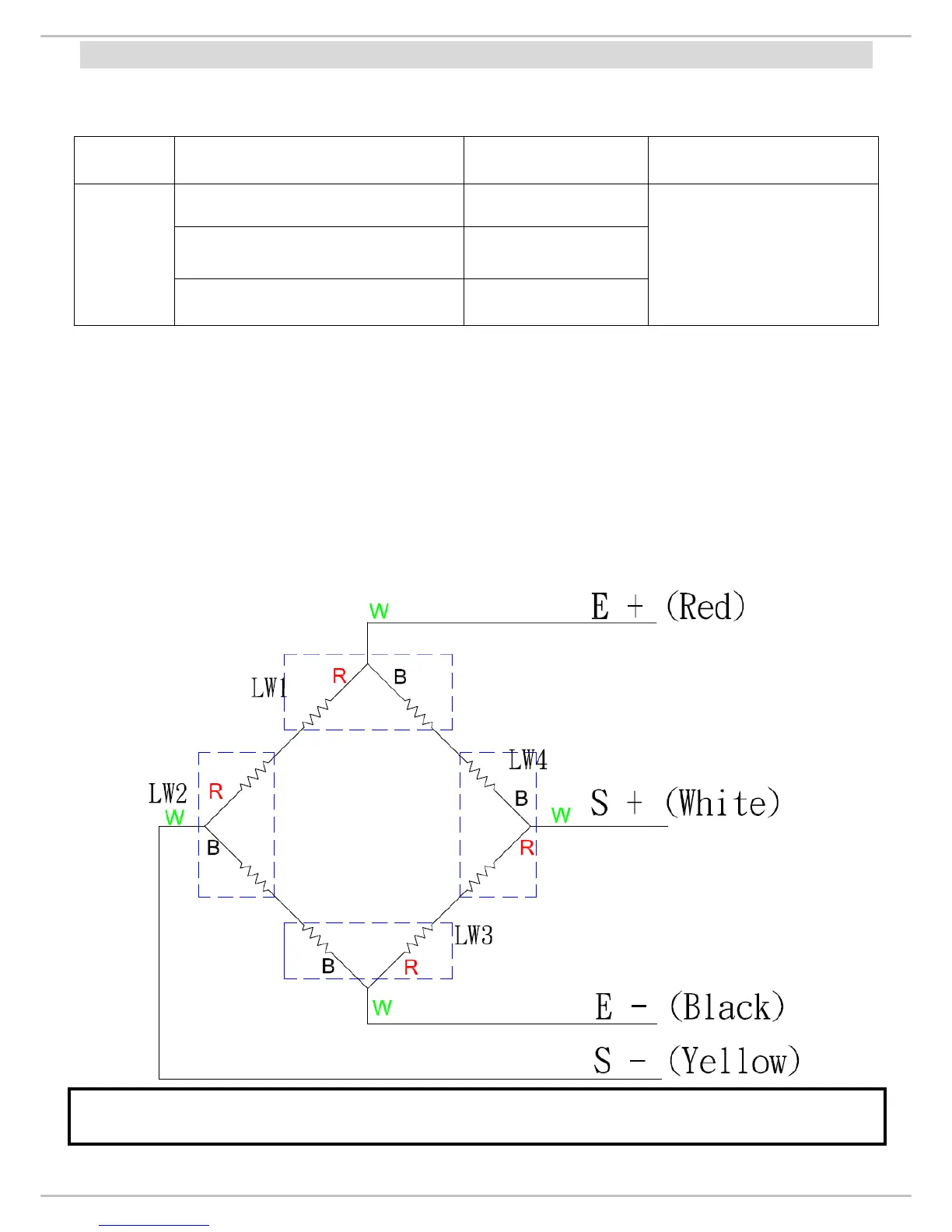
Each resistant on load
cell should be same
and the tolerance <
1000 ohms.
ACTION:
1. Remove power (adaptor pin) from the system, check load cell for proper
resistances.
2. If load cell fails the above tests, replace load cell.
3.
If load cell passes the above tests and has no visible damage, please re-calibrate
the scale.
If any of the 4 load cells is broken or damaged, the complete set (all 4 load cells) of load cells
need to be changed.


 To Next Page