CAUTION:
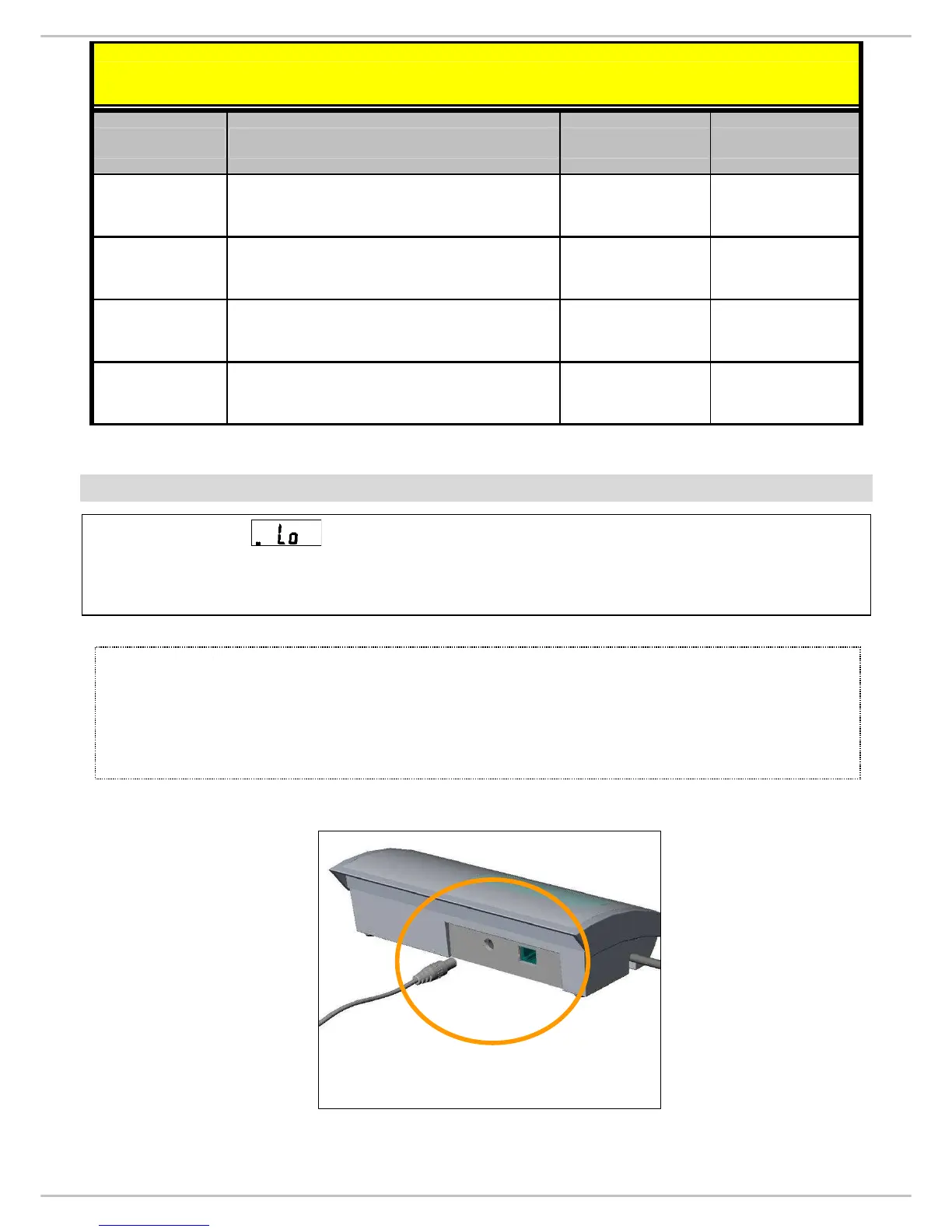
Always connect the AC adaptor pin to the adaptor plug in slot before
connecting to the main power supply. Please disconnect the
adaptor from main power supply first.
Common Spare Parts(Used in all models of MS2500)
DESC. P/N DRAWING. NR
LENS 060007000100 LS-0911 REV 002
WIRE 020037000109 WR-8117 REV 001
WHEEL 050007000239 SS-2040 REV 001
060004000486 SW-1121 REV 001
Fixed bracket
INSTRUCTION FOR CHARGING AND CONNECTING
If LCD displays
, it need to be charged, please use MS 2500
exclusive adaptor to re-charge.
Find adaptor plug in on back side of control panel.


 To Next Page