PRINT FUNCTION INSTRUCTION
PARAMETERS OF RS232 INTERFACE
Set parameters of the scale interface on the connected device. It is not possible to
change the scale parameters.
BAUD RATE: 9600 bps
PARITY CHECK: no
DATA LENGTH: 8 bits
STOP BIT: 1 bit
HANDSHAKE: no or Xon/Xoff
DATA CODE: ASCII
ACTION:
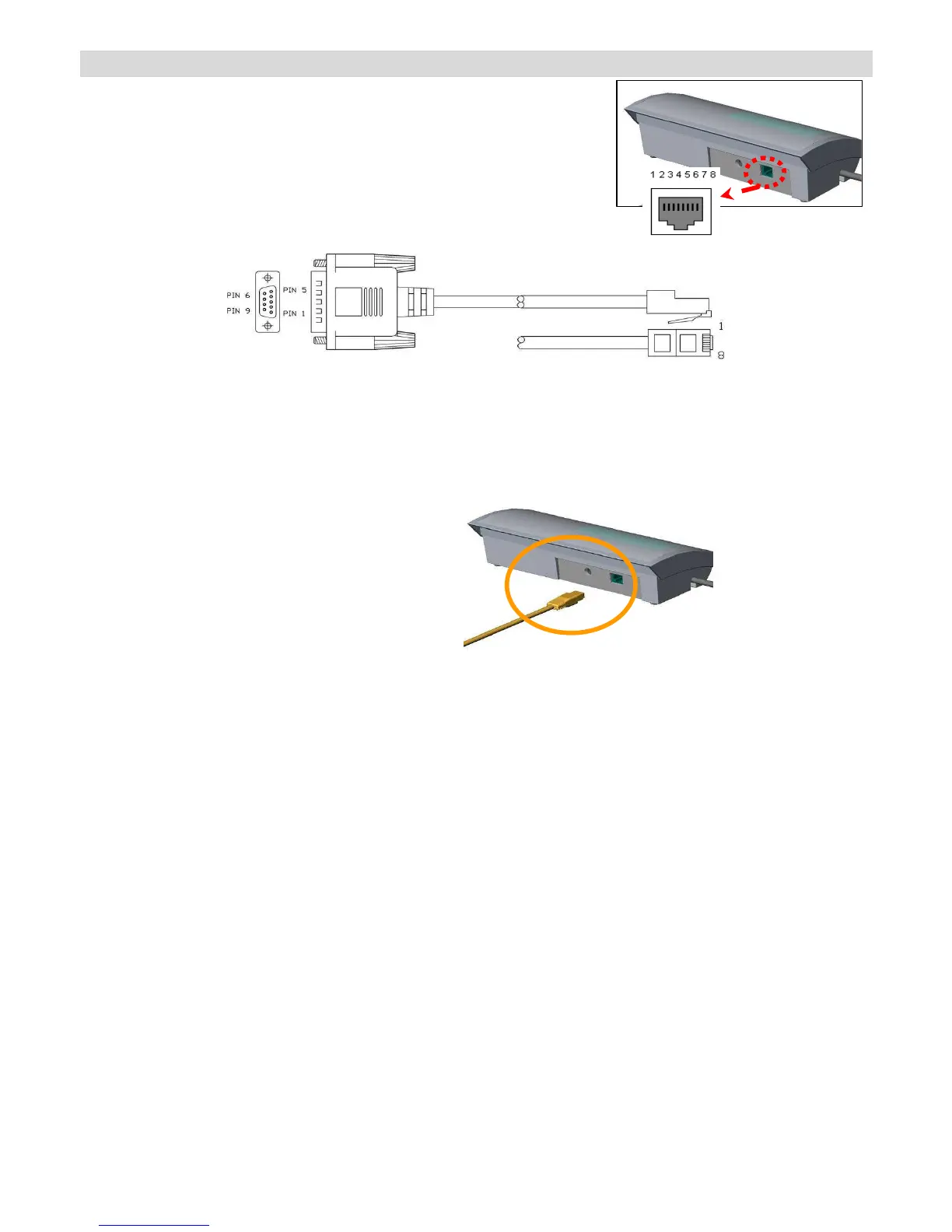
1. Make sure that all wires are connected to the correct points.
2. Check parameters of RS 232 transfer cable interface.
3. Use your PC to output the data to check whether RS 232 transfer cable is okay or not.
PIN 2--TXD
PIN 3--RXD
PIN 5--GND


 To Next Page