10
ZERO COUNT ADJUSTMENT (Dual slope model)
• Why should I adjust ZERO count?
Situations in which ZERO count need to get adjusted
o Load cell damaged because of over load; beyond scale’s capacity.
o Main board has been replaced.
o Because of rough handling of scale, the ZERO count move out of range.
o Load cell has been replaced.
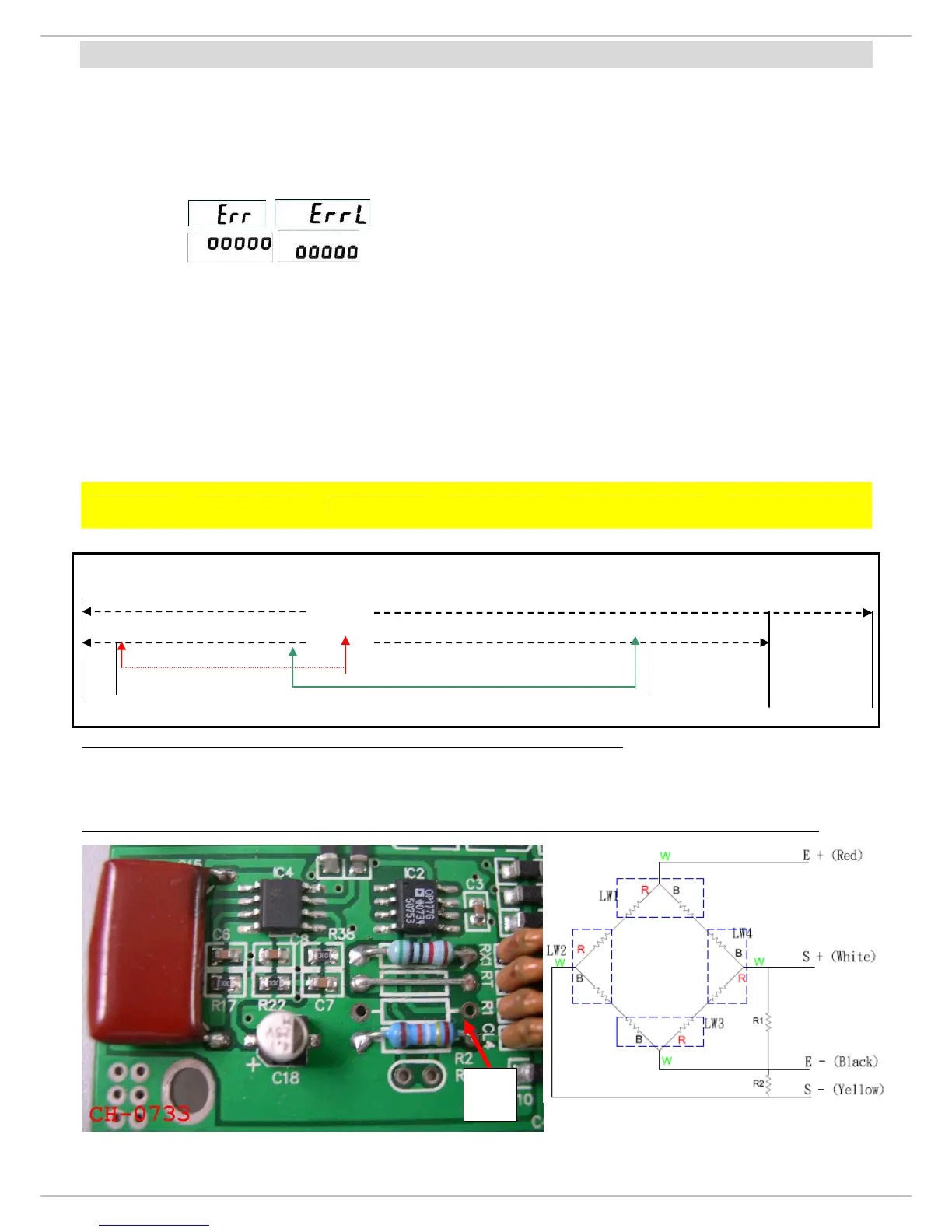
o / message displays on the display.
o / message displays on the display.
• How to quick check ZERO Count?
Please refer to Calibration procedure on P.17
*Only Non-Approved models need to adjust Zero Count. Approved Models don’t need any such
adjustment.
Range Chart: ZERO count must be within the range (6000~12000), if it’s out of this range it
need to be adjusted.
SPAN Count Range
MODEL
ZERO Count
Range
200kg 500kg
ZERO control
(R2)
PCB Board
MS 2500 2000~9000 10000~13000 12500~16500
200K CH-0733
Total Internal count of MS3800 (Dual slope) is 65535, but the overload is been set at
65000(company settings).
65535
65000
Overload
← 2000 ~9000(zero) +10000~13000(span 200kg) =12000~22000 → Safety range
+12500~16500(span 500kg) =14500~25500
When ZERO count is out of range, there can be two possibilities:
1. ZERO count value is below the lower limit i.e. 2000
2. ZERO Count value is above the upper limit i.e. 9000.
Please adjust R1/R2 on the main board, to bring the ZERO count value in the range limit.
R1


 To Next Page