18
USING PRINT FUNCTION
Print function is only available for some specific models, please make sure whether the model has
print function or not.
A. Using Printer to print out the results.
You can print through PC simply press P on keyboard after weighing and taking BMI.
B. Using Computer to print out the results.
After taking the weight and BMI, please follow instruction below to print the results:
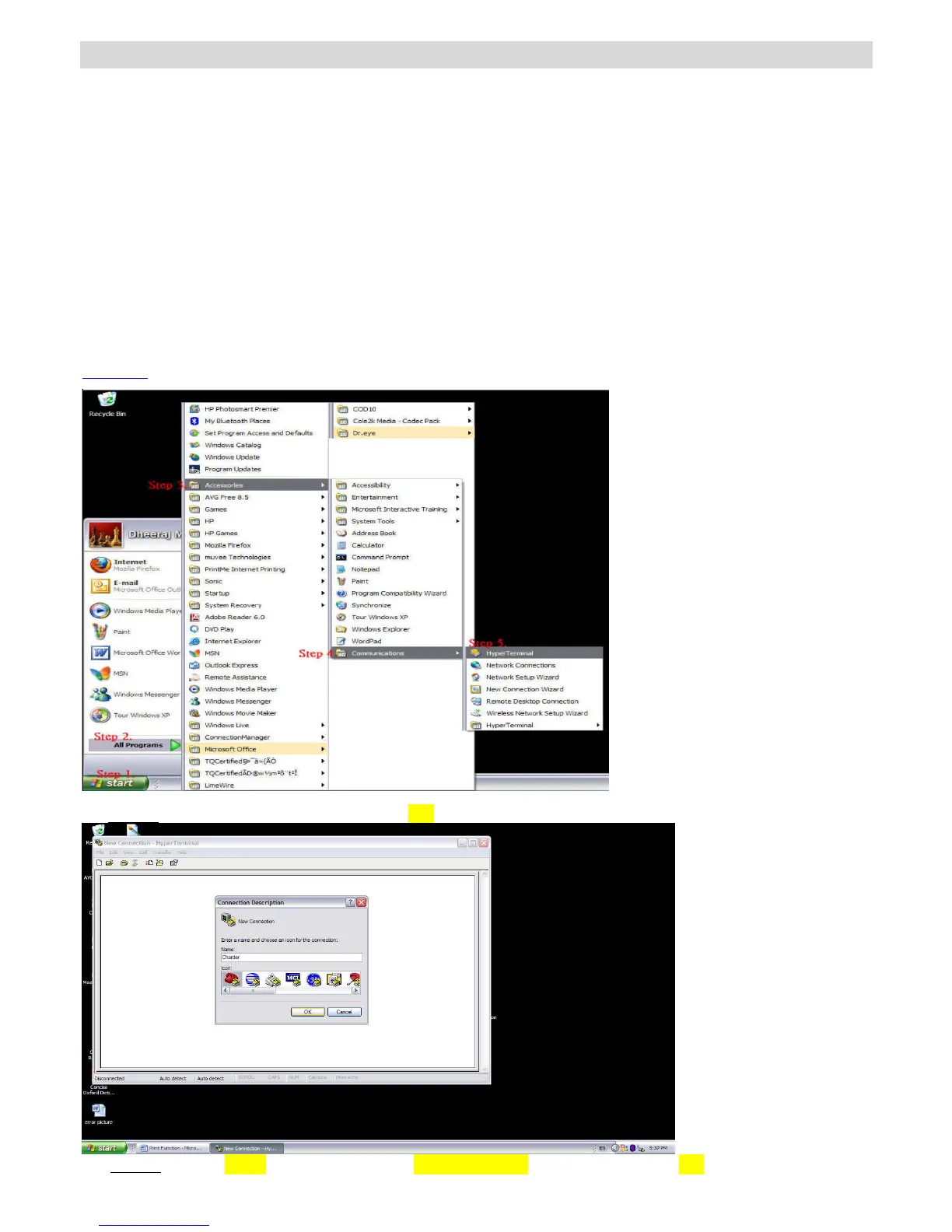
1. Start Hyper Terminal
Step.1- Click on Start Button.
Step.2- Go to All Programs.
Step.3- Select Accessories.
Step.4- Find Communications.
Step.5- In Communications section click on HyperTerminal.
Step1~5
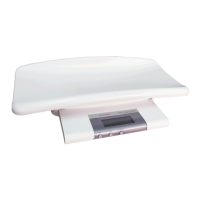
Step.6-Name the connection and click OK Button
Step.7- Select COM (1, 2, 3…4) under Connect Using Section and press OK.


 To Next Page