Page 5
Page 4
Step 13: GATEWAY STATIONS ONLY: Remove
and destroy the SIM card.
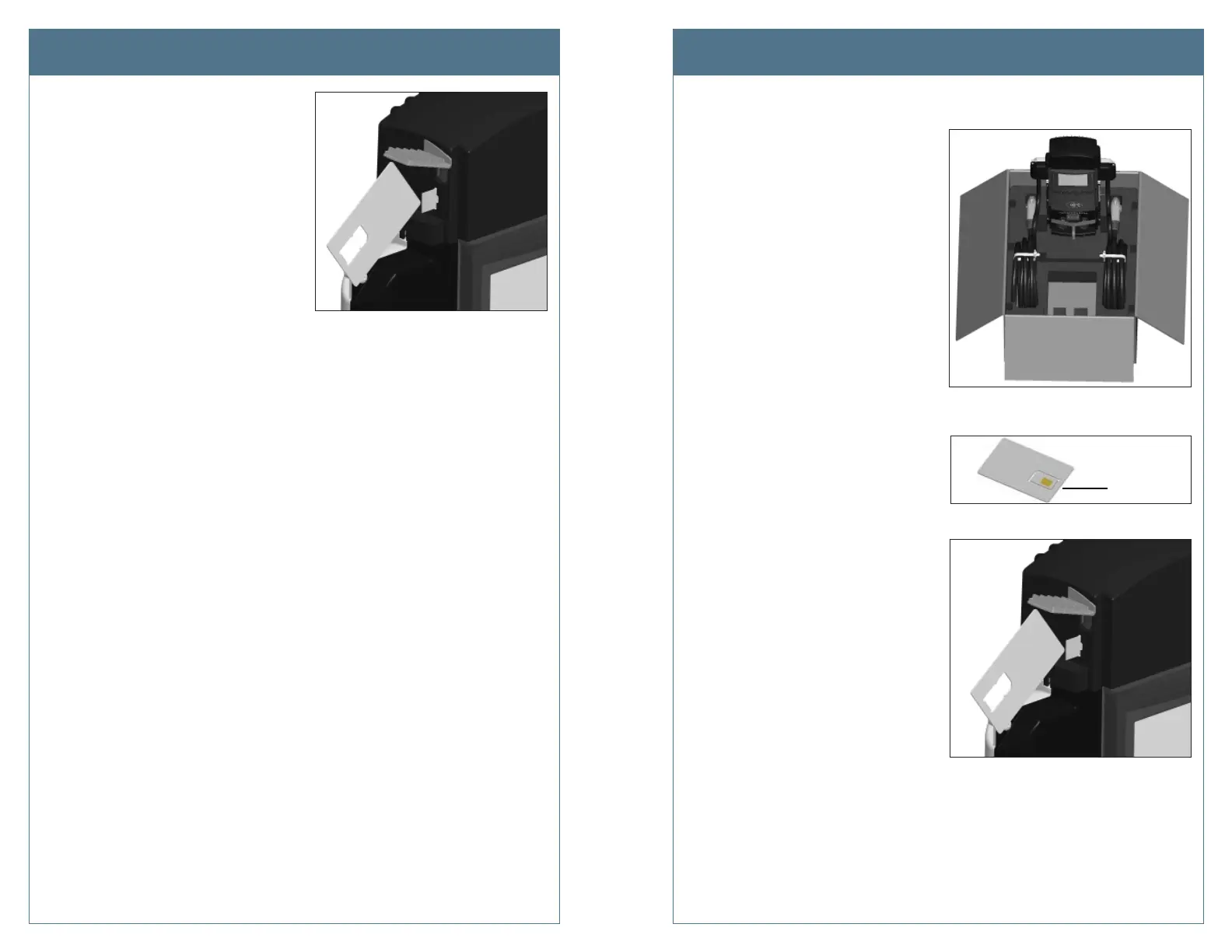
Lift the rubber fl ap on the right side of
the old head assembly and push in the
SIM card to unlatch it (use a pointed
object). The card will pop out.
Once removed, use pliers to break the
old SIM card in half.
TIP! You can use the new SIM card’s
carrier to push on the existing SIM
card.
YOU ARE NOW READY TO INSTALL THE NEW HEAD ASSEMBLY.
Step 1: Prepare the head assembly for mounting
a) Re-open the shipping box and stand
the new head assembly upright on
its foam packaging, as shown.
b) GATEWAY STATIONS ONLY: Install
the new SIM card:
• Remove the SIM card, included in
the shipping box, from its carrier
by pushing it fi rmly.
• Lift the rubber fl ap located on
the right hand side of the head
assembly, as shown.
• Insert the notched edge of the
SIM card into the slot, with the
notch facing upward. Slide it
into the slot and push it FULLY
into the slot until it “clicks” into
place. Refer to the orientation
instructions printed on the side
of the head assembly.
TIP! To push the SIM card into
the slot, use the corner of the SIM
card’s carrier, as shown.
c) Re-Install the top cap
• Place the top cap over the head
assembly, ensuring correct
alignment.
• Using a Phillips screwdriver, secure the top cap to the head assembly by
inserting its two screws into the back of the top cap and tightening to
20 in-lbs.
Remove the
SIM card
Remove the Existing Head Assembly Install the New Head Assembly












 To Next Page