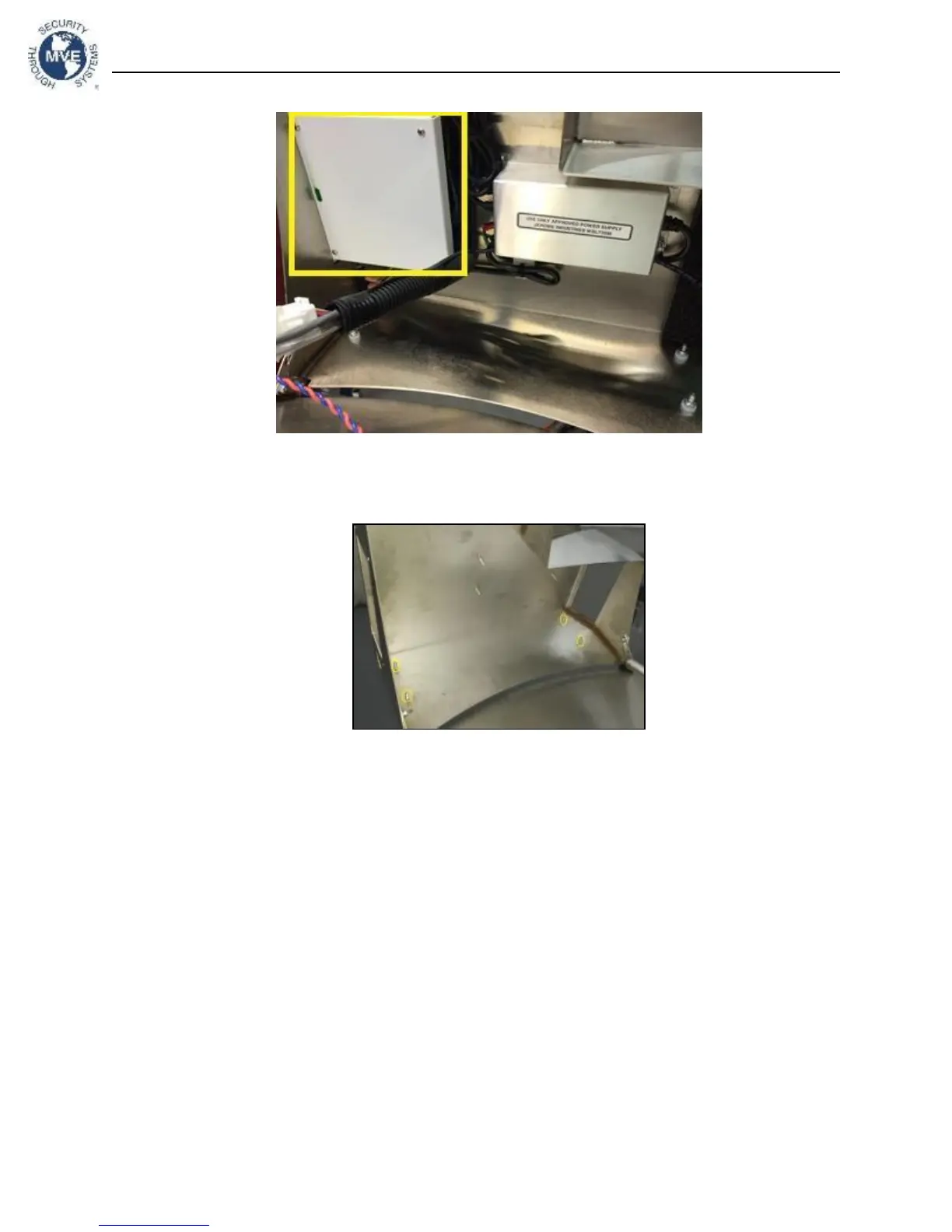
Figure 14 - Back Control Panel
3.2.1.3.
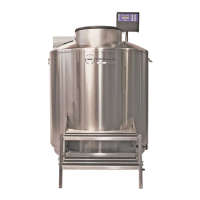
Find the mounting location to install the battery backup. It will mount to the studs in Figure 15
below. This is on the side of the Plumbing Stack Cover.
3.2.1.4.
Remove nuts from studs.
3.2.1.5.
Place the battery backup on the studs with the washers between the battery backup and the
platform. Position the battery backup with the pigtail facing towards the front of the freezer. Note: The
battery backup is capable of being positioned with the pigtail facing forwards or backwards. It is
recommended that the pigtail faces forward so the batteries inside the housing remain in an upright
position.
3.2.1.6.
Fasten nuts to studs. This will secure the battery backup to the workstation on the freezer.
3.2.1.7.
Reinstall the back control panel.
3.2.1.8.
Please see Section 3.4 to complete the installation.
3.3.
HEco 1800 Series
3.3.1.
The battery backup will be placed on the 4 studs already located on the freezer. These are
located on the side of the workstation platform.
3.3.1.1.
Open the workstation platform. First, loosen the Phillips head screws that fasten it to the
freezer. Reference Figure 16 for screw location.



 To Next Page