Getting Started
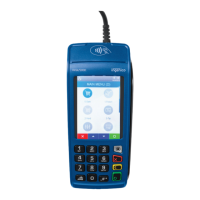
To help you get started, this Quick Reference Guide outlines some of the
most common transactions for the DX4000 terminal solutions.
Contents
Navigating Your DX4000 Terminal………………………………………… 3
Use of the Terminal……………………………………………………………. 4
Unpacking the DX4000 Terminal…………………………………………. 5
Setting Up Your Equipment………………………………………………… 6
Set Up Password………………………………………………………………. 8
How to Process Basic Transactions…………………………………….. 9
More Information & Support………………………………………………. 12
If at any time you need assistance or have a
question, you can use the Chase Assist Application
on your device or you can contact your dedicated
payment advisor.



 To Next Page