Password Management
In order to perform certain transactions, you will need to setup your terminal
passwords. Here is the information to get started creating passwords.
Password privileges
Before you begin, think about the password(s) you will need to provision for your
manager and staff:
• Ideally, each member of your staff should have credentials based on their level of
responsibility.
• As an added layer of security, only managers can perform the following password
protected transactions: Refund and Voids.
To protect your business, use discretion when sharing passwords and consider
changing them on a regular basis.
Two levels of passwords
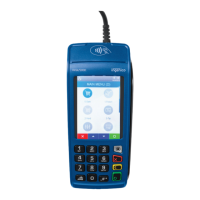
The DX4000 terminal supports the following level of passwords:
1. Manager – Unlimited Access
2. Clerk – Limited Access where applicable
• Each ID can support a unique password.
• We recommend the creation of unique ID/Passcode for each of the 2 password levels.
• Usernames and passwords are configured manually on the terminal by accessing the
Users Menu. To access the “User’s” menu, please contact your dedicated payment
advisor for temporary passcodes required.



 To Next Page