How to Process Basic Transactions
Below are some common transactions to help you start processing right away.
Sale
Perform a credit card sale transaction when the card is present.
What the customer will see on the display:
Customer is prompted to Tap/Insert/Swipe
1. Customer confirms the sale amount.
2. Approval is displayed and receipt prints.
3. Press Print Receipt to print the customer copy.
For contactless transactions, the customer holds their card
over the terminal until the reader flashes and/or beeps.
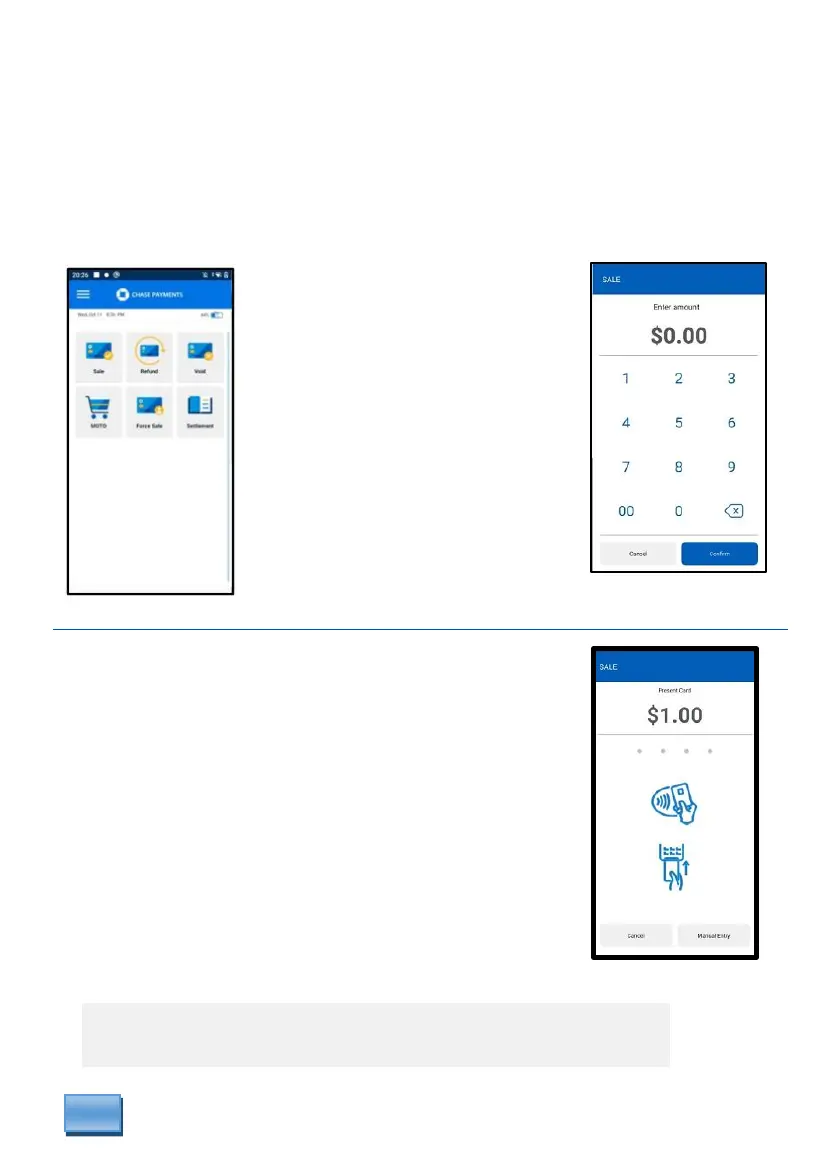
From the idle screen
select Sale.
Optional prompts if enabled
may display. Ex: Clerk #,
Invoice #, Tax #.
Then key in amount
and press Confirm.
* Follow prompts until sale is completed.



 To Next Page