EN
10
DIRECTIONS FOR USE PATIENT
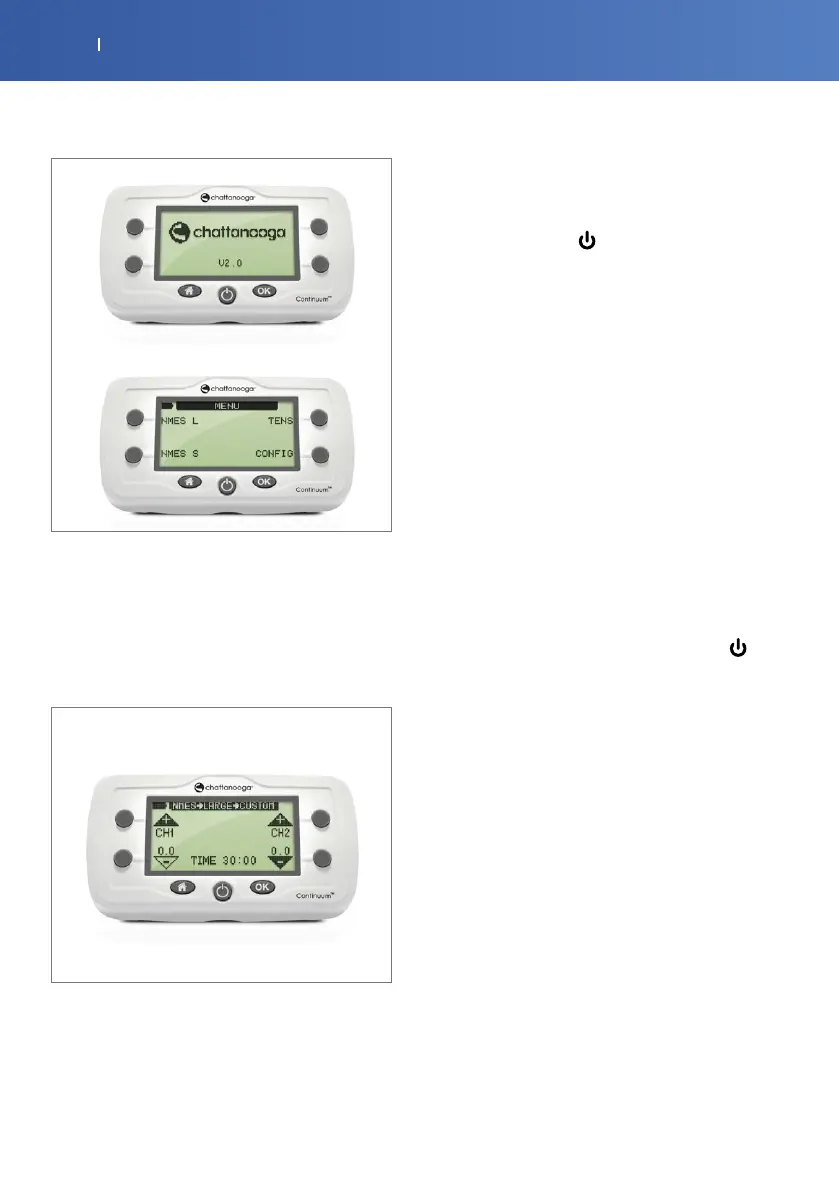
. If your unit has previously been configured for operation
by a clinician, selecting one of the options (NMES or TENS)
will display the “In-Progress” screen on the LCD as shown
below.
For instructions on programming your unit, see “Product
Information (Clinician)” on page . For specific therapy
settings, contact your clinician.
. Press the soft key next to the Channel UP arrow.
This will ramp up the level of stimulation for Channel .
You should see a dot next to the channel output on the
LCD screen when output is active.
. Repeat this procedure for channel on the right if using
two channels. You can only ramp intensity on an active
channel and can only ramp one channel at a time.
. If the device has operated as expected, turn it o by
pressing the ON/OFF ( ) button located on the bottom
row, middle button.
. If the LCD does not display any information at startup,
check the battery compartment. If the batteries have not
been inserted, see the “Changing the Batteries” on page .
If the batteries have been inserted, change batteries.
. If after changing batteries, the device still does not
respond, refer to the Troubleshooting guide on page .
NOTE: The following steps assume that your clinician has
set up the device for you. If you are unsure, call your clinician
before proceeding. The instructions below describe all of the
buttons you should press to work the device. Please note the
config button is intended for clinician use.
. Connect the lead wires to the device. If only one lead
wire will be used, plug it into the Channel output channel.
CAUTION: Ensure the device is OFF before connecting the
lead wires.
. Power on the device by pressing the ON/OFF ( )
button
. Press the type of treatment option desired from the
main options menu.
. Select the desired localized treatment type.
. Select and/or modify the related parameter values for
the treatment type and then press OK to lock them in.
. Begin the treatment by pressing the intensity buttons
found to both the left and right of the screen. Press the Up
arrows to increase intensity on channel or and press the
Down arrows to decrease intensity on channel or .
. Treatment can be ended by pressing the OFF button for
at least sec.
. Store electrodes for future use. See instructions on page
for electrode storage and maintenance.
. The Continuum device locks the intensity increase
buttons to prevent accidental increases in intensity. This
safety feature is activated after seconds of unchanged
intensity.
. To unlock the device, press either intensity Down
button. You can now increase the intensity.



 To Next Page