EN
31
INTENSITY AUTO-LOCK
Once you have started therapy and left the intensity level
constant for seconds, the device will lock to prevent
accidental increases to intensity. You will see a lock symbol
appear in the middle of the screen to indicate that this
safety feature is in eect. To unlock and increase intensity,
press the button to decrease the intensity first, at which
point the device will unlock and allow you to turn the
intensity up.
OPEN LOAD DETECTION
If the intensity of either channel is above ., the
Continuum checks to make sure that there is good contact
between the device and the patient. If bad contact is
detected, the text “OPEN” will be displayed instead of
the intensity, and the intensity on both channels will
go to zero. The treatment timer will stop. To resume
treatment, assure that the leadwire is fully connected
to the device and to the electrodes, and that there is
good contact between the electrodes and the skin. Then
increase the intensity to the desired level. If the problem
persists, replace the leadwires and electrodes, or contact
the Chattanooga Repair Department for assistance
(..).
BATTERY DISPLAY
The battery icon on the top left corner of the display
shows the charged state of the battery. This icon will
show full for new alkaline batteries, but less than full for
fully charged rechargeable batteries. Low battery voltage
is indicated by a flashing battery indicator. The device
will display a low voltage message and power down if
the battery voltage is too low. For more information, see
“Changing the Batteries” on page .
To self-test for any of the above, perform the following
steps:
. Place new batteries in the device.
. Verify the device is o.
. Insert one new lead wire into two new electrodes.
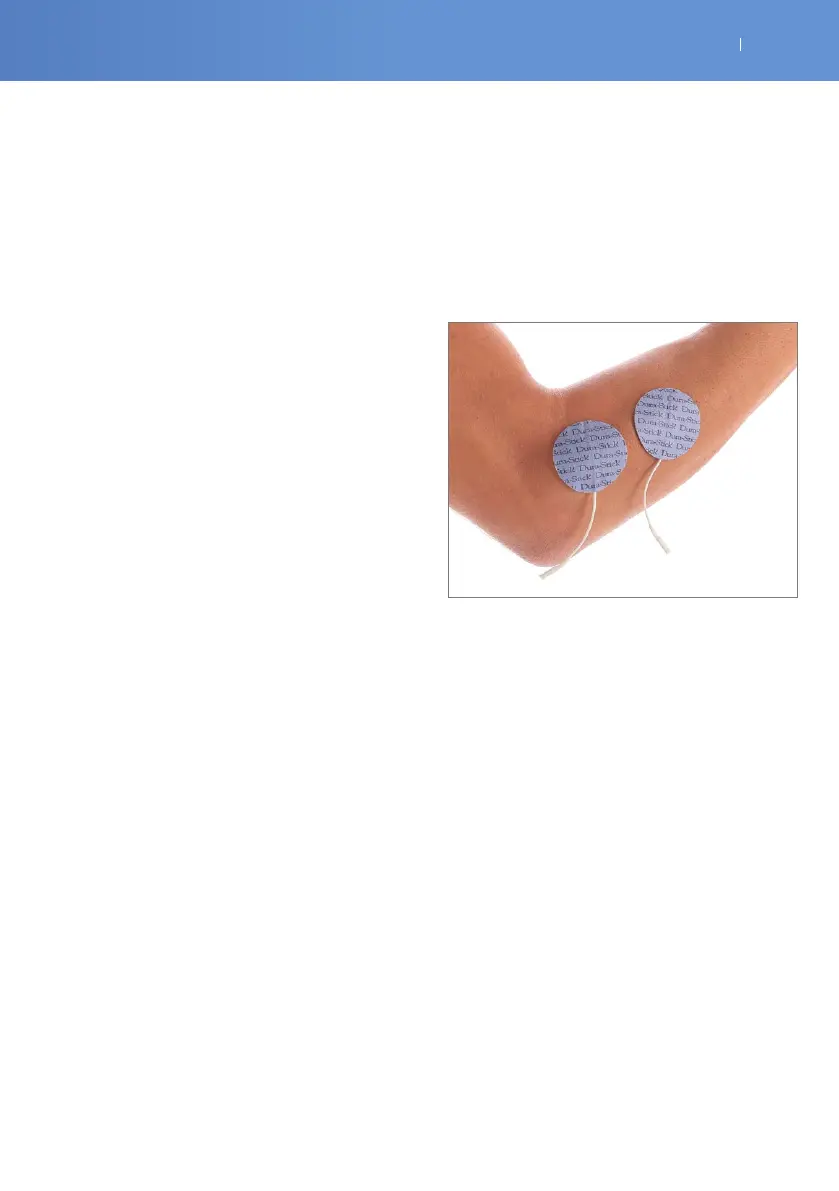
. Place the new electrodes on your forearm as shown in
the figure below.
. Insert the lead wire in Channel .
. Turn your device on.
. Select a TENS knee program. This is a continuous
treatment program.
. Slowly increase the amplitude (intensity) until you can
feel it. If you do not get any sensation, lower the amplitude
(intensity) to zero and rotate the lead wire degrees.
Slowly increase the amplitude (intensity).
. If there is no sensation, call the repair department.
. If sensation is felt - even if weak, = device is working
properly. You may need to reposition the electrodes or
contact your clinician.
. Repeat Steps through for Channel .



 To Next Page