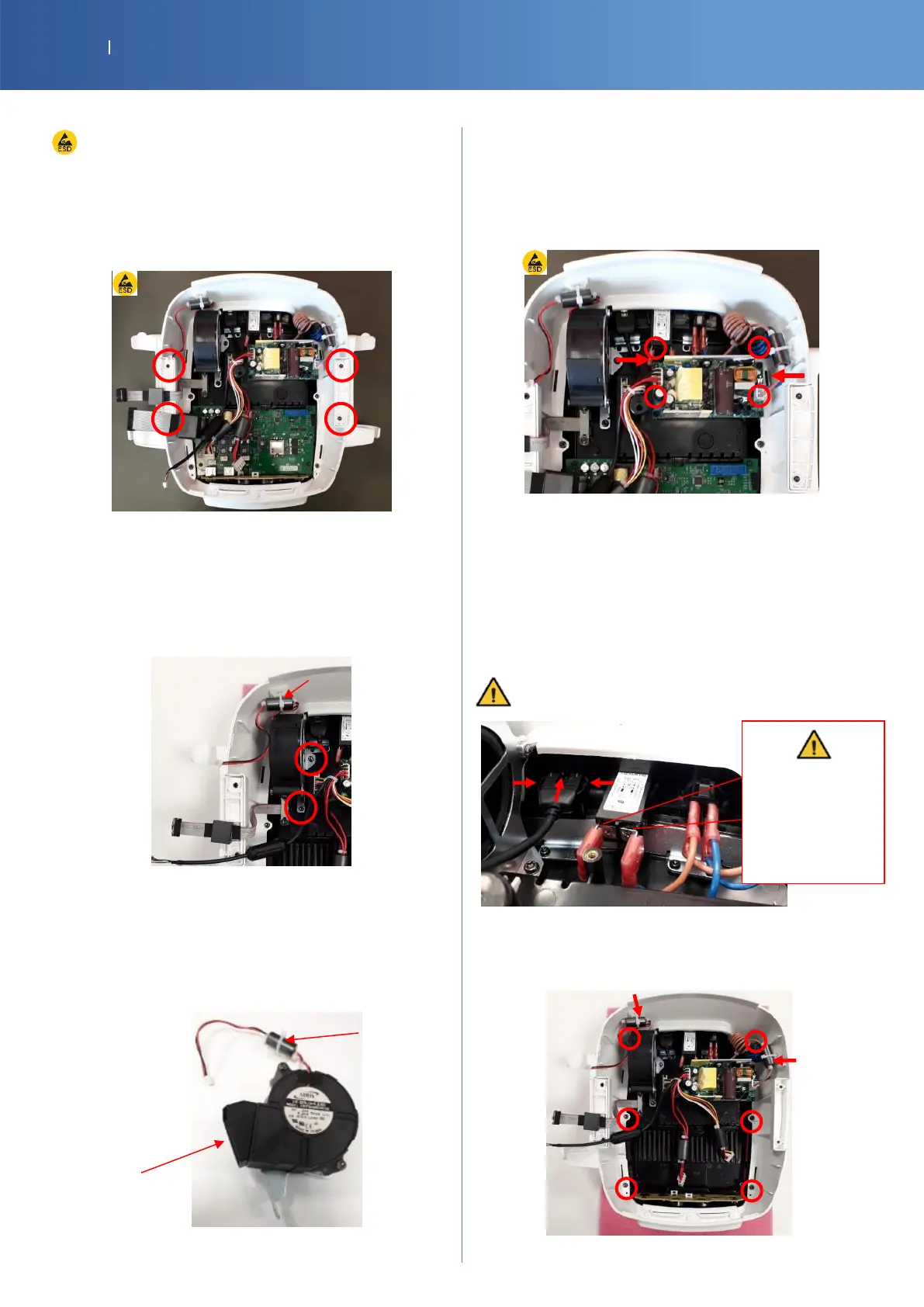
7.5. LOWER SUB ASSEMBLY
ESD equipment is required to touch the PCBA
APPLICATOR HOLDER
G16-4171-SP APPLICATOR HOLDER RIGHT W
G16-4181-SP APPLICATOR HOLDER LEFT W
Unscrew 2 screws/holder (Torx T10)
FAN
14-1022-SP SERVICE PART MOB2 FAN
To remove the fan: unscrew the support
(2 screws of Torx T20) and cut the cable tie
To separate the fan and the support: unscrew 2
screws (Torx T20)
To put back in place, check the good position of the
air distributor, screw the support with the fan and
attach the ferrite cable with a tie
POWER SUPPLY
14-1023-SP POWER SUPPLY 24V100W
Unplug the 2 connectors and unscrew the 4 screws (Torx
T10)
Protected by Fuses T5A/250V model (ICP5A250V(S))
USB PORT / MAINS POWER CONNECTOR / ON/OFF SWITCH
14-1000-SP MOB2 INTERNAL USB CABLE
14-1020-SP POWER CONNECTOR
27151-SP SWITCH 20MM BK
To remove: disconnect, push on the 2 plastic tabs and
extract the connector out of the base.
Unplug the device from the mains first
MAIN BODY WHITE
G16-4151-SP MOB2 MAIN BODY WHITE
Cut the 2 cables ties and remove 6 screws (Torx T20)
The mains power
connector pins
are fragile.
Remove the














 To Next Page