| Intelect
®
Mobile 2 - Service Manual 53
8.2. INTELECT MOBILE 2 STIM
The Stim cables must be connected on a load (1kHz)
Use the G16 test load box (PN 14-9706-2)
•
Print the tracker sheet (P56)
•
Write on this tracker sheet the Serial number and the
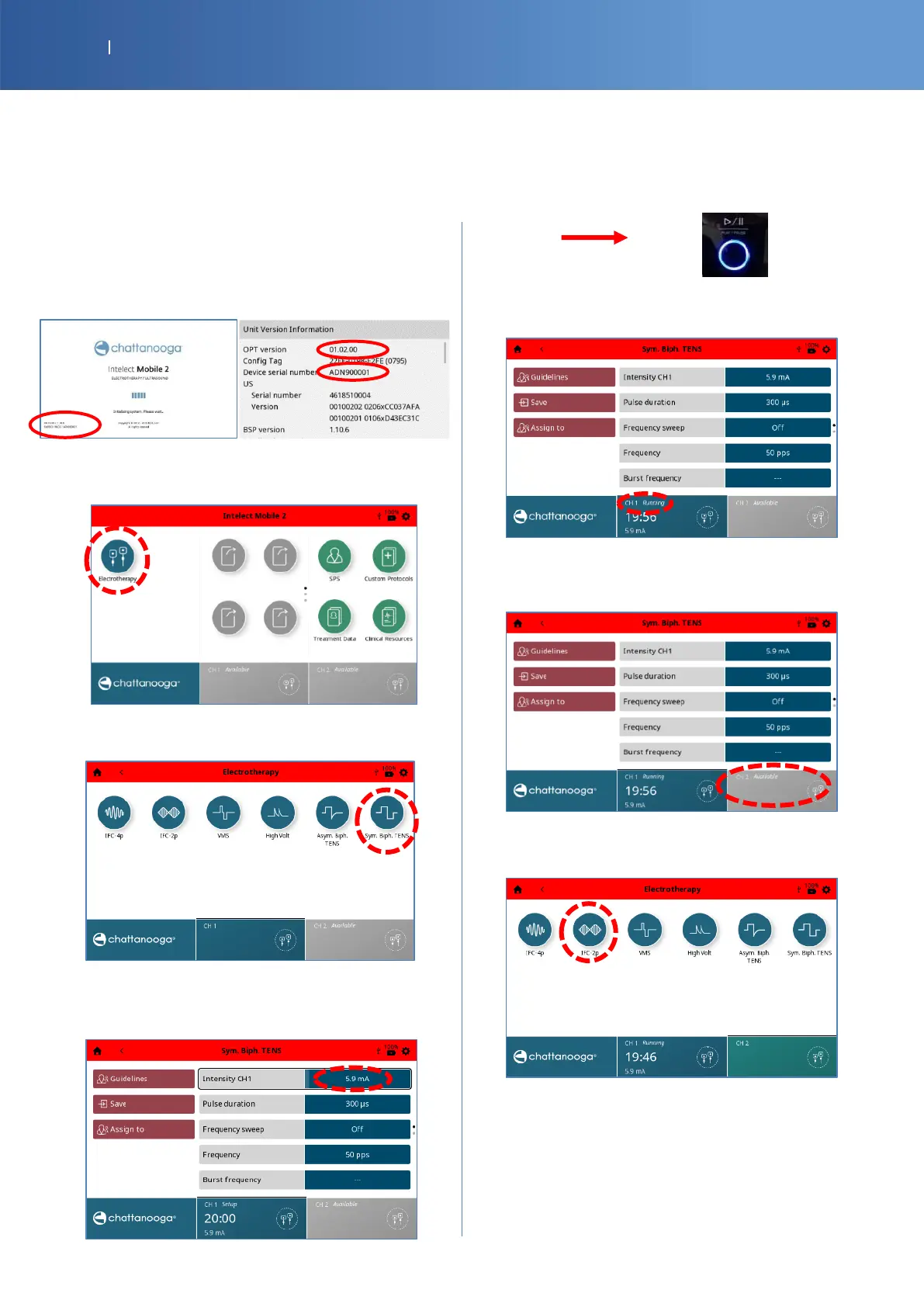
Software version : §1 & 2 (on the boot screen or in
Settings /Display Unit Version Information (page 24))
Electrotherapy and User Interface
• Press the “Electrotherapy” icon.
• The following screen is displayed, then, press on
Sym Biph. TENS icon.
• Press on intensity button and increase the
current with the knob for two complete rounds
(must be > 5mA). then press the “Play” button.
• You should have the CH1 status channel
“Running”.
• Select CH2.
• Press on the IFC-2Pp icon.














 To Next Page