| Intelect
®
Mobile 2 - Service Manual 57
Visual inspection
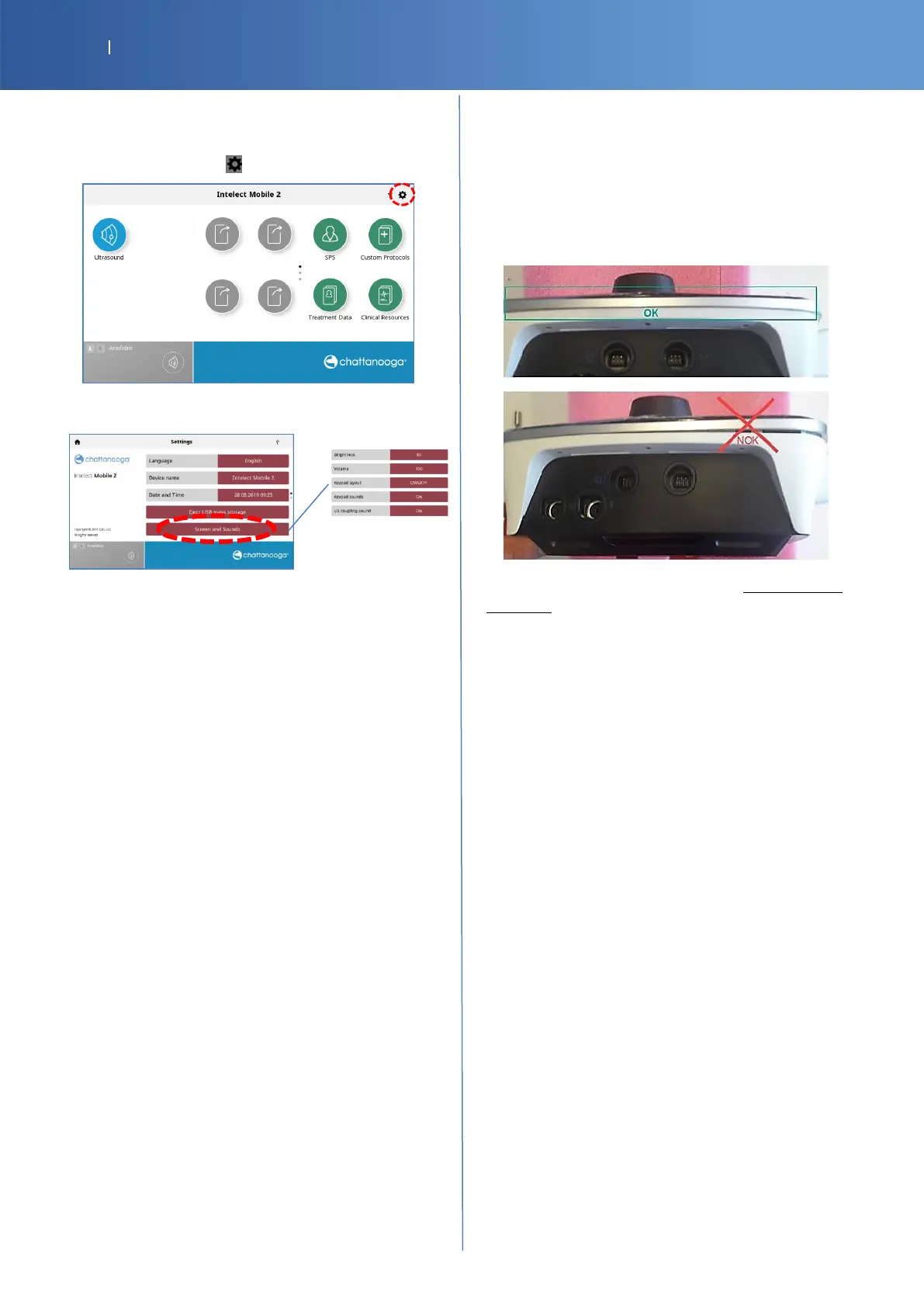
Screen and Sounds
• Press the “sys “icon. .
• Press to « Screen and Sounds »
Modify “Brightness” to test the back light
Modify “Volume” to test the sound
Casing
Verify if:
-
The casing is correctly closed
-
The holders are not broken
All tests performed are passed and the battery is
removed.
Check Pass/Fail the tracker sheet §12














 To Next Page