| Intelect
®
Mobile 2 - Service Manual 60
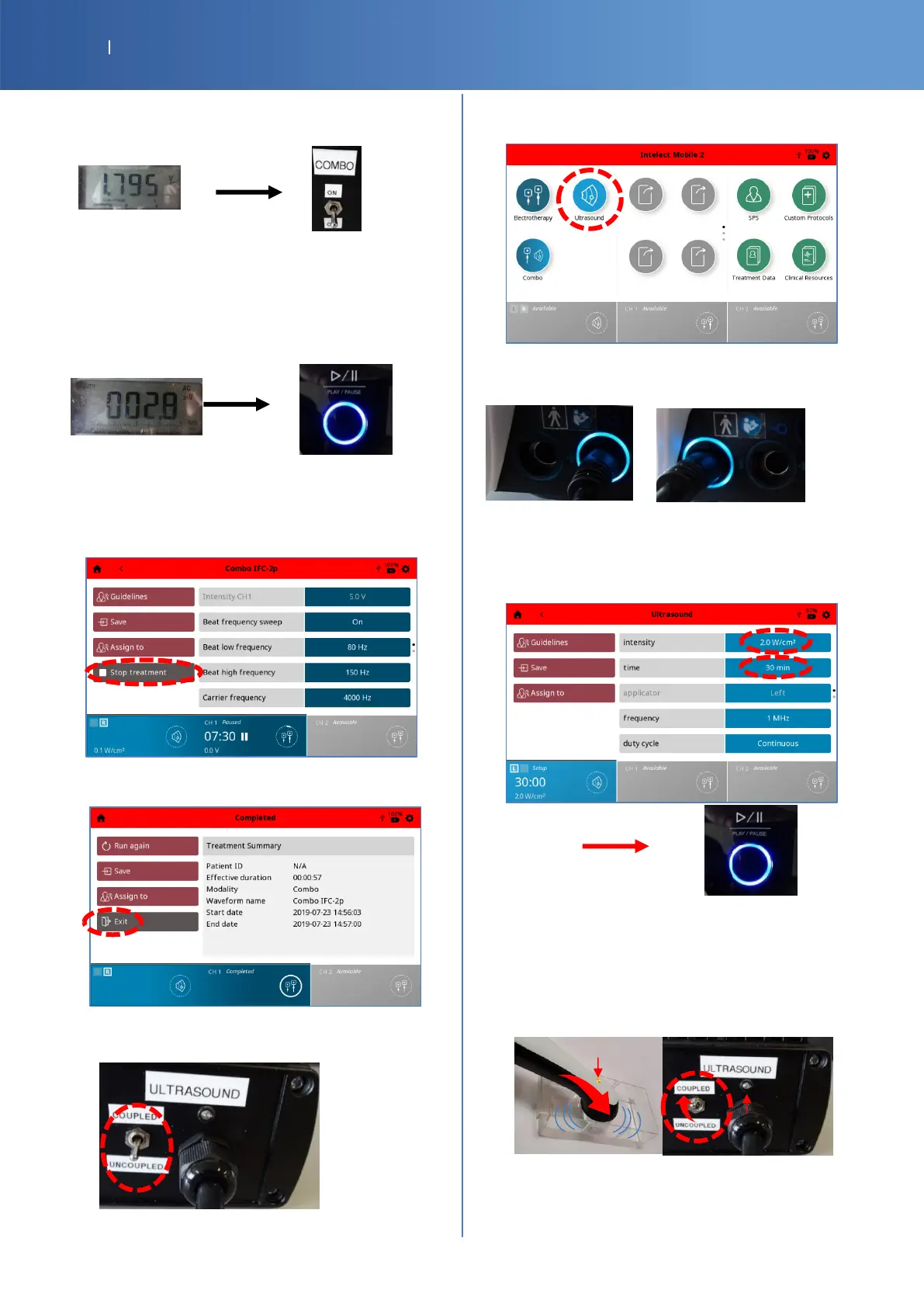
• Set the multimeter to V AC and read the value, you
must have a value between 1.5V and 4V, after
stabilization.
• After set the G16 Test Load switch COMBO to
“OFF”.
• Check the voltage on the multimeter, you must
have 0mV +/- 100mV, after stabilization, then
press the “Pause” button.
• Check Pass/Fail the tracker sheet §3 if both
voltages values are correct
• The following screen is displayed, then, press the
“Stop treatment” button.
• Then, press the “Exit” button.
• Set the G16 Test Load switch ULTRASOUND to
“UNCOUPLED”.
Ultrasound and User Interface
• Press the “Ultrasound” icon.
• Check if the LED around the right connector is on.
Then, put the connector on the left side and check
the LED.
• Select the field “intensity” and increase the value
with the knob until 2.0 W/Cm2.
• Select the field “time” and increase the value with
the knob until 30 min, then press the “Play”
button.
• Check if the LED of G16 Test Load is lit
intermittently and if there is a sound.
• Wait 5 seconds and Set the G16 Test Load switch
ULTRASOUND to “COUPLED”
Or
• Put the end of the transducer in water.
• Check if the if the LED of G16 Test Load is lit
continuous.














 To Next Page