Page 20 of 23 CORE™ 3x3 User Manual Rev. 1
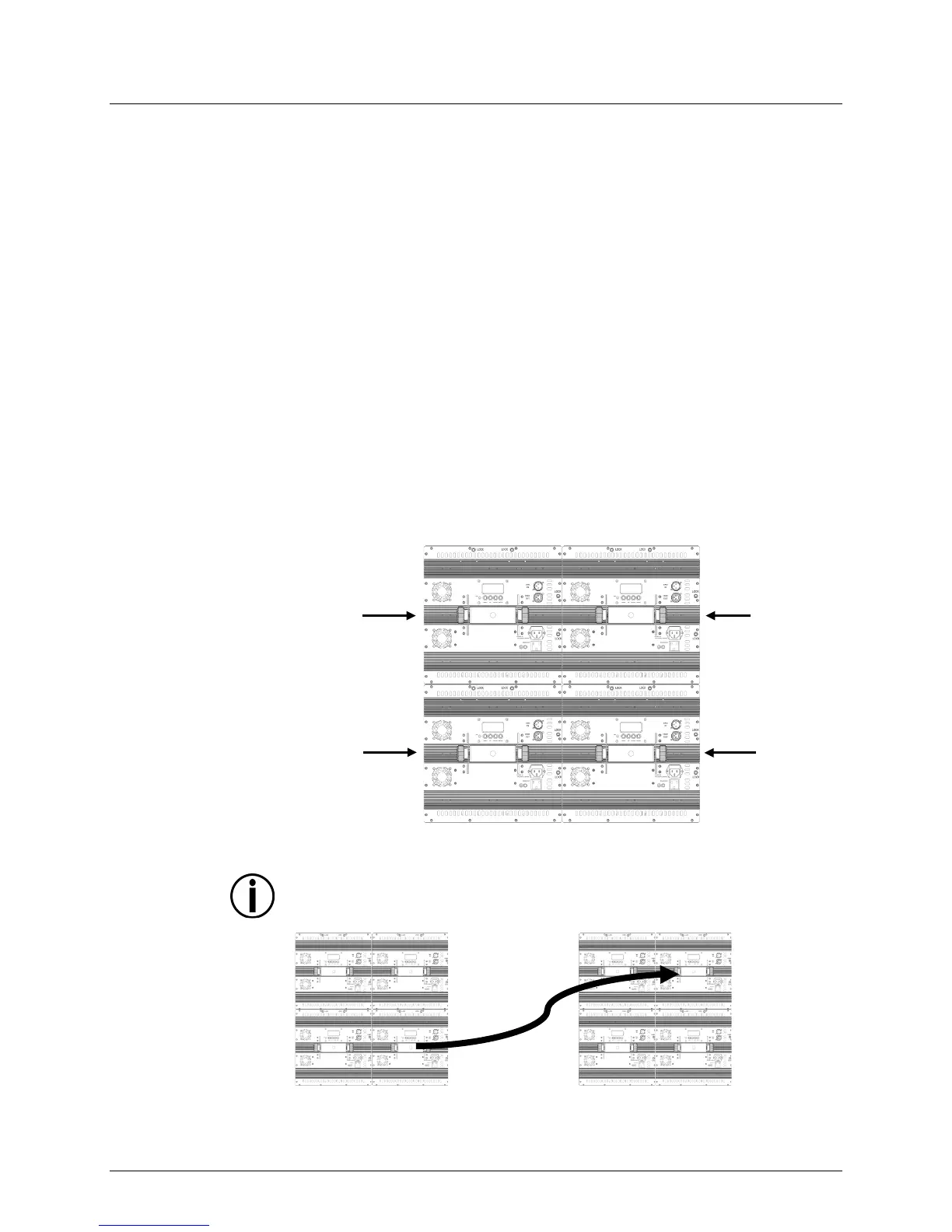
(2 x 2)
Mode
The Two-by-Two (2 x 2)
Master/Slave mode allows a single CORE™ 3x3 unit (the
“master”) to control the actions of 3 other CORE™ 3x3 units (the “slaves”) as
were one unit, when positioned 2 units across by 2 units down. The master
set to operate in Master mode 4 (and in either an Auto program or Sound-Active mode),
while the slave units will be set to operate in Slave modes 2 through 4
connected, the four units will operate as one.
Configure the units as indicated below.
Slave units:
1. Press <MENU> on the slave units until SLA shows on the display.
2. Press <ENTER> and SLA1–SLA4 shows on the display.
3. Use <UP> or <DOWN> to select SLA2 for the slave next to the master, SLA3 for
the slave diagonal to the master, and SLA4 for the slave underneath the master.
4. Press <ENTER> on the slave units.
5. Connect the DMX input of the subsequent slave units to the DMX output of the
previous slave unit.
Master unit:
1. Press <MENU> on the master unit until SEnd shows on the display.
2. Press <ENTER> and either SEd1 or SEd4 shows on the display.
3. Use <UP> or <DOWN> to select SEd4 (Master mode 4).
4. Press <ENTER>.
5. Set the master unit to operate in either Auto program or Sound-Active mode.
6. Make the master unit the first unit in the DMX daisy chain.
for Two-by-Two
Master/Slave Mode
The SEd4 setting in the master unit is for the two-by-two grid layout only. With
this two-by-two configuration, be sure to place the slave units in the positions
shown to ensure all 4 units generate a properly coordinated show.
Additional
Two-by-Two
Configurations
Slave Unit
SLA4 Mode
Slave Unit
Slave Unit
SLA3 Mode
First 2x2 Setup
(as shown above)







 To Next Page