Configuring through a web browser
39
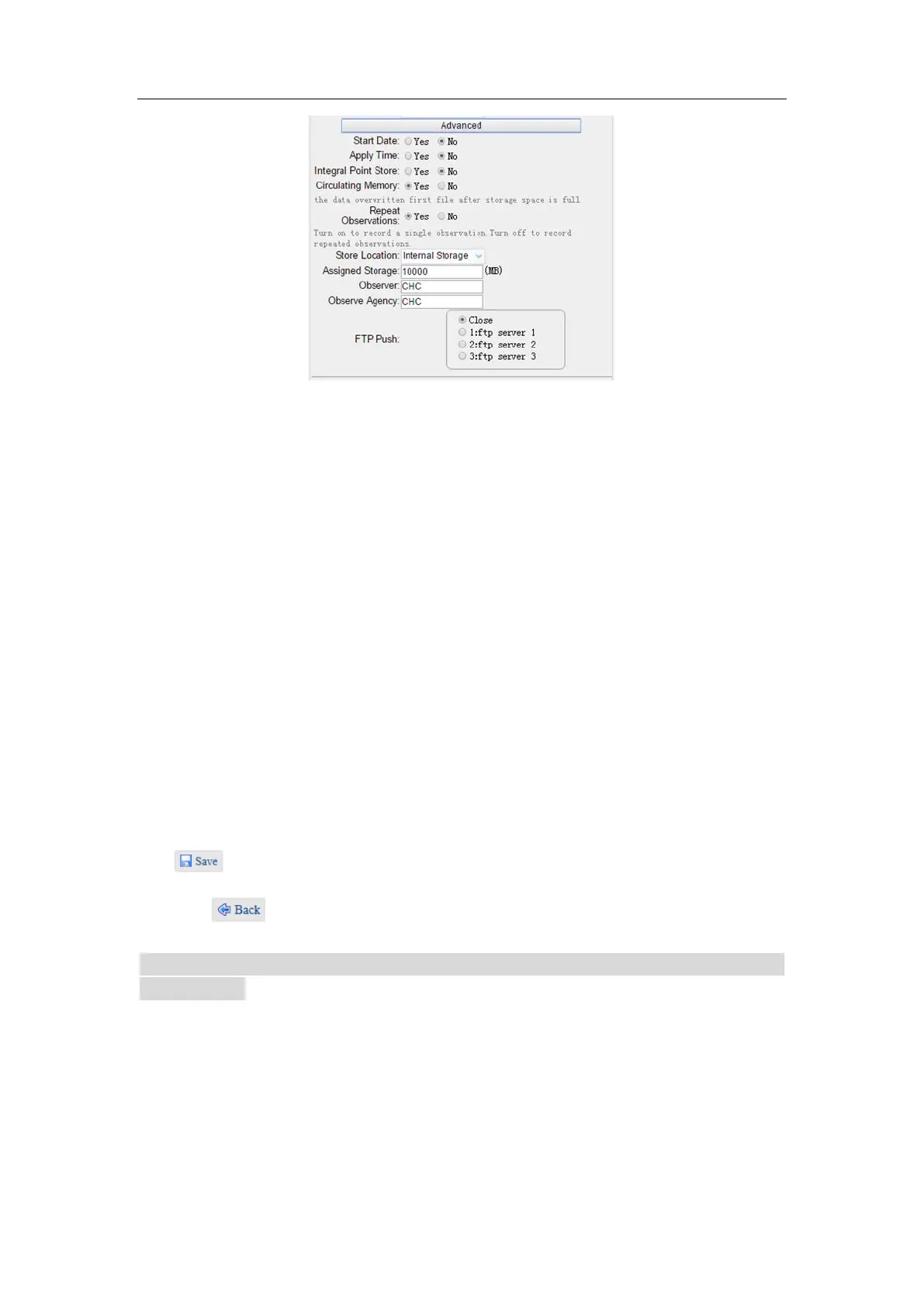
In this screen, you can configure all the data logging parameters, and determine
whether the recording files will be affected by the FTP Push. The parameters are
mainly as follows:
➢ File Name: The name of this logging session.
➢ Sample Interval: Select the observable rate from the dropdown list.
➢ Store Location: Determine whether to store at internal storage or external
storage.
➢ Enable Start Time: Set the start time of data logging in UTC. Select Or not
option below to determine whether to start data logging from the start time
defined, or immediately after this session is switched on.
➢ Duration Time: Set the duration of data logging.
➢ Assigned Storage: Set the storage space of this session.
➢ Circulating Memory: Select Yes or No option to determine whether to auto
delete old files if the storage space is full.
➢ Data Format: Set the data format of the logged data.
➢ FTP Push: Decide whether to push the stored files to the FTP server of your
choice.
Tap button to save the settings and back to the Log Settings screen. Also, users
can click to abandon the changed settings and back to Log Settings screen.
Note – To modify data logging parameters, make sure the data logging session is
switched off.
To switch on or off ANY data logging session, tap the ON or OFF button to the right of
the required session.
To delete the recorded files of ANY data logging session, tap the Clear button to the
right of the required session.



 To Next Page