Configuring through a web browser
41
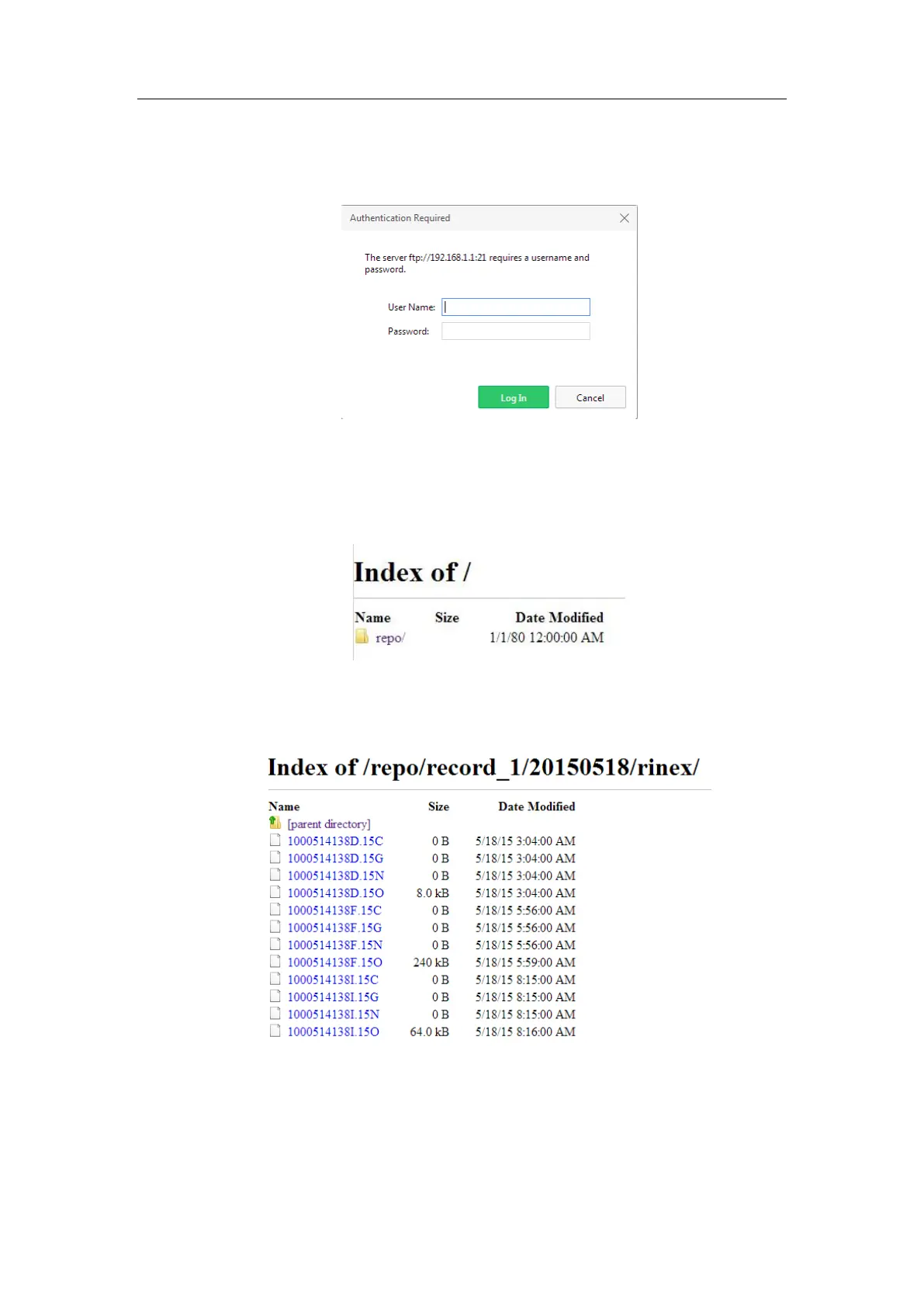
storage through the internal FTP site.
1. Click this submenu, and then the log on dialogue box will prompt you to enter
a user name and password:
The default logon account for the internal FTP site is:
➢ User name: ftp
➢ Password: ftp
2. Click the directory named as “repo” to view and download the files currently
stored on the receiver:
3. To find the file need to be downloaded, click the name of data logging session
→ the date of file that be recorded → the format of the file → the name of the
target file.
4. To download a file, left-click the name of the target file → download the file
according to the prompts.



 To Next Page