Configuring Through a Web Browser
CHCNAV i73+ GNSS USER GUIDE | 2022-3 P a g e | 35
5.1.1 Position Submenu
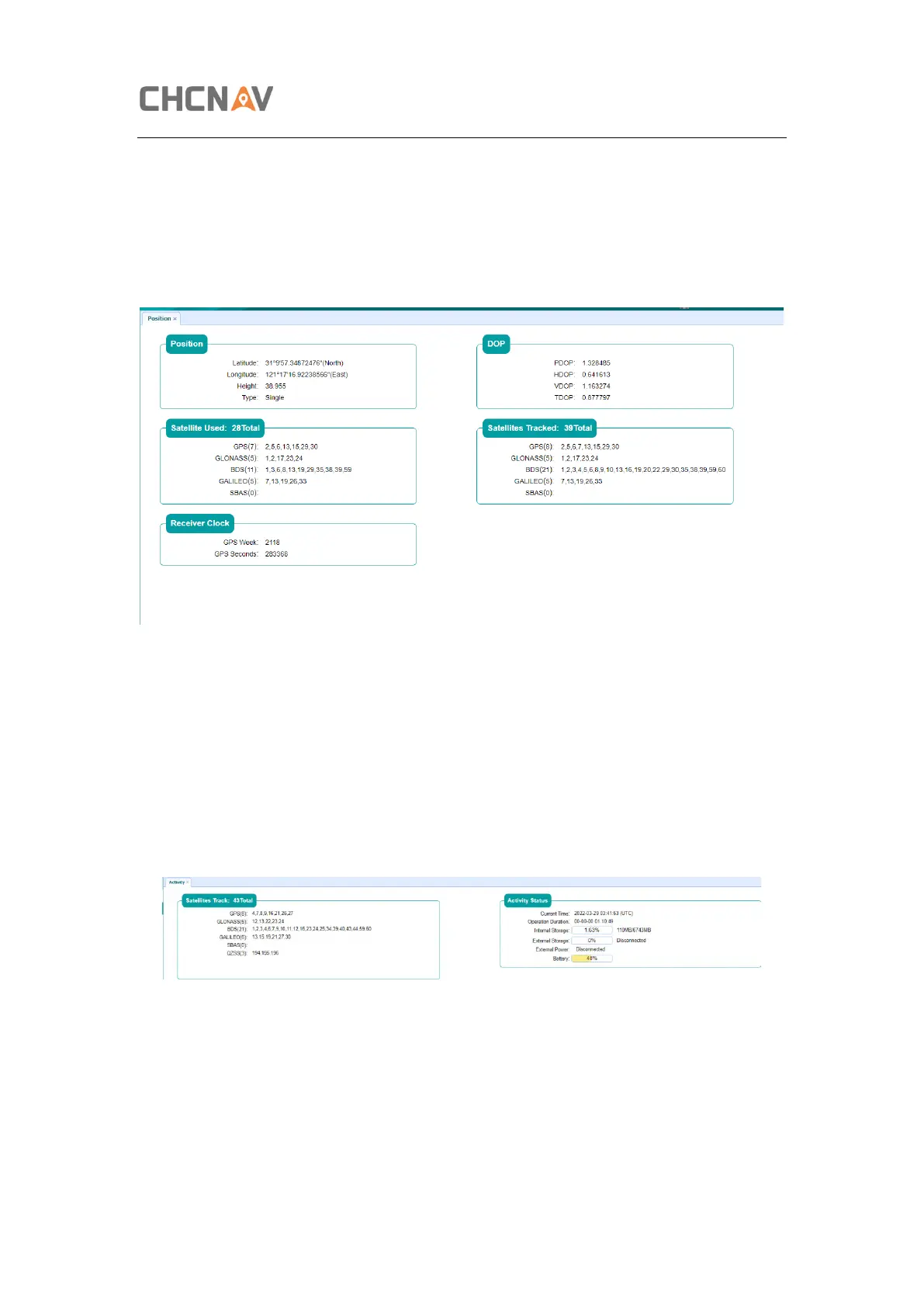
This page shows the relevant position information about the receiver's position solution
which including the position, DOP values, satellites used and tracked, and the receiver clock
information.
5.1.2 Activity Submenu
Lists several important items to help you understand how the receiver is being used and its
current operating condition. Items include the identities of currently tracked satellites,
internal and external storage usage rate, how long the receiver has been operational, state of
the internal battery, power source state. With this information, it is easy to tell exactly what
functions the receiver is performing:
5.1.3 Google Map Submenu
Tap this submenu to show the location of the receiver on Google map.



 To Next Page