Configuring Through a Web Browser
CHCNAV i73+ GNSS USER GUIDE | 2022-3 P a g e | 44
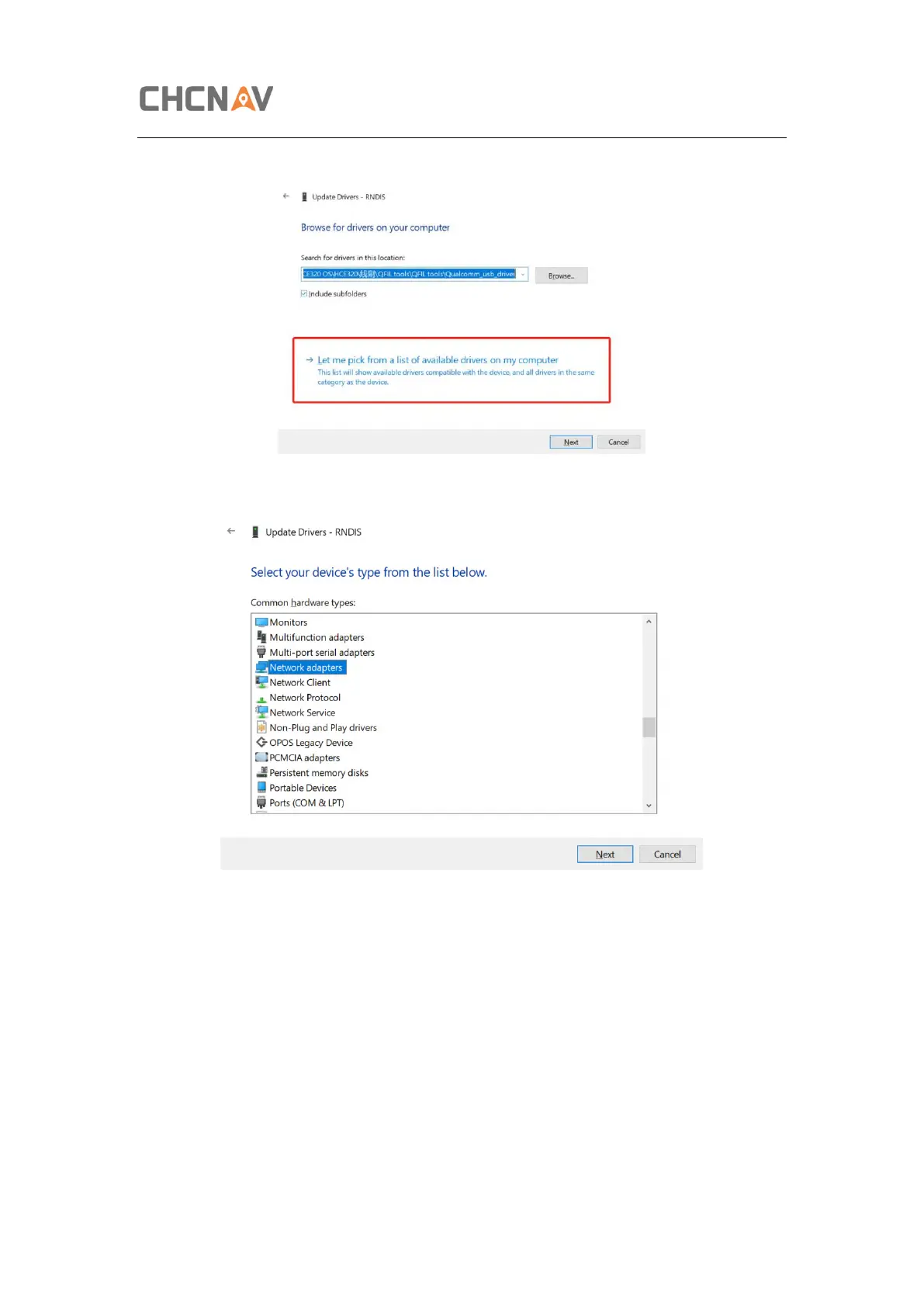
b) Select Let me pick from a list of available drivers on my computer, and click next
c) Then there will appear a hardware type list. In the list, select Network adapters.
d) Then find Microsoft in the Manufacturer list, and select Remote NDIS based
Internet Sharing Device in the model list.



 To Next Page