Configuring Through a Web Browser
CHCNAV i73+ GNSS USER GUIDE | 2022-3 P a g e | 51
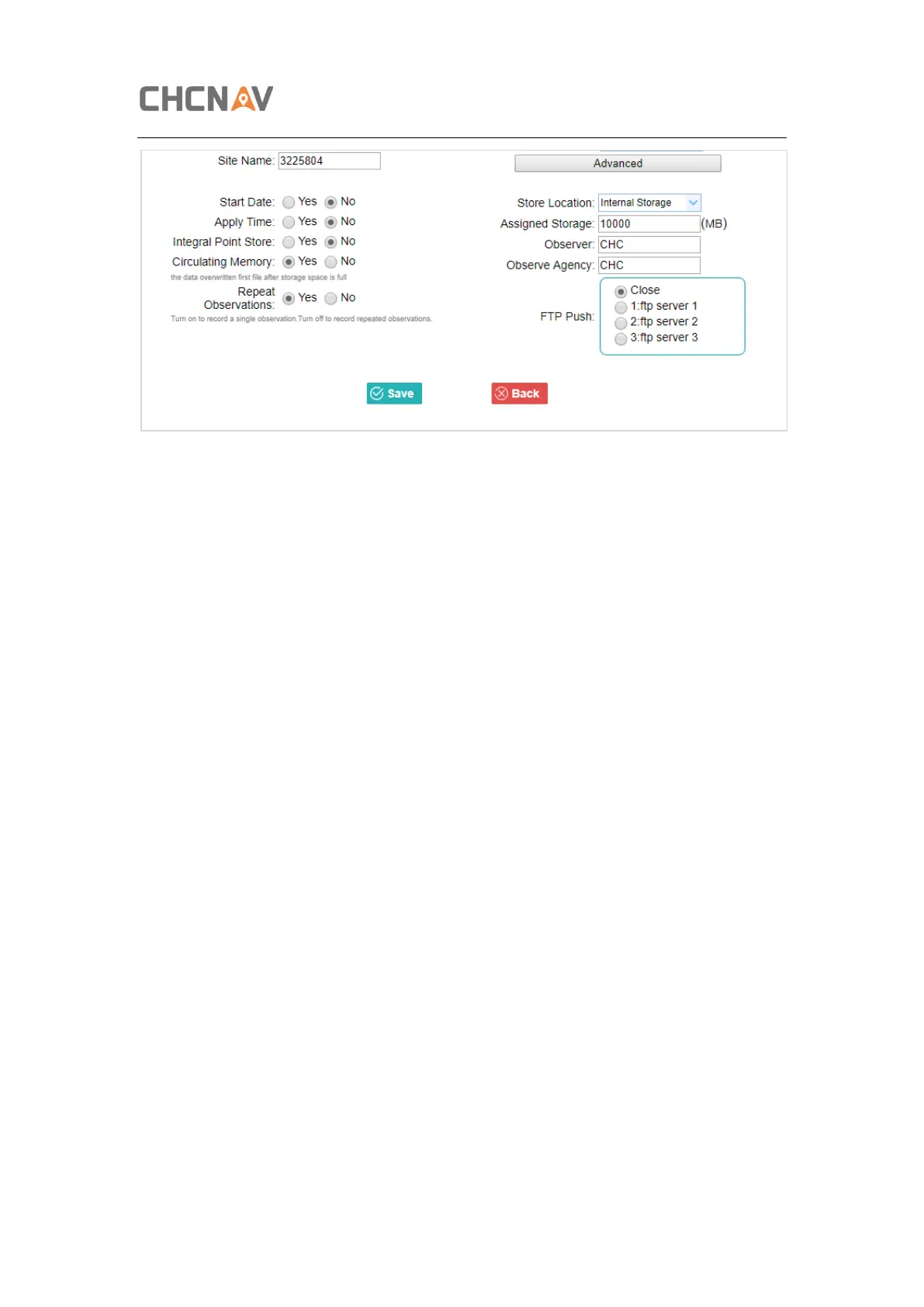
In this screen, you can configure all the data logging parameters, and determine whether the
recording files will be affected by the FTP Push. The parameters are mainly as follows:
➢ Auto Record: on or off.
➢ Sample Interval: Select the observable rate from the dropdown list.
➢ Elevation Mask: Enter the elevation mask.
➢ Duration Time: Set the duration of data logging.
➢ Site Name: Enter the name of the site.
➢ Antenna Height: the measured height value.
➢ Measure way: Antenna Phase Center, Vertical Height, Slant Height
➢ Storage Format: Select the format of the data store.
➢ RINEX Version: OFF, 3.02, 2.11
➢ Start Date: Select Yes or No option to determine whether to auto record start date.
➢ Apply Time: Select Yes or No option to determine whether to auto record apply time.
➢ Integral Point Store: Select Yes or No option to determine whether to allow receiver
to save data every hour.
➢ Circulating Memory: Select Yes or No option to determine whether to auto delete
old files if the storage space is full.
➢ Repeat Observations: Select Yes or No option to determine whether to turn on to
record a single observation.
➢ Store Location: Internal Storage, External Storage.
➢ Assigned Storage: The assigned memory size of current thread(for example, Record
1) is 10000MB
➢ Observer: Enter the name of observer.
➢ Observer Agency: Enter the name of observer agency.
➢ FTP Push: Decide whether to push the stored files to the FTP server of your choice.



 To Next Page