www.chenbro.com
14
ES34069 Chassis User’s Manual Rev. A1
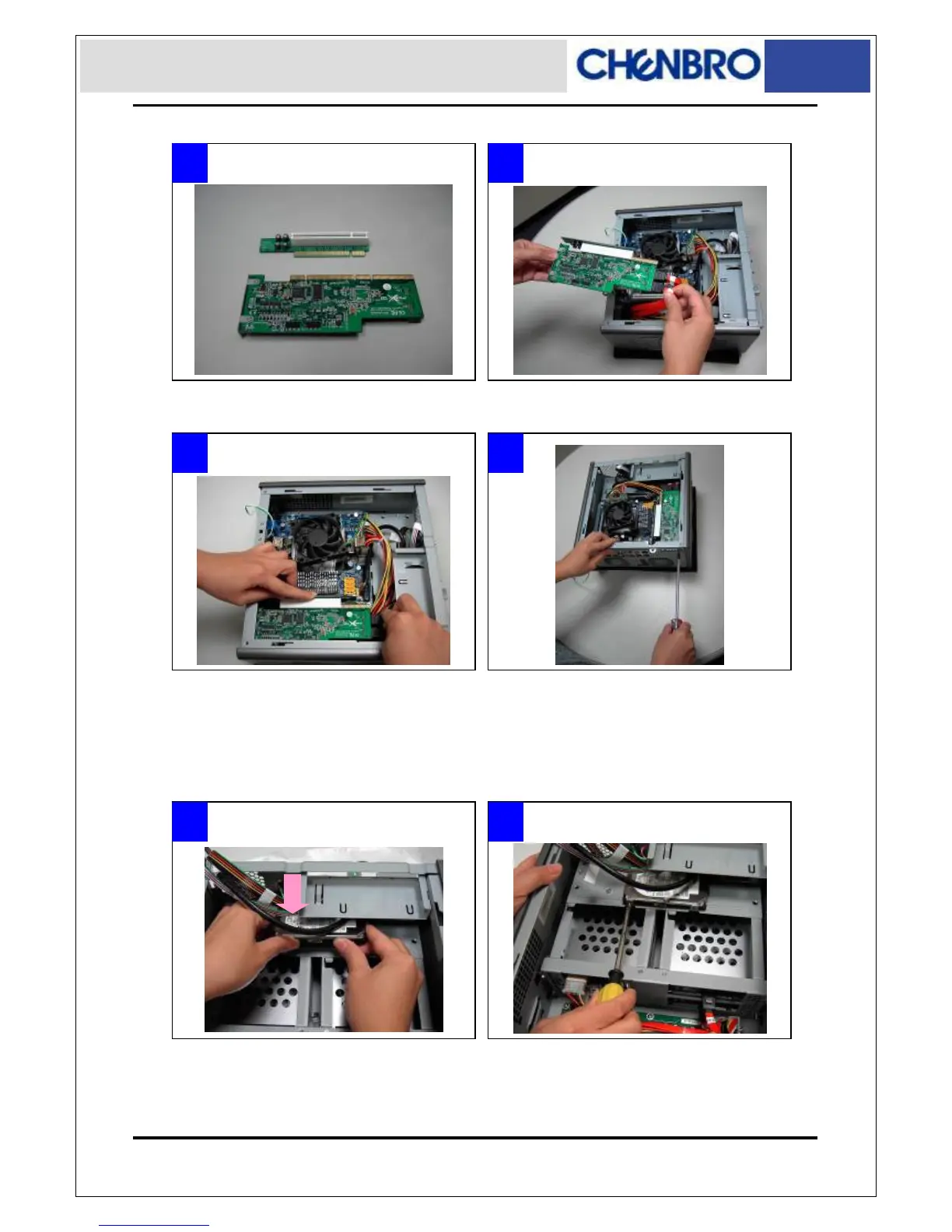
Installing Riser Card
Installing 2.5” HDD
Note: To install 2.5” HDD, the M/B cage is required to disassemble.
1 2
1 2
3 4
■ Place the 2.5” HDD underneath the Slim ODD ■ Fix the 2.5” HDD with attached screws
■ The PCI card mounting bracket must be detach and
use special one for mounting, (Ex. PCI RAID card)
■ Install the PCI card with riser into the slot gently.
(Please pay attention to the cable arrangement)
■ Attach screws on the rear side to secure the PCI card
■ Connect the cables before install.



 To Next Page