19
3.5/ Print a report
To print a report, select the one required and click . A print preview is displayed. Click .
3.6/ Export the report as a PDF file
To export the report as a PDF, select a file, and click on . A preview of the print is displayed. Click .
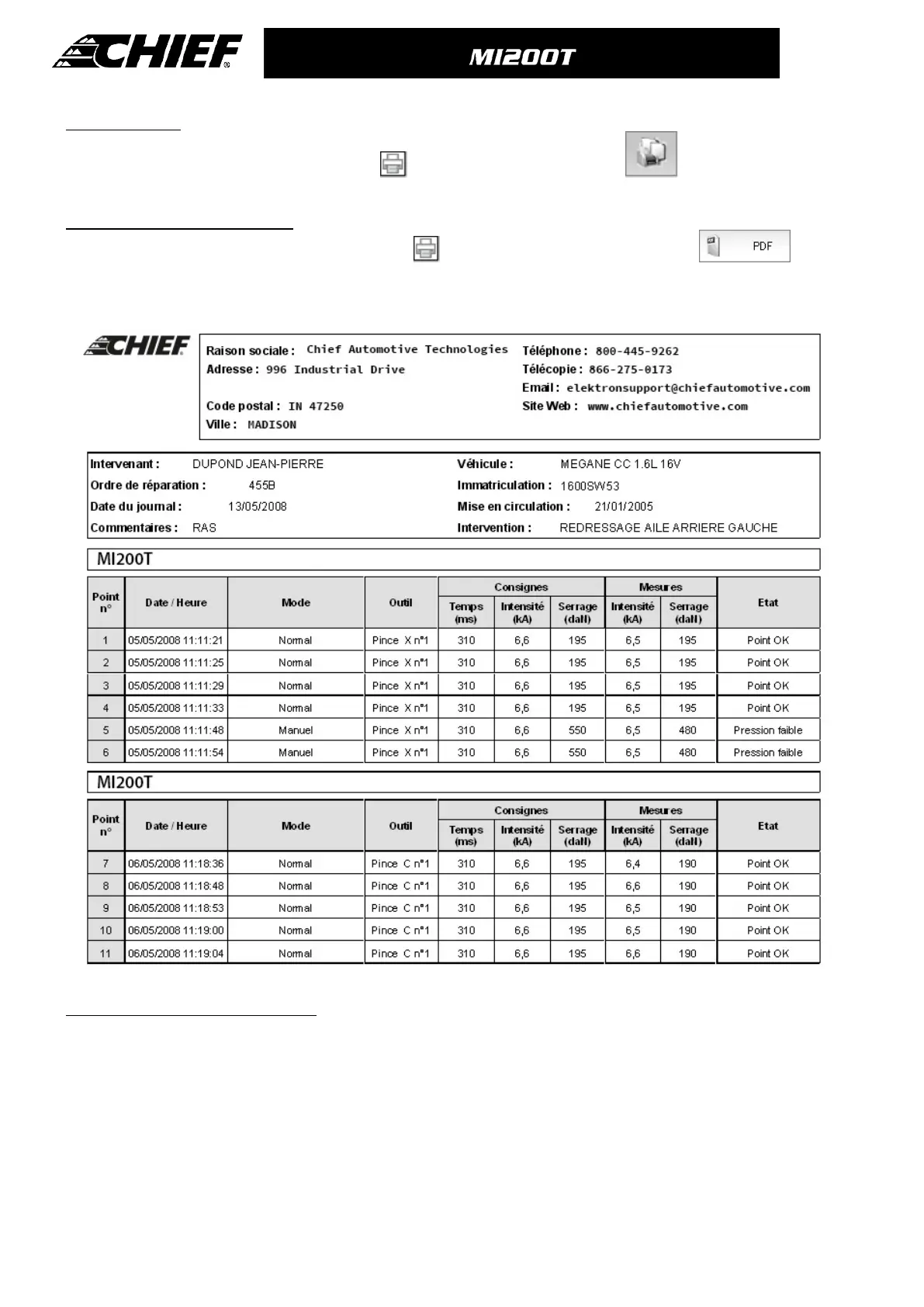
Below shows an example of the parameters saved and printed by using the SPOT software.
4/ Welding spot programming module
In order to enter the « Welding spot programming » mode, click on « Welding spot programming » in the « Options » menu.
The « Welding spot programming » mode allows the user to select welding spots defined by Car Manufacturers. This mode
also allows the user to program his own welding spot profiles.
Insert the SD card delivered with your MI200T spot welding machine in the SD card reader of your PC, then select the
corresponding reader identifier in the « Unit Choice» menu.
The MI200T spot welding machines can accept up to 16 files, which can contain each up to 48 programmed welding spots.
The first file called « User » cannot be deleted. It enables the user to add, edit or delete a programmed welding spot.



 To Next Page